Anime series generator tutorial 2026
Anime punishes inconsistency more than any other style, because a character is a fixed set of decisions. Change any by a little and viewers see a different character.
TL;DR
Anime shows inconsistency far more than photoreal work, since a character is a fixed set of design decisions. Use the Series Generator for discrete scenes and the Long Video Generator for continuous action. Build one reference image and reuse the exact same file, since text cannot hold a design. Thirteen models accept references and Kling 3.0 is not one of them. Wan 2.7 is the only model with a seed, which makes iteration directable rather than random.
Anime punishes inconsistency more than any other style.
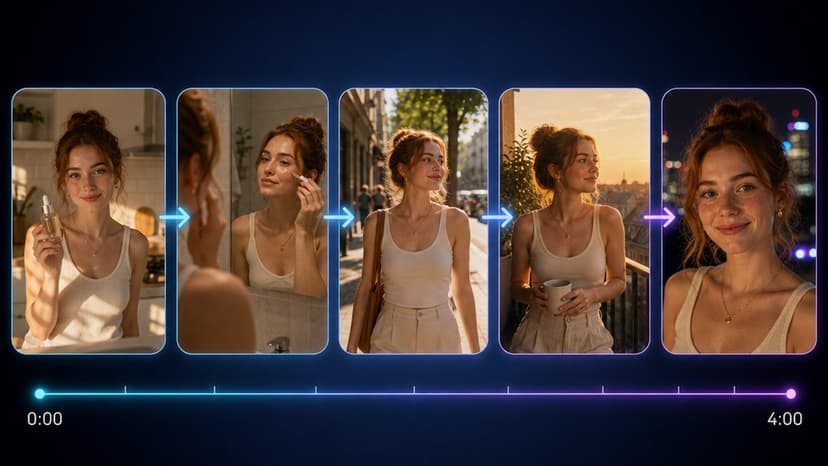
Photoreal footage tolerates a face shifting slightly between shots — real faces move, light changes, nobody notices. Anime does not. A character is a fixed set of decisions: hair shape, eye size, line weight, palette. Change any of them by a little and viewers see a different character.
So the whole problem is consistency, and the tools that solve it are specific.
Where to work
Series Generator for episodes made of discrete scenes that cut between locations. Each scene generates independently, and references carry the character across them.
Long Video Generator for one continuous run of action. Segment one renders from your references; every later segment carries the previous segment's finished clip and continues from its final frame, so identity and the world stay stable.
Manga Creator when the output is pages rather than video.
Choosing wrong costs a re-render, so decide the shape before generating anything.
The character sheet is the whole job
Text will not hold an anime character. "Girl with silver hair and green eyes" describes thousands of designs, and the model picks a different one every generation.
Build one strong reference image and reuse the exact same file everywhere. Not a similar image, the same one — two similar references produce two similar-but-different characters, which is the failure you are trying to avoid.
A usable reference is frontal or three-quarter, evenly lit, sharp, with the face large enough in frame to carry the design details that define the character.
Thirteen models accept a reference through reference to video: Seedance 2.0, 2.0 Fast and 2.5, Veo 3.1 and 3.1 Lite, Wan 2.7, 3.0 and 3.0 Prime, Kling 3.0 Motion Control, MiniMax H3, Gemini Omni Flash, and both Happy Horse models.
Kling 3.0 is not among them. It does text-to-video and image-to-video only, so uploading a character sheet to it achieves nothing. This is the single most common wasted step on this topic.
The one model with a seed
Wan 2.7 is the only video model out of 37 that exposes a seed, and it also takes a negative prompt. For series work that combination is genuinely useful.
A fixed seed means you can change one thing in the prompt and see what that change did, rather than what it did plus a different random draw. Across an episode, that is the difference between directing and gambling.
Note it is a real seed on one real model. Instructions to "reuse the same seed of 42" on Seedance or Kling describe a field those models do not have.
Holding the style, not just the face
Character identity is half the problem. The look is the other half.
Reuse the style wording verbatim. Keep the line-weight, palette and shading language identical between shots and change only the action. Rewriting the description each time invites the model to reinterpret the whole aesthetic.
Use the anime style presets where they fit. Named looks under Video Tools include anime, classic anime, modern anime and 3D anime, each a prompt preset paired with a suitable model.
Put unwanted drift in the negative prompt on models that take one. Concrete defects work: "extra fingers, distorted face, inconsistent hair colour".
Working through an episode
- Lock the character sheet. Everything downstream inherits it, so this earns real time.
- Decide the shape: discrete scenes, or one continuous run.
- Generate the first shot and judge its final frame, not just the clip. In a chain the next segment continues from that frame, so a clip that reads well in motion but ends mid-turn poisons everything after it.
- Keep shots short. Identity holds over a few seconds and degrades over many. Several short shots cut together beat one long generation and fail more cheaply.
- Add dialogue last with Lip Sync, after the visuals are settled, since re-rendering throws away sync work.
What is not real
No drift percentage. No published figure for how much a model drifts, and no test producing one. Numbers like "40 percent drift after episode three" were invented.
No guidance scale. Across all 37 video generation models the parameters are prompt, duration, aspect ratio and resolution, plus references, a negative prompt or first and last frames on some.
No project folders for storing reference sets. Generations live in History.
No seed on Seedance or Kling. Only Wan 2.7.
The catalog is at Models, each generation is quoted before it runs, and pack prices are on the pricing page.
Frequently Asked Questions
Why do my anime characters change between shots?▾
Because text cannot hold a design. "Girl with silver hair and green eyes" describes thousands of characters and the model picks a different one each generation. Build one reference image and reuse the exact same file everywhere, since two similar references produce two similar-but-different characters.
Can I use Kling 3.0 with a character sheet?▾
No. Kling 3.0 supports text-to-video and image-to-video only, so uploading a character sheet to it achieves nothing. Thirteen models accept references, including Seedance 2.0, 2.0 Fast and 2.5, Veo 3.1 and 3.1 Lite, Wan 2.7, 3.0 and 3.0 Prime, Kling 3.0 Motion Control, MiniMax H3, Gemini Omni Flash and both Happy Horse models.
Should I use the Series Generator or the Long Video Generator?▾
The Series Generator for episodes made of discrete scenes that cut between locations, where each scene generates independently and references carry the character. The Long Video Generator for one continuous run of action, where each segment continues from the previous one's final frame so the world stays stable too.
Which model has a seed for repeatable results?▾
Wan 2.7, the only one of the 37 video generation models exposing a seed, which also takes a negative prompt. A fixed seed lets you change one thing in the prompt and see what that change did rather than what it did plus a different random draw. Seedance and Kling do not have a seed field.
How do I keep the art style consistent, not just the character?▾
Reuse the style wording verbatim between shots, keeping line-weight, palette and shading language identical and changing only the action. Rewriting the description each time invites reinterpretation. The anime style presets under Video Tools cover anime, classic anime, modern anime and 3D anime.
Is there a project folder for storing reference sets?▾
No. There are no project folders for references. Everything you generate lives in History, and you supply the reference file with each generation.
How long should each shot be?▾
Short. Identity holds over a few seconds and degrades over many, so several short shots cut together beat one long generation and fail more cheaply. On chained work, judge each shot's final frame rather than the clip, since the next segment continues from that frame.