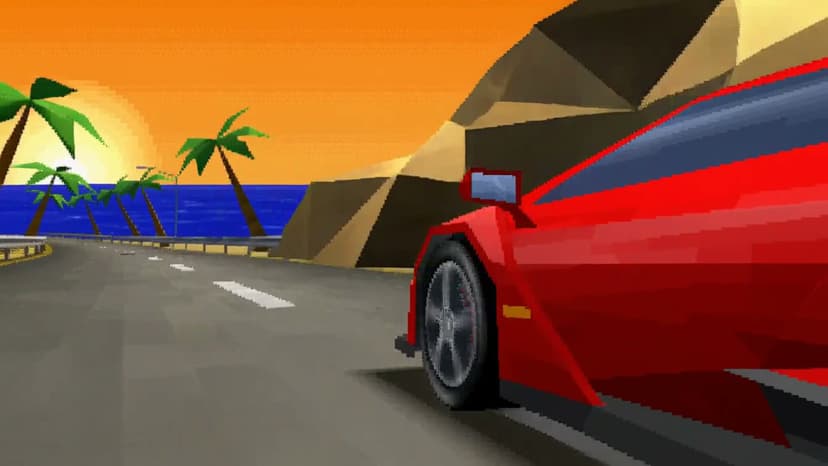
MiniMax H3 Max Turbo on Flixly: H3 Max Quality at Half the Price
H3 Max Turbo is the same post-trained MiniMax H3 Max running on a faster inference stack — same prompt adherence, same aesthetics, half the cost, and now native 1080p. Text-to-video and image-to-video, 5-15 seconds, live on Flixly.
TL;DR
MiniMax H3 Max Turbo is H3 Max — the post-trained variant of MiniMax H3 that ranks #1 for overall quality, prompt understanding, and aesthetics — served from a faster inference stack at half the credit cost. It generates 5-15 second clips at native 480p, 768p, or 1080p from a text prompt (six aspect ratios) or a start frame (with an optional end frame). Both modes are live on Flixly today, next to H3 Max in the model selector.
MiniMax H3 Max Turbo is H3 Max on a faster inference stack at half the price, and it is live on Flixly in text-to-video and image-to-video.
Why Turbo
- Same model, half the credits. Turbo runs the same post-trained H3 Max weights — the model that ranks #1 for overall quality, prompt understanding, and aesthetics in head-to-head comparisons — at half the per-second cost of the standard endpoints.
- Faster renders. The stack is co-optimized for throughput, so iterations come back sooner.
- Native 1080p. Every tier is generated natively, in real time — pick 480p to draft, 768p for the middle, or 1080p for full HD with more detail in every frame.
- Keyframe control in image-to-video. Give it a start frame, and optionally an end frame, and the clip animates from one to the other.
Specs
| Property | Value |
|---|---|
| Modes on Flixly | Text-to-Video, Image-to-Video |
| Duration | 5-15 seconds, one-second steps |
| Resolution | 480p, 768p, or 1080p — all native |
| Aspect ratios (t2v) | 21:9, 16:9, 4:3, 1:1, 3:4, 9:16 |
| Aspect ratio (i2v) | follows the source image |
| End frame | optional in image-to-video |
| Prompt expansion | disabled / balanced / quality |
| Prompt length | up to 5,000 characters |
Turbo or H3 Max?
Turbo for text-to-video and image-to-video — it is the same picture for half the credits. H3 Max when you need reference-to-video: directing a shot with reference images, video, or audio is only available on the standard endpoint.
How to use it
- Open the Video Generator in the dashboard and pick the tab you need — Text or Image.
- Pick MiniMax H3 Max from the model selector and flip the toggle to Turbo.
- Draft at 480p and 5 seconds, then re-run the prompt you like at 768p or 1080p and full length.
- Write the prompt as direction, not description: the subject, the action, the camera move.
- For image-to-video, upload a start frame; add an end frame if you want the shot to land on a specific composition.
What it costs
Turbo is billed by output length and resolution, and by nothing else: a 15-second clip costs three times a 5-second one, 768p costs more than 480p, 1080p costs twice 768p, and prompt expansion and end frames add nothing. Every tier is half of H3 Max's. The credit estimate on the page always reflects the exact settings you've chosen before you generate.
Try it
MiniMax H3 Max Turbo is live in Text to Video and Image to Video.
Frequently Asked Questions
What is MiniMax H3 Max Turbo?▾
The same post-trained MiniMax H3 Max model, co-optimized with a custom inference stack for higher throughput and offered at half the price of standard H3 Max. It delivers that throughput with no compromises on output quality.
How is Turbo different from H3 Max on Flixly?▾
Price and speed. Turbo costs half as many credits per second at every resolution and returns faster. H3 Max keeps one thing Turbo doesn't have: reference-to-video, where you direct the shot with up to nine reference images plus video and audio clips. For plain text-to-video and image-to-video, Turbo is the one to reach for first.
How long can a Turbo video be?▾
5 to 15 seconds in one-second steps. Clips are billed by output length, so a 15-second clip costs three times a 5-second one.
What resolutions and aspect ratios does it support?▾
480p, 768p, or 1080p, all generated natively — 1080p costs twice as much as 768p. In text-to-video you choose from six aspect ratios: 21:9, 16:9, 4:3, 1:1, 3:4, or 9:16. In image-to-video the output follows your source image's aspect.
Where can I try it on Flixly?▾
H3 Max Turbo is live in Text to Video and Image to Video on the Flixly dashboard. Pick the H3 Max family from the model selector and flip the toggle to Turbo.