Long Video Generator: One Cast, One Continuous Video
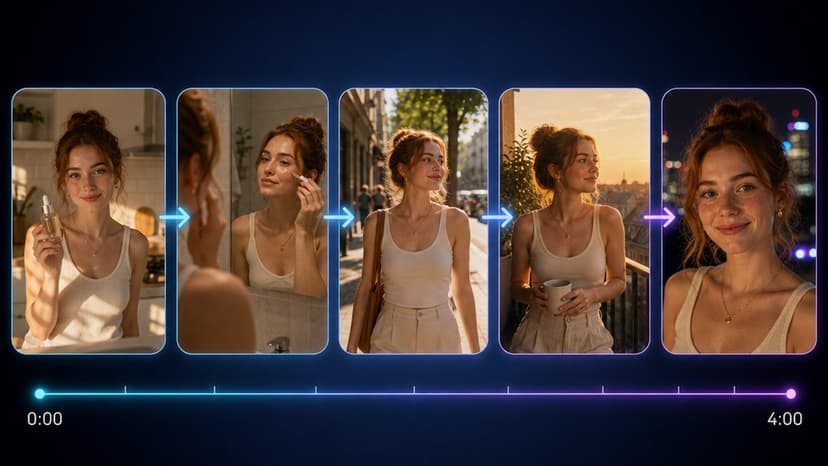
The tool that shipped as Series Generator V2 is now the Long Video Generator: one project renders as a chain of Seedance 2.5 shots, each continuing from the last clip's final frame, up to four continuous minutes. Your cast keeps the same face throughout, the script writes itself, and you cut the final video in the browser.
TL;DR
The Long Video Generator (formerly Series Generator V2, in your Flixly dashboard) renders one continuous video as chained Seedance 2.5 shots — each shot continues from the previous clip's final frame, with your character portraits attached as references throughout. A project is one video: 2 to 8 shots, 4 to 30 seconds each, up to four minutes total. Scripts are LLM-written and continuation-aware, every render shows its exact credit price first, and the built-in editor trims, reorders, watermarks and exports the final cut without leaving the page.
Most AI video tools give you one clip at a time — and every clip starts from zero. New render, new face, new room, no memory. That is exactly the wrong shape for the things people actually want to make: a UGC ad that runs longer than a breath, a scene that develops, a character your audience recognizes.
The Long Video Generator is built around the opposite idea: continuity is the product. It shipped as Series Generator V2, replaced Smart Shot in the dashboard, and now carries the name that describes what it actually does. You will find it on your dashboard home and in all tools.
The chain is the trick
Under the hood every video is a sequence of Seedance 2.5 renders — but never independent ones.
- Shot 1 renders from your character portraits, attached as image references.
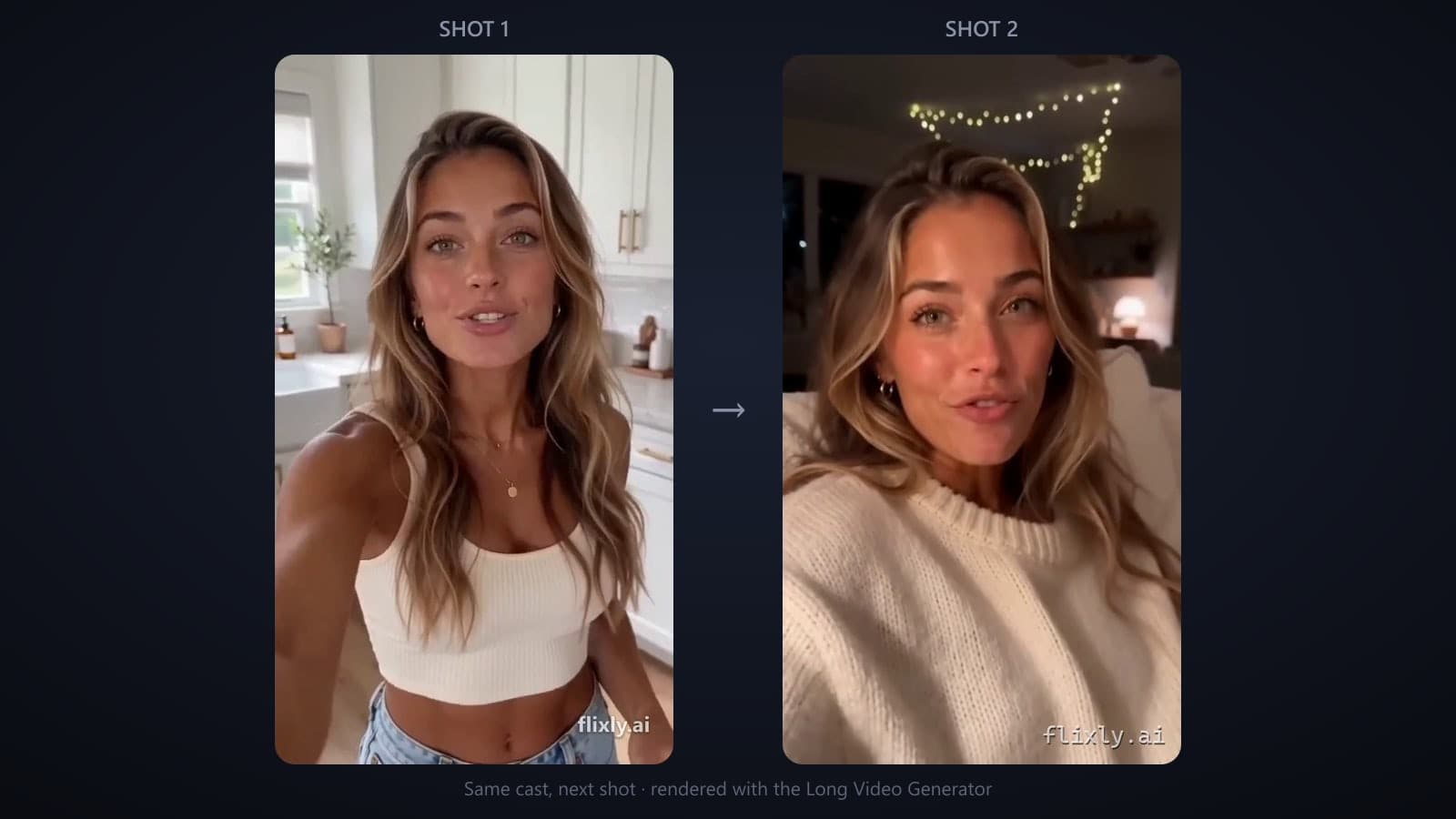
- Shot 2 carries shot 1's finished clip as a video reference, and its prompt starts from that clip's final frame — same wardrobe, same lighting, same motion.
- Shot 3 continues from shot 2. And so on.
Seedance 2.5 addresses references by index — the prompts literally say "the woman from [Image1]" and "continuing directly from [Video1]" — so identity comes from your portraits while continuity comes from the chain. The result plays as one continuous piece, not a slideshow of related clips.
One cast, one continuous video
A project holds your cast (up to 4 characters), your style references (up to 6), and the shots that make up the video. Each project is exactly one video: between 2 and 8 shots, each 4 to 30 seconds, for up to four continuous minutes. Want a second video? Start a second project — the cast is quick to rebuild, because portraits are just images you can reuse.
That is the "AI influencer" workflow in practice: generate or upload a portrait once, then let the chain carry that face through a four-minute piece — the kitchen, the walk outside, the sit-down at the end — without it drifting into a different person halfway through.
Portraits come from GPT-Image 2 or Nano Banana Pro — or you upload your own. Uploads and generations mix freely.
The script writes itself
Describe your idea in a sentence and the planner (a free LLM call — it costs no credits) writes the whole script: a title plus one director-style prompt per shot, already written in Seedance's reference vocabulary.
Two things make it more than a prompt expander:
- Your cast is pinned. When a project already has characters, the planner is told to reuse exactly them — same order, same reference numbers. It writes wardrobe and setting into the prompts; it never invents a replacement cast.
- It writes for the chain. Shot 2 onward is drafted as a continuation, not a fresh scene, so the prompts already carry the "picking up from the previous clip" framing the model needs.
Every prompt stays editable. The planner gives you a starting draft, not a locked script.
You always see the price first
Every generation here goes through the same pricing engine as the rest of Flixly, and the exact credit cost is shown before you render — per portrait, per shot, and as a running total for the shots you have left.
Two things worth knowing:
- Chained shots genuinely cost more. A video reference switches Seedance 2.5 to its second billing axis: the rate drops to 0.6x, but the billed seconds become output plus reference. A 5-second shot chained to a 5-second clip is billed at 0.6 x (5+5)/5 = 1.2x the unchained rate. The UI says so instead of hiding it.
- Projects track what you actually spent. Each project shows the credits spent on its successful renders — failed renders refund automatically and don't count.
At 480p, a chained continuation costs more than the opening shot, and 720p costs more again. Every price is shown live for your exact settings before anything renders, and Dry run walks the whole chain — routing, prompts and price — without spending a credit.
Cut the final video without leaving the page
Rendered shots drop into a final-cut editor at the bottom of the page: include/exclude clips, reorder them, trim each one, and preview the cut. Export runs entirely in your browser (ffmpeg compiled to WebAssembly) — clips are joined losslessly when nothing is trimmed, and nothing re-uploads anywhere.
The exporter also handles the details that usually bite people:
- Audio-safe joins. Seedance 2.5 generates synchronized audio in the same pass; the exporter probes every clip's real audio and keeps the final cut in sync even if a provider ever returns a silent render.
- Watermark or text overlay. Stamp your handle, your domain, or a logo image on the export: nine positions on a 3x3 grid, a width slider (or an uploaded image's own size), and adjustable opacity. Text renders in your system font; images are converted automatically. Settings save with the project.
Making your first one
Open the Long Video Generator, write a concept, and hit Generate script — that part is free. Generate or upload a portrait for each character it proposes, pick resolution, aspect ratio and shot durations while the credit total updates live, then render: Generate shot n°1 takes one at a time, Batch generate runs the rest of the chain. Trim, reorder, watermark, Export.
For the long version — including what to do about captions, upscaling and the shots that come back wrong — read How to make long videos using AI, which walks the whole thing step by step.
Old Smart Shot and Series Generator V2 links both land here, and everything you rendered with Smart Shot is still in your History.
Frequently Asked Questions
How does the Long Video Generator keep the same character throughout?▾
Every shot render carries the project's character portraits as reference images, and Seedance 2.5 addresses them by index ([Image1], [Image2]…). Because every shot in the chain uses the same portraits in the same order, the face stays consistent while wardrobe, setting and action change freely.
What makes the video continuous instead of a set of separate clips?▾
From shot 2 onward, the previous shot's finished clip is attached as a video reference and the prompt continues from its final frame. The model picks up motion, lighting and wardrobe from the actual footage, not from a text description of it.
How long can one video be?▾
A project is one continuous video of 2 to 8 shots, each between 4 and 30 seconds — up to four minutes in total. Each project is one video; to make another, start a new project and reuse the same portraits for the same cast.
How much does a long video cost?▾
The exact credit price is shown before every render, per shot and as a total for the shots remaining. Price scales with resolution and shot length, so check the quote shown for your exact settings. Chained shots cost more because a video reference switches billing to 0.6x the rate across output plus reference seconds. Dry run walks the whole chain for free, and each project tracks the credits actually spent on it.
Can I add a watermark to the exported video?▾
Yes — the export can stamp custom text or an uploaded image in any of nine positions on a 3x3 grid, with width and opacity controls. Watermark settings are saved with the project, and the overlay is applied in your browser during export at no credit cost.
What happened to Smart Shot and Series Generator V2?▾
Smart Shot was retired and Series Generator V2 was renamed: both dashboard links now redirect to the Long Video Generator, which covers the same one-idea-to-finished-video job with chained continuity, a persistent cast and the in-browser final-cut editor. Videos you made with Smart Shot remain in your History.