FLUX 3 Klein LoRA: Run Your Own LoRAs on Flixly
FLUX 3 Klein LoRA is live on Flixly. Paste links to up to three FLUX 3 Klein LoRAs, set their strength and generate images up to 4K or edit photos, with nothing to install. See real results with a Monet-style, a tarot and a camera-angle LoRA.
TL;DR
FLUX 3 Klein LoRA runs Black Forest Labs' FLUX 3 Image Klein base model with up to three LoRAs you choose. Paste each LoRA's .safetensors link, set its strength from 0 to 4 and include its trigger word in the prompt. It generates 1K, 2K and 4K images and edits photos with up to 10 reference images. Prompt expansion is off by default, so trigger words reach the model as typed.
FLUX 3 Klein LoRA is live on Flixly: Black Forest Labs' FLUX 3 Klein base model, running the LoRAs you choose. Paste a link to up to three LoRA files, set how strongly each one applies, and generate images up to 4K or edit photos with up to 10 reference images. There is nothing to install and no GPU to rent. Open FLUX 3 Klein LoRA in the Image Generator.
What is a LoRA?
A LoRA (low-rank adaptation) is a small add-on file that teaches an image model one new thing, such as a painting style, a character, a product or a camera move, without retraining the whole model. LoRA files are usually tens to a few hundred megabytes and use the .safetensors format. Most are trained to respond to a trigger word that you put in your prompt. A LoRA only works with the model it was trained for, so FLUX 3 Klein LoRA runs LoRAs made for FLUX 3 Image Klein.
What you can do with FLUX 3 Klein LoRA
| FLUX 3 Klein LoRA on Flixly | |
|---|---|
| Model | FLUX 3 Image Klein (base), by Black Forest Labs |
| LoRAs per image | Up to 3, each with its own strength from 0 to 4 |
| Modes | Text to image and image editing with up to 10 reference images |
| Sizes | 1K, 2K and 4K, in landscape, square and portrait ratios |
| Edits | Auto keeps the shape and size of your photo, up to 4 megapixels, or pick a ratio |
| Prompt expansion | Off by default, so your trigger words reach the model exactly as typed |
Real results
Every image below was made on Flixly with the prompt and settings shown, using LoRAs that their authors share publicly. Each one is the first result we got, with nothing edited apart from converting the files for the web. From pressing Generate to the finished image, these took between 6 and 23 seconds.
The same prompt and seed, with and without a LoRA
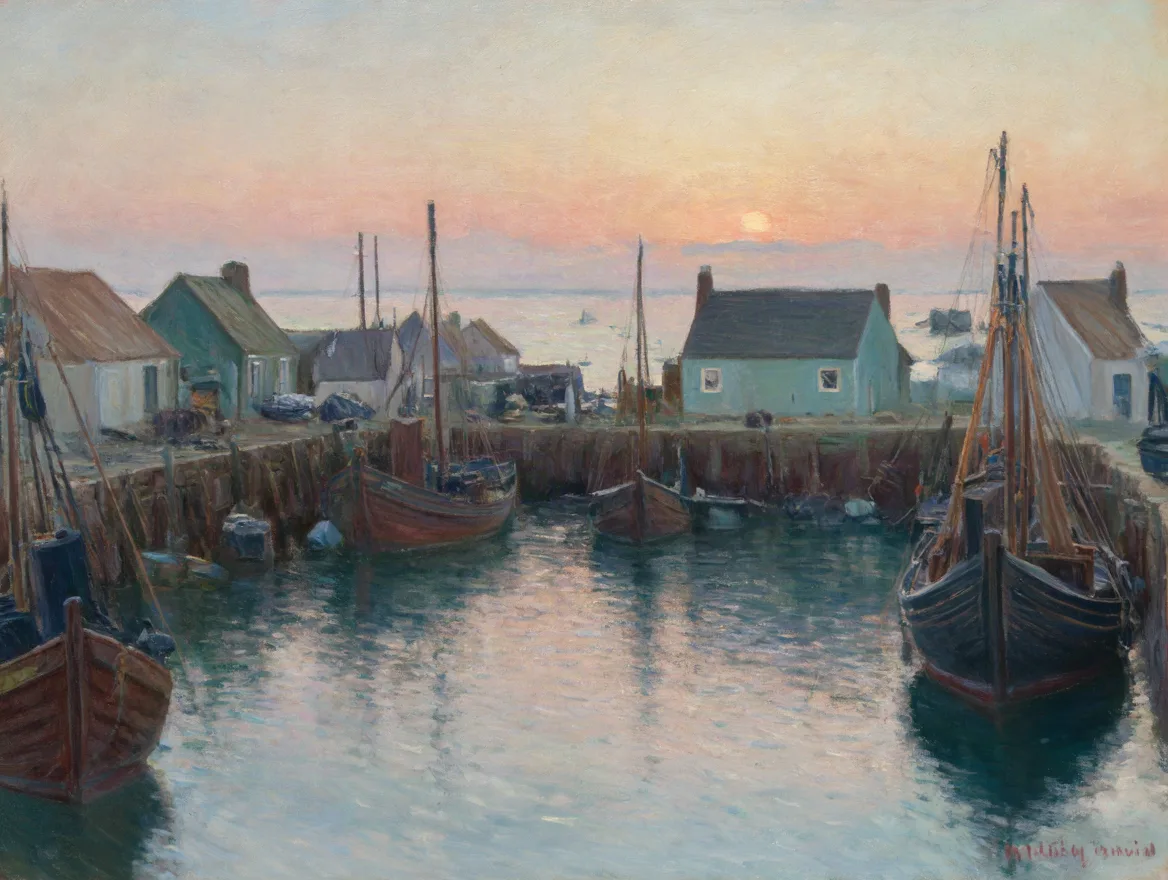
We used the Monet-style oil painting LoRA "mnt_oil" by pjecuacion and kept everything else the same: the prompt, the seed (2026), 4:3 at 1K. Only the LoRA strength changed.
mnt_oil, an oil painting of a small fishing harbour at sunrise, wooden boats at anchor, pastel houses along the quay, soft reflections on the water
Without the LoRA. FLUX 3 Klein paints a clean, bright harbour on its own.
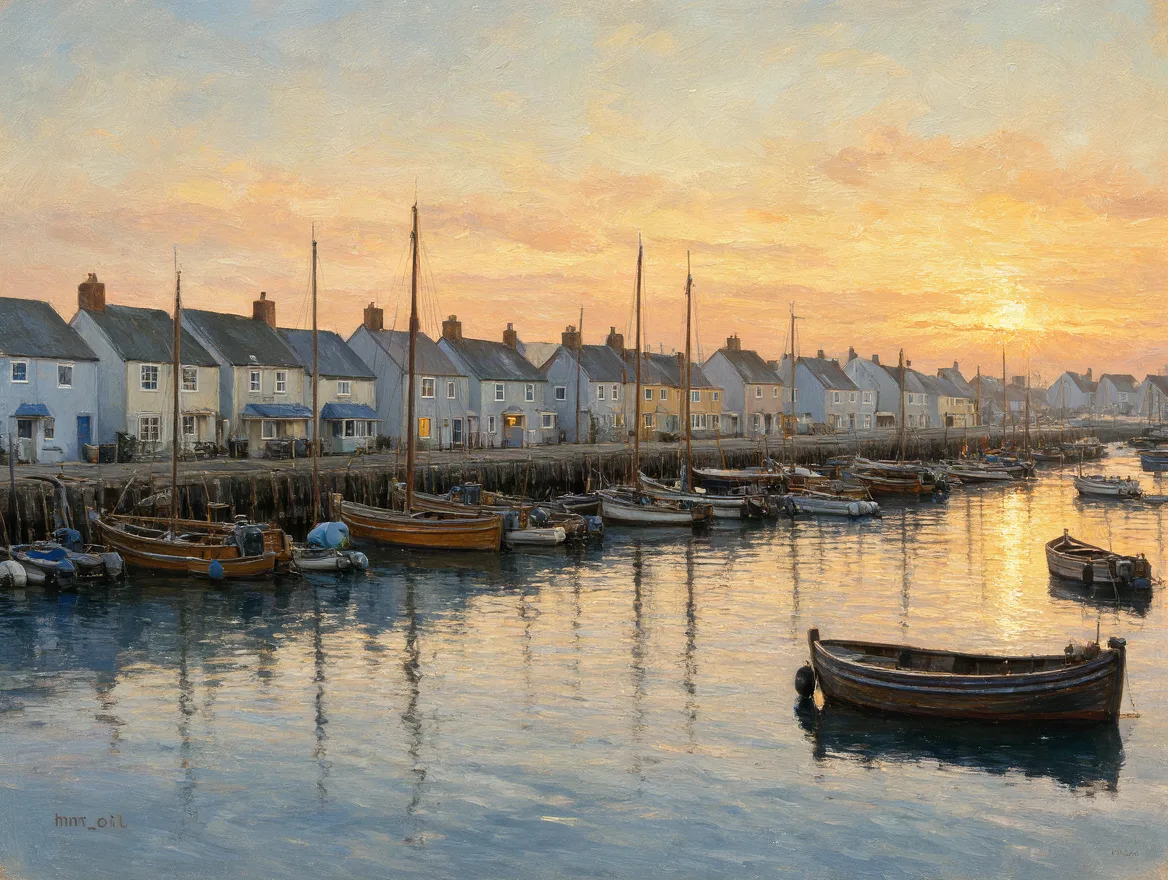
At half strength (0.5). The brushwork loosens and the colours soften toward pastel.
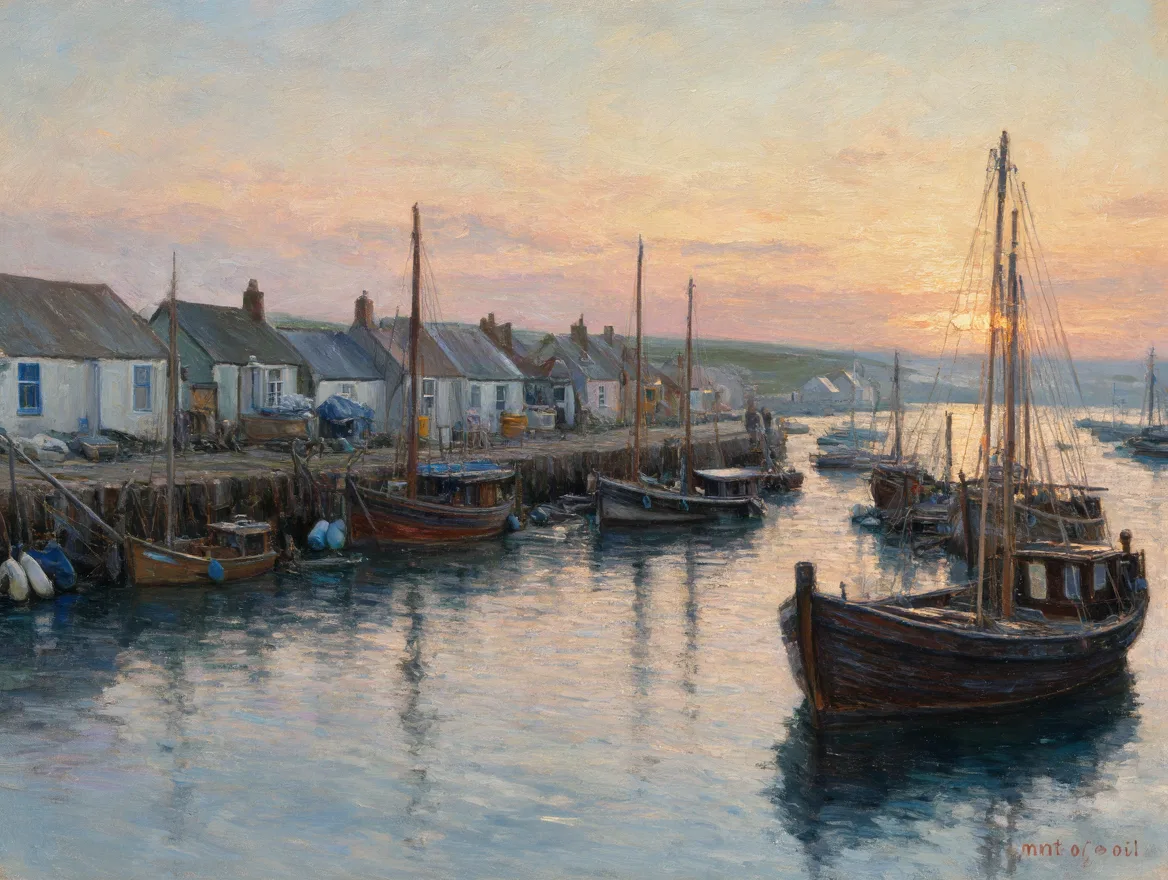
At full strength (1.0). The picture becomes an Impressionist canvas: broken brushstrokes, a muted morning palette and the boats pulled up close.
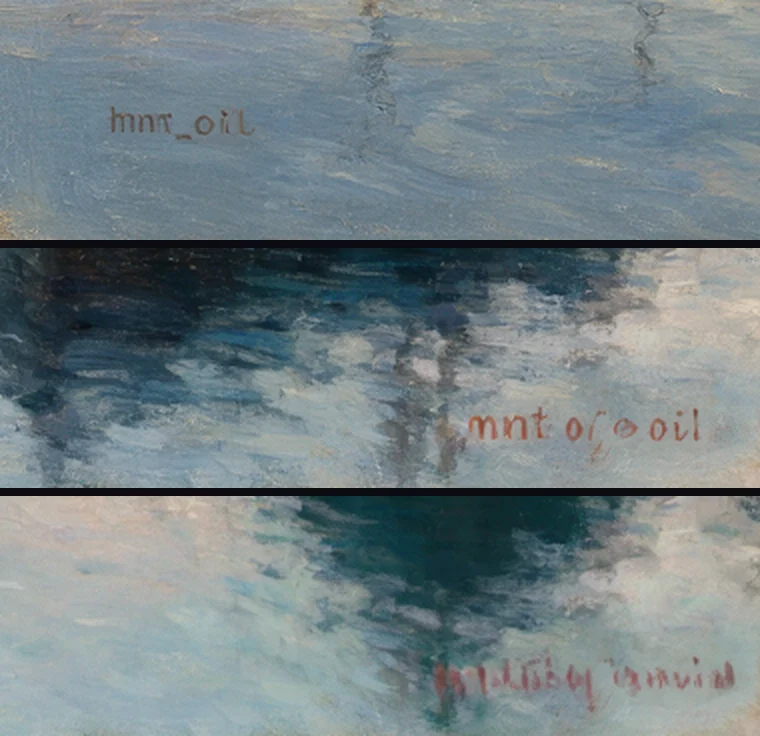
The corners tell you whether the LoRA is doing its job. Without it, the model does not know the made-up trigger word and paints it as text: "mnt_oil" appears in the corner. At half strength it is half a word. At full strength it turns into an illegible red painter's signature, as on the paintings the LoRA was trained on.
A style LoRA at 2K
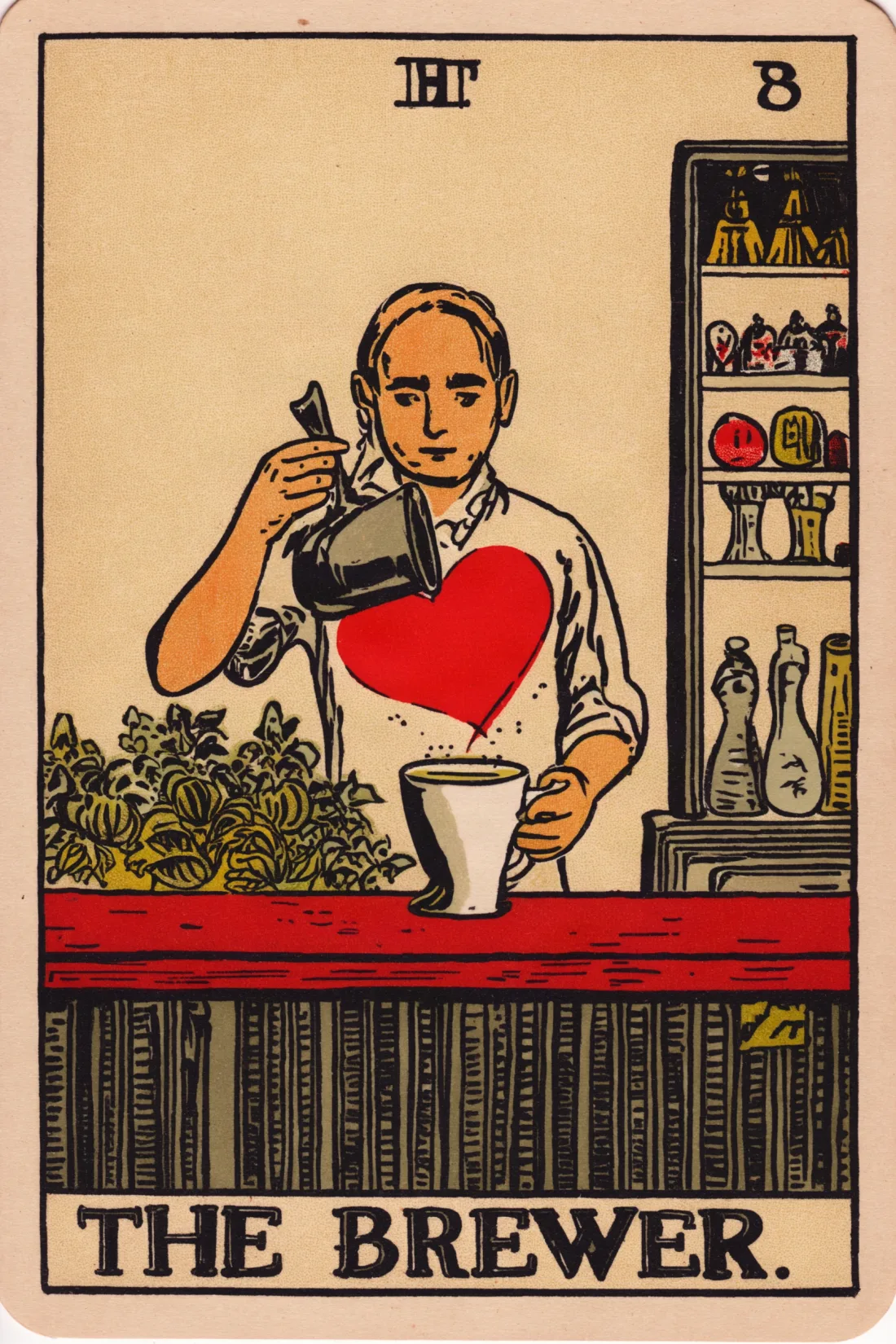
The Tarot LoRA by the Hugging Face diffusers team draws in the style of the classic Rider-Waite cards. Its trigger is "trtcrd". We asked for a 2:3 card at 2K (1664 by 2496 pixels), and it took 23 seconds, with the title lettered on the card.
a trtcrd of a barista pouring a heart into a cup of coffee behind a small cafe counter, "the brewer" arcana, tarot style
Edit a photo with a LoRA
LoRAs work in editing mode too. We started from a photo made with FLUX 3 Klein of a golden retriever on a porch at sunset.
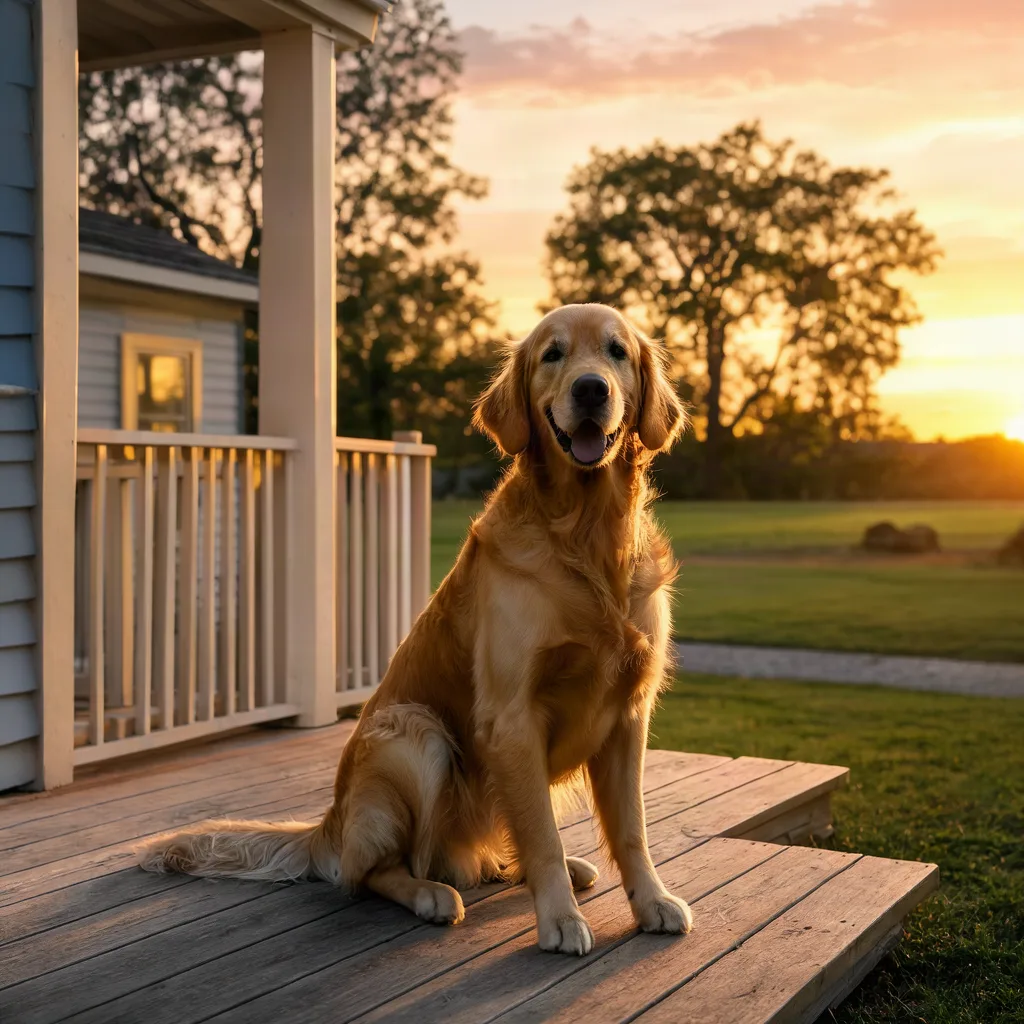
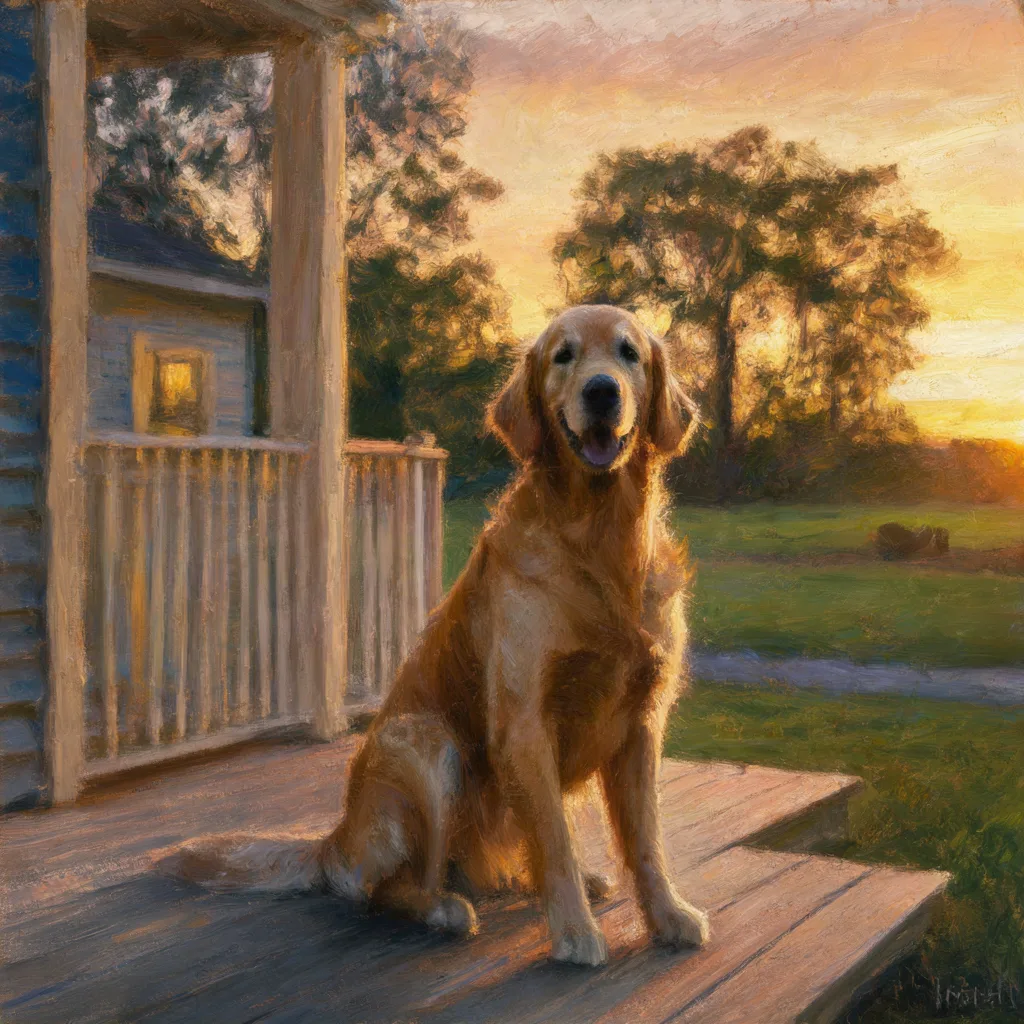
With the Monet-style LoRA on the edit, the same scene became an oil painting. The dog, porch and sunset stay where they were.
mnt_oil, an oil painting of the first image: the golden retriever sitting on the wooden porch at sunset, loose brushstrokes, warm light
Move the camera with a LoRA
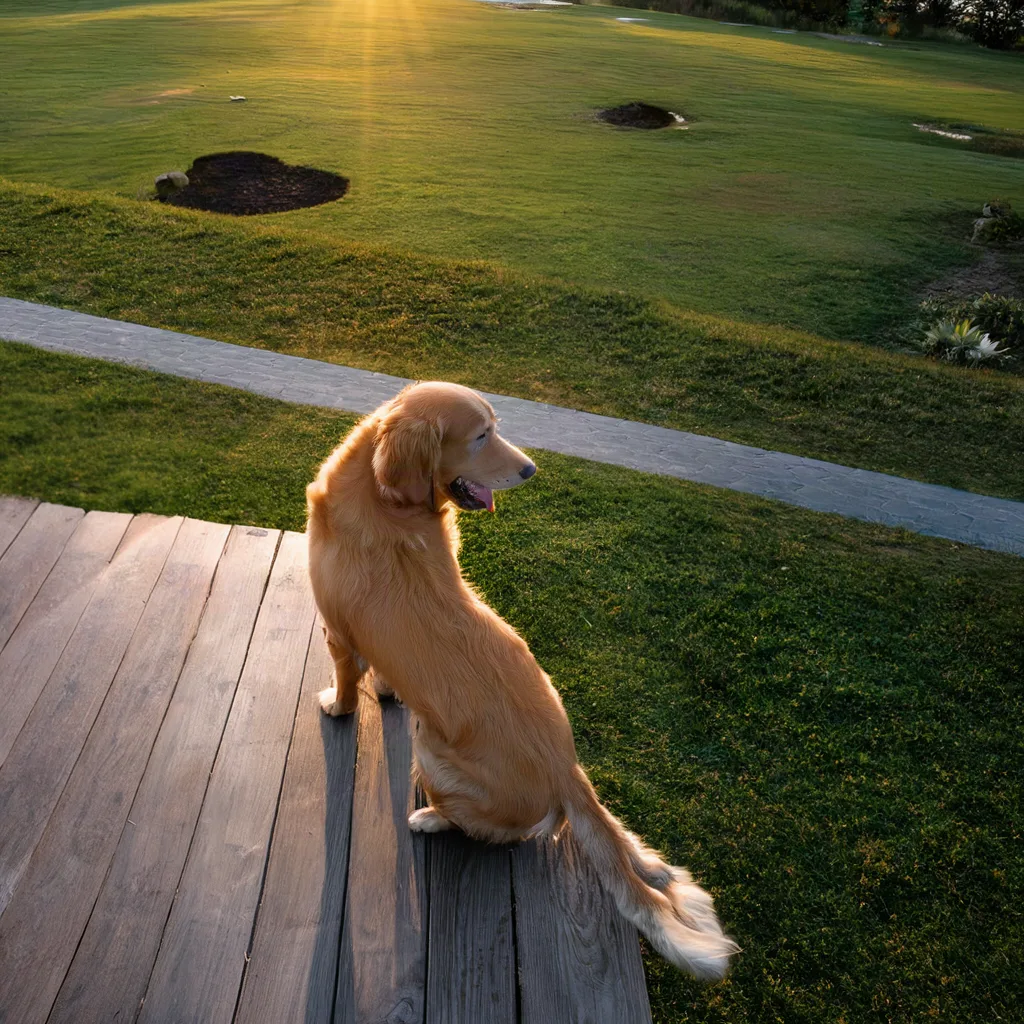
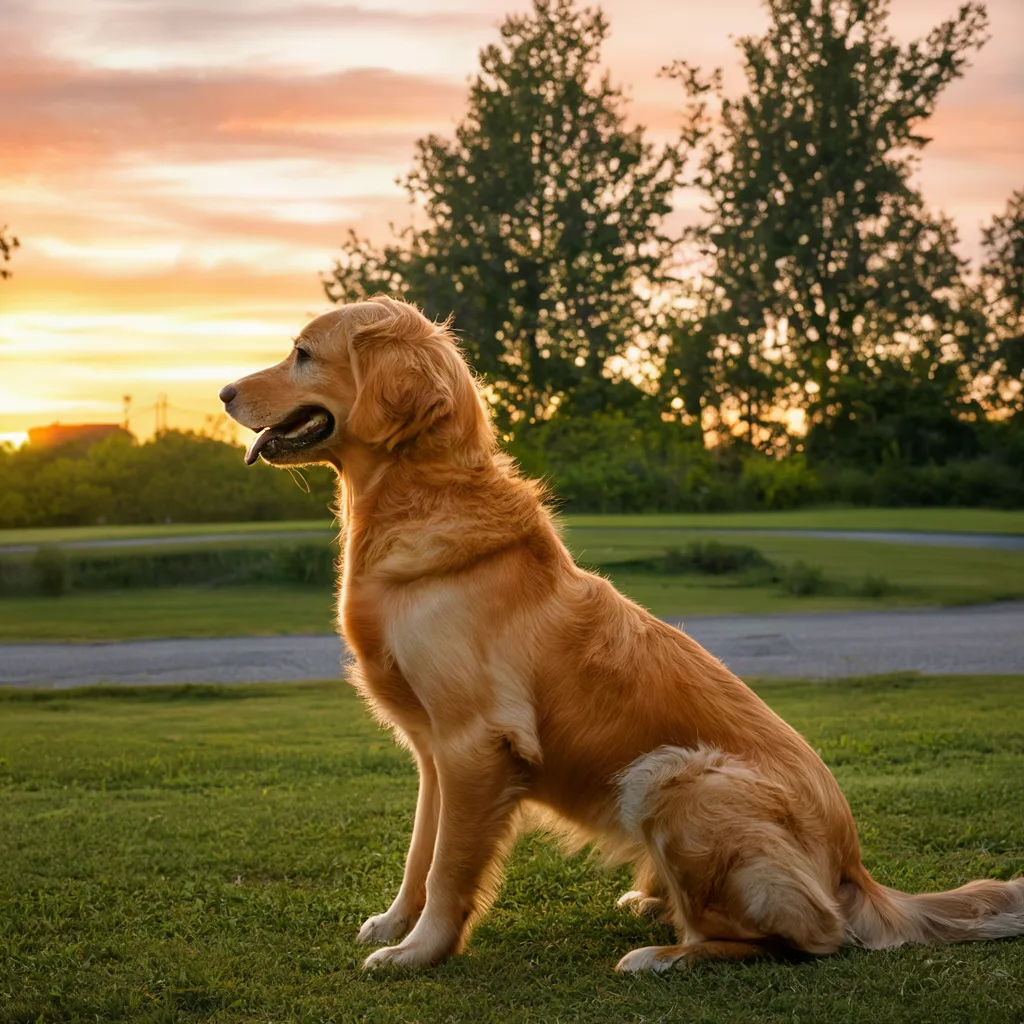
Some LoRAs teach a skill instead of a style. The Multiple Angles LoRA by akhaliq re-renders a subject from a new camera position, using prompts like <mva> right side view, elevated shot. These two edits of the same photo took 17 and 20 seconds.
How to use a LoRA on Flixly
- Open the Image Generator and choose FLUX 3 Klein LoRA.
- Pick Text to image, or Image to image to edit a photo.
- Under LoRAs, paste the link to the LoRA's
.safetensorsfile. Add up to three LoRAs with + Add LoRA. - Set each LoRA's strength. 1 is the usual starting point; lower it to blend the effect, raise it for more.
- Write your prompt and include each LoRA's trigger word.
- Pick the aspect ratio and size, check the credit estimate, and press Generate.
Where to find FLUX 3 Klein LoRAs
Hugging Face hosts many LoRAs trained for FLUX 3 Image Klein. Search for "FLUX 3 Klein LoRA", or check that a model card names FLUX 3 Image Klein as its base model. A LoRA trained for another model, including FLUX.2 Klein, is built for different weights.
Use the direct download link to the file, not the link to its page. On Hugging Face that is the link with /resolve/main/ in it, for example https://huggingface.co/<author>/<repo>/resolve/main/<file>.safetensors. Flixly only accepts full https:// links.
Before you use a LoRA for client or commercial work, read its license. Many FLUX 3 Klein LoRAs are released under the FLUX Kommunity License, which follows the base model's terms.
Tips for better results
- Always include the trigger word. It is on the LoRA's page, often as "instance prompt" or "trigger".
- Start at strength 1, then adjust. If a style overwhelms the subject, try 0.6 to 0.8. If it barely shows, try 1.2.
- Stack carefully. Two styles at full strength can compete. Lower one of them when you combine them.
- Leave prompt expansion off unless your prompt is very short. Expansion rewrites the prompt and can change a trigger word.
- Watch for painted text. With a style LoRA like mnt_oil, the trigger word painted as text means the LoRA is not loading, or its strength is too low.
The LoRAs in this post
- mnt_oil: Monet-style oil painting LoRA by pjecuacion
- FLUX.3 Tarot LoRA by the diffusers team
- FLUX 3 Image Klein Multiple Angles LoRA by akhaliq
Thank you to their authors for sharing them. See the FLUX 3 Klein LoRA model page for every setting, or try FLUX 3 Image, Black Forest Labs' FLUX 3 model for native 2K and 4K images and photo edits.
Frequently Asked Questions
What is FLUX 3 Klein LoRA?▾
FLUX 3 Klein LoRA is Black Forest Labs' FLUX 3 Image Klein base model running LoRAs you choose. On Flixly you paste links to up to three LoRA files, set their strength and generate images or edit photos, with nothing to install.
How many LoRAs can I use at once?▾
Up to three per image. Each LoRA has its own strength from 0 to 4; 1 is the usual starting point.
Which LoRAs work with FLUX 3 Klein LoRA?▾
LoRAs trained for FLUX 3 Image Klein, in the .safetensors format. LoRAs made for other models, including FLUX.2 Klein, are built for different weights. Check that the LoRA's page names FLUX 3 Image Klein as its base model.
What link do I paste for a LoRA from Hugging Face?▾
The direct download link to the .safetensors file, the one with /resolve/main/ in it, not the link to the model page. Flixly accepts full https:// links only.
Can I edit a photo with a LoRA?▾
Yes. Switch to Image to image, upload your photo and up to nine more references, add your LoRAs and describe the change. In our tests a Monet-style LoRA turned a photo into an oil painting, and a camera-angle LoRA showed the same dog from a new viewpoint.
Why should I leave prompt expansion off?▾
Prompt expansion rewrites a short prompt into a detailed caption, which can change or drop a LoRA's trigger word. It is off by default on FLUX 3 Klein LoRA for that reason.
How much does FLUX 3 Klein LoRA cost on Flixly?▾
It is priced by the size of the image you generate: 2K and 4K cost more than 1K, and LoRAs cost nothing extra. Flixly shows the credit estimate before you generate.