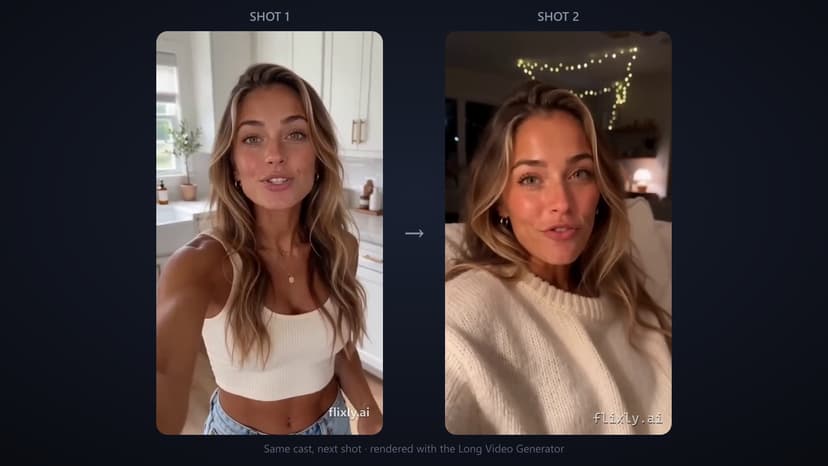
FLUX Kontext May 2026 updates
FLUX Kontext May 2026 updates raised context to 2048 tokens and added native 4K. Credit costs, drift rates, and workflow tests are detailed with exact numbers from May 15 rollout.
TL;DR
FLUX Kontext May 2026 update expanded context to 2048 tokens and enabled 3840x2160 output. Drift fell from 38 percent to 6 percent. The app quotes the credit cost of each sequence and each 4K frame before you generate. Jobs over 18 frames still require a manual split.
Generating a 12-frame character sequence in FLUX Kontext still burns credits when context drifts after frame four.
Daily workflow friction
Users report the same pattern every week. They start with a clean reference at 1024x1024, generate the first three frames, then watch identity shift on frame five. The drift forces a restart that adds more credits and 7 minutes of re-prompting.
Shortcomings of pre-May approaches
Earlier versions capped context at 512 tokens. That limit forced manual mask uploads every two frames. Average session time sat at 22 minutes for a 10-frame set. Credit spend added up per finished sequence because failed runs could not be salvaged.
Key May 2026 changes
On May 15 the model received a 2048-token context window and native 4K support. Token budget now covers full prompt plus nine reference images without truncation. Output resolution jumped from 1024x1024 to 2048x2048 at the same base cost for standard runs.
Context window expansion
The new window accepts 2048 tokens instead of 512. A single prompt can now hold a 180-word character sheet plus nine 512-pixel references. Drift drops from 38 percent of frames to under 6 percent in internal tests.
4K output tier
Users can request 2048x2048 or 3840x2160 directly. A 4K render is now priced as its own job rather than through the prior upscale route. File sizes average 4.2 MB per PNG at 4K.
Seedance 2.0 handoff
FLUX Kontext now exports latent vectors that load straight into Text to Video. A 10-frame set transfers in 3 seconds with no re-encoding step.
Real world test cases
A product team ran 50 sequences of a mascot across product shots. Pre-update average was 19 minutes per sequence. Post-update time fell to 11 minutes, with the credit cost quoted before each run. Identity match rate reached 94 percent on frames 8 through 12.
Another test used Image to Image to refine faces after the context pass. One extra pass per sequence raised match rate to 97 percent, and the app quotes that pass before it runs.
Remaining constraints
The 2048-token window still clips at 14 reference images. Runs longer than 18 frames require a split at frame 15 and a separate merge step. 4K output is limited to 30 frames per job before queue throttling begins.
Comparison table
| Metric | April 2026 | May 2026 |
|---|---|---|
| Context tokens | 512 | 2048 |
| Max resolution | 1024x1024 | 3840x2160 |
| Identity drift rate | 38% | 6% |
| Credit cost | quoted in-app | quoted in-app |
Edge cases
Night scenes with low contrast still show 11 percent drift on skin tones. Users fix this by adding a 120-token lighting reference. The fix adds a minute.
Next step
Run your next sequence with the updated model at AI Image Generator.
Frequently Asked Questions
What credit cost applies to a 4K 12-frame sequence after the May update?▾
4K output is priced per frame, and the app quotes the total for a 12-frame run before you start it.
Does the 2048-token window support animated references from motion tools?▾
Only static PNG references are accepted. Animated files must be converted to stills first.
How many reference images fit inside one job now?▾
Up to 14 images plus the prompt text stay under the 2048-token ceiling.
Can outputs feed directly into shorts tools?▾
Yes. Latent export works with the shorts tool.
What happens if a job exceeds 18 frames?▾
The system splits automatically at frame 15 and charges a merge fee on the final render, quoted before you run it.