
GPT Image 2.6 GIFs: Make Animated GIFs From Text or a Photo
GPT Image 2.6 can draw animated GIFs, and you can now make them on Flixly. Here are six real GIFs, from a reaction sticker to an animated portrait, with the settings we used and tips for a clean loop.
TL;DR
GPT Image 2.6 Flare and Sunburst can make looping GIFs of 4 to 16 frames on Flixly, from a text prompt or from your own image. Choose GIF as the output format, then a frame size, frames, speed and quality. Characters, text and backgrounds stay consistent from frame to frame. GIFs have no sound and use smaller frames, so use a video model for longer clips.
Can GPT Image 2.6 make animated GIFs? Yes. When OpenAI introduced ChatGPT Images 2.6, GIFs were one of the headline features, and you can now make them on Flixly with GPT Image 2.6 Flare and Sunburst. Describe a short loop, or upload a picture and say how it should move, and you get a looping GIF of 4 to 16 frames. Below are six GIFs we made on Flixly with the settings we used, how long each one took, and what we learned about getting a clean loop.
What are GPT Image 2.6 GIFs?
A GPT Image 2.6 GIF is a short, looping animation that the image model draws frame by frame. Because one model draws every frame in the same pass, the character, the lettering and the background stay the same from frame to frame, and only what you asked to move changes. That makes it good at the things people use GIFs for: reaction stickers, product loops, animated signs, loading animations and small story moments.
It is not a video model. A GIF has no sound, it is a few seconds long at most, and the frames are smaller than a still image: every frame of a GIF has to share the size budget of one picture. For longer clips with real motion and audio, use the Video Generator instead.
How to make a GIF on Flixly
- Open the Image Generator and choose GPT Image 2.6 Sunburst or GPT Image 2.6 Flare.
- Under Output format, choose GIF. The Frames and Speed settings appear.
- Pick the frame size: 512 × 512 (square, for stickers and avatars), 768 × 432 (wide) or 432 × 768 (tall, for stories).
- Pick Frames (4, 6, 9, 12 or 16) and Speed (Slow, Normal or Fast). Flixly shows how long one loop lasts.
- Pick quality: Low, Medium or High.
- Write what moves and how, then click Generate image.
To animate a picture you already have, switch to image editing, upload it, choose GIF and describe the motion. The last example shows how that works.
Flare is the faster version; Sunburst adds more fine detail. Every example below is the first result we got, unedited.
Example 1: a looping character animation
A small orange fox cub hops across a mossy log in a sunny storybook forest, one smooth looping hop, soft painterly light, the same fox in every frame.
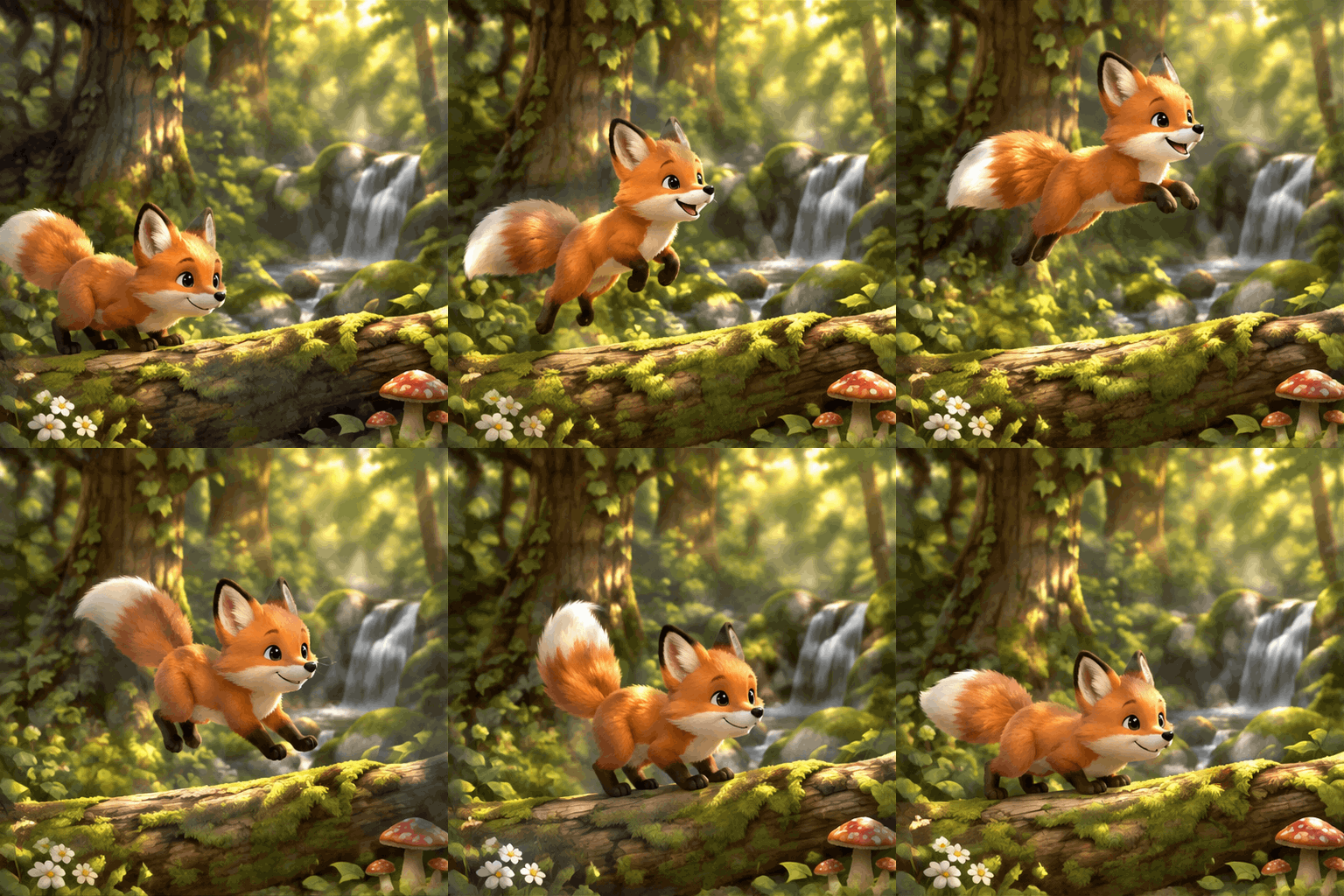
GPT Image 2.6 Sunburst, Medium, 512 × 512, 16 frames, Fast speed. Ready in 43 seconds.
The fox stays the same fox in every frame: the same face, fur and tail. With more frames and the Fast speed, the hop looks smooth instead of jumpy.
Example 2: a product loop with text
A cozy café product shot: a white ceramic cup of coffee on a wooden table with steam gently curling up and drifting, the cup printed with the words 'MORNING RITUAL' in clean black letters. Warm window light. Seamless loop; only the steam moves.
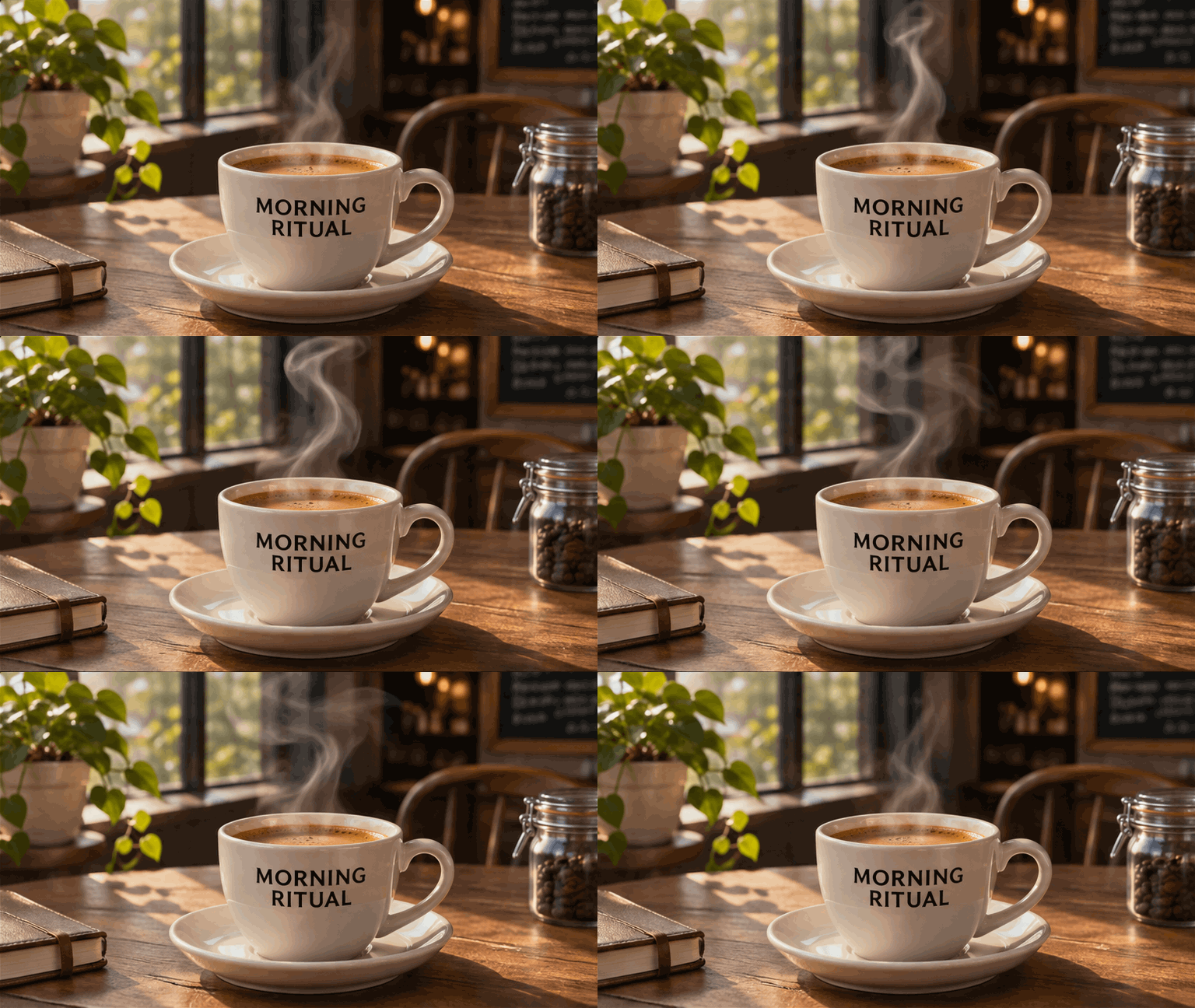
GPT Image 2.6 Sunburst, High, 768 × 432, 9 frames, Normal speed. Ready in 36 seconds.
"MORNING RITUAL" is spelled correctly in every frame, and only the steam moves, as the prompt asked. Product loops like this work well on a shop page or in an ad, where a still image would be skipped.
Example 3: an animated neon sign
A pink neon sign reading 'OPEN LATE' on a dark brick wall at night. The sign flickers off and back on, then glows steadily. Looping.
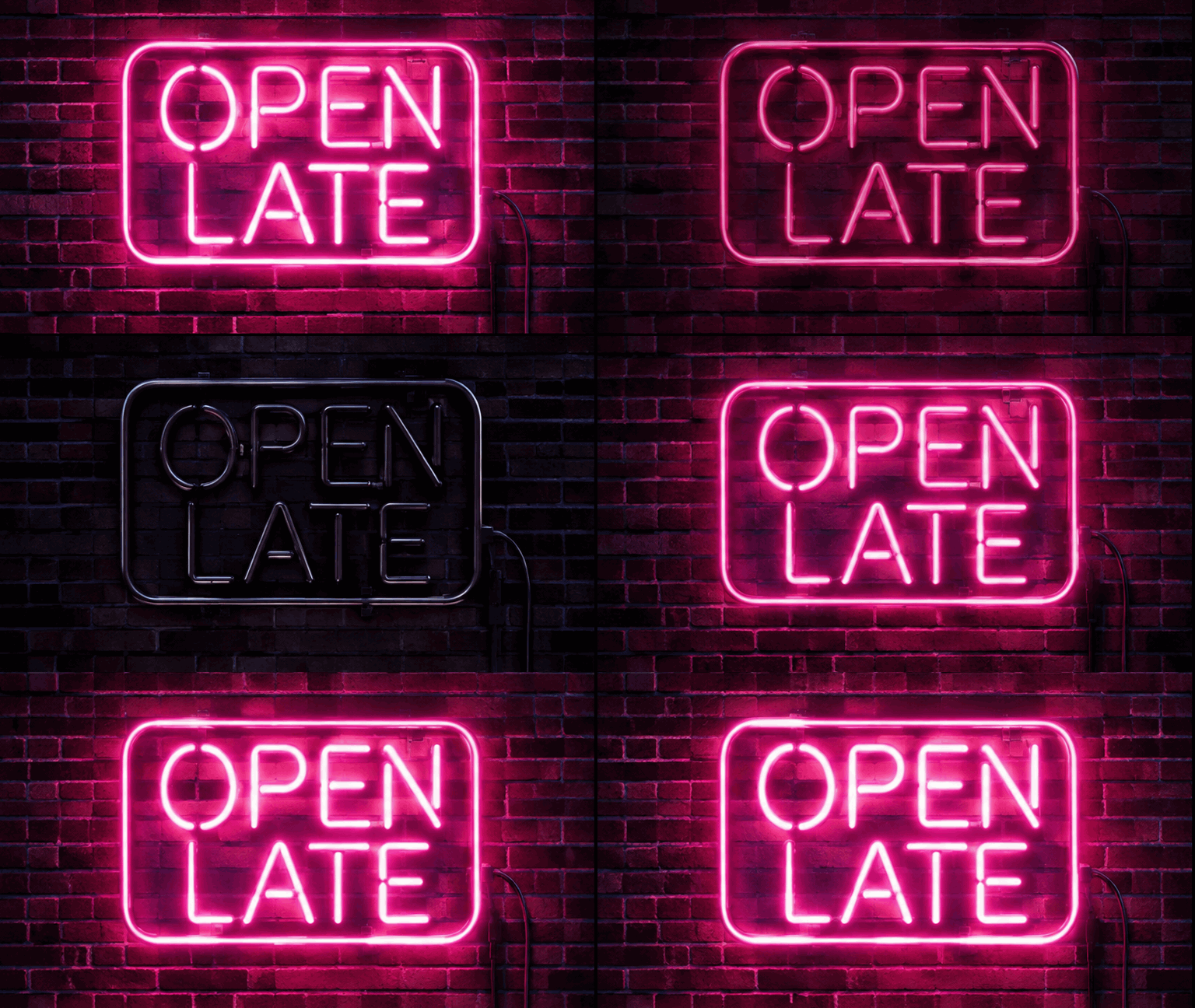
GPT Image 2.6 Flare, Medium, 768 × 432, 9 frames, Normal speed. Ready in 24 seconds.
The sign dims, goes dark for one frame and lights up again, so the flicker follows the order the prompt describes.
Example 4: a reaction sticker
A cute cartoon sticker of a round yellow cat giving a thumbs up and winking, thick white sticker outline, flat colors, plain light background. Looping reaction animation.

GPT Image 2.6 Sunburst, Medium, 512 × 512, 9 frames, Normal speed. Ready in 33 seconds.
Nine frames are plenty for a reaction: the cat winks, raises its thumb and settles back. The model chose a yellow background rather than the plain light one we asked for, so if the background matters, describe it in detail.
Example 5: a vertical story loop
Vertical phone-story scene: a cozy cabin window at night with a candle on the sill, snow falling gently outside, the candle flame flickering. Seamless loop.

GPT Image 2.6 Flare, Medium, 432 × 768, 9 frames, Normal speed. Ready in 22 seconds.
The tall frame fits phone stories. The flame flickers and the snow falls while the window, the cabin and the mug stay still.
Animate your own image
GIFs also work in image editing. We uploaded the portrait of Mira, the character from our GPT Image 2.6 vs 2.5 vs 2.0 comparison, and asked GPT Image 2.6 Sunburst Edit to make her smile, blink and wave:
Animate this exact woman: she looks at the camera, smiles, blinks once and waves a hand. Keep her face, hair, freckles, eyebrow scar, outfit and the background exactly the same in every frame. Looping.
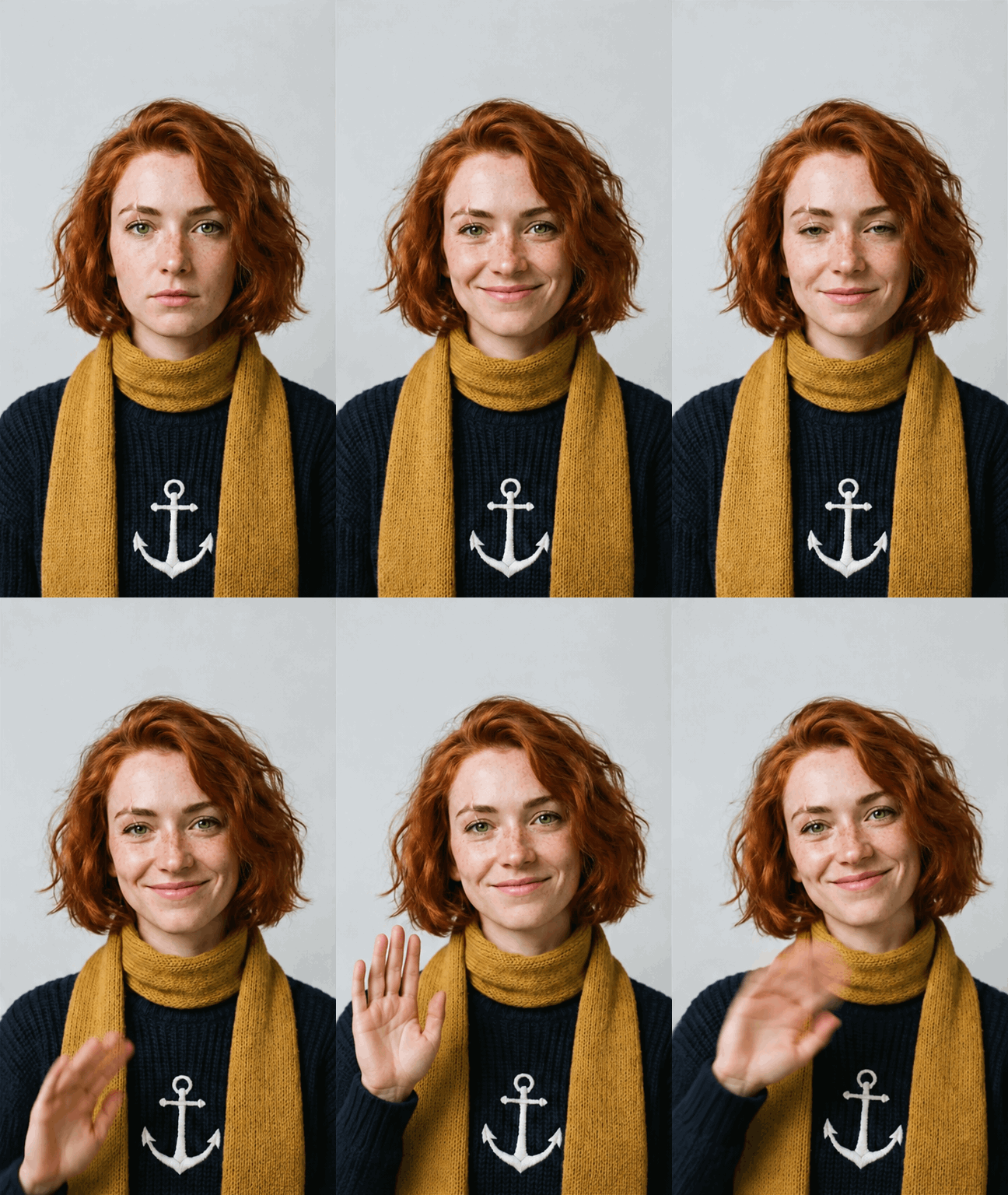
GPT Image 2.6 Sunburst Edit, Medium, 432 × 768, 9 frames, Normal speed, one reference image. Ready in 48 seconds.
Her face, freckles, wavy red hair, mustard scarf and anchor sweater stay the same in every frame. Only her expression and her hand change. You can add up to 16 images, for example a character and a product, and animate them together.
Tips for better GIFs
- Say what moves and what stays still. "Only the steam moves" or "keep the background exactly the same" gives a cleaner loop than a description of the scene alone.
- Ask for a loop. Words like "looping", "seamless loop" or "settles back" help the last frame lead into the first.
- Match the frames to the motion. 4 to 6 frames are enough for a wink, a flicker or a blink. Use 12 to 16 frames with Fast speed for smooth movement like a jump or a walk.
- Use the speed for timing. Slow shows each frame for 0.4 s, Normal for 0.2 s and Fast for 0.1 s, so 16 frames on Fast and 8 on Normal both last 1.6 s per loop.
- Choose the shape for where it goes. Square for stickers and avatars, wide for websites and slides, tall for stories and reels.
- Use Flare for drafts and Sunburst for the final. Flare was the quicker of the two in our examples.
What GIFs can't do yet
- Frame size. Frames are 512 × 512, 768 × 432 or 432 × 768. All frames are drawn on one picture, so larger frames would not fit.
- Length. Up to 16 frames, so a loop lasts a few seconds at most.
- Quality. Low, Medium and High. Extra high and Maximum are for still images.
- Background. Transparent backgrounds are for still images only.
- No sound. GIFs have no audio. For clips with sound, use the Video Generator.
Frequently Asked Questions
Can GPT Image 2.6 make GIFs?▾
Yes. GPT Image 2.6 Flare and Sunburst can return a looping animated GIF of 4 to 16 frames. On Flixly, open the Image Generator, choose GPT Image 2.6, set the output format to GIF, and describe what should move.
Can I turn my own photo into a GIF?▾
Yes. Switch to image editing, upload your picture, choose GIF and describe the motion, for example "she smiles, blinks and waves". GPT Image 2.6 Sunburst Edit and Flare Edit keep the person, the outfit and the background the same in every frame. You can add up to 16 images.
What sizes and lengths can a GPT Image 2.6 GIF be?▾
Each frame is 512 × 512, 768 × 432 or 432 × 768, with 4 to 16 frames shown for 0.1, 0.2 or 0.4 seconds each, so one loop lasts from under half a second to about six seconds.
Why are GIF frames smaller than GPT Image 2.6 still images?▾
The model draws all the frames of a GIF on one picture and then splits them, so every frame shares the size budget of a single image. Nine frames of 1024 × 1024 would not fit, which is why GIF frames are 512 × 512, 768 × 432 or 432 × 768.
Should I use a GIF or a video model?▾
Use a GIF for short, silent loops: stickers, reactions, product loops, animated signs and loading animations. Use a video model for clips longer than a few seconds, camera movement or sound.
Which is better for GIFs, GPT Image 2.6 Flare or Sunburst?▾
Flare is faster and good for drafts and simple loops. Sunburst adds more fine detail and is the better choice for text, faces and final versions.