GPT Image 2.6 Is Live on Flixly: Flare and Sunburst, With Real Examples
GPT Image 2.6 is live on Flixly in two versions: Flare, the fast everyday model, and Sunburst, the precision model for fine detail, lettering and careful edits. Create from a prompt or edit up to 16 images, at quality from Low to Maximum. See six real results with their prompts, and a side-by-side with GPT Image 2.5.
TL;DR
GPT Image 2.6 from OpenAI is live on Flixly. Flare is fast and natural-looking; Sunburst spends longer for intricate detail, exact lettering and edits that change only what you ask. Both create from a prompt or edit up to 16 images, with quality from Low to Maximum, transparent backgrounds and PNG, JPEG or WebP. New images cost the same as GPT Image 2.5; edits are priced by the number of images you send.
GPT Image 2.6 is live on Flixly. OpenAI's newest image model comes in two versions: Flare, the fast everyday model, and Sunburst, the precision model for fine detail, text and careful edits. Both can create an image from a prompt or edit images you upload, up to 16 at a time. Open Sunburst or Flare in the Image Generator, pick a quality from Low to Maximum, and Flixly shows the credit price before you generate.
New: animated GIFs. GPT Image 2.6 can also make looping GIFs of 4 to 16 frames, from a prompt or from your own picture: choose GIF as the output format. See how to make GIFs with GPT Image 2.6 for six examples and tips.
What is GPT Image 2.6?
GPT Image 2.6 is the next version of OpenAI's GPT Image family, after GPT Image 2.5. As with 2.5, it ships as two models:
- Flare is built for speed. It gives fast, high-quality images with natural lighting, rich textures and complex layouts, and handles most everyday work.
- Sunburst is built for precision. It spends longer on each image for extra fidelity on intricate detail and lettering, and its edits stay close to your instruction: the subject and composition hold across many rounds of changes.
On Flixly, each model has a generation version and an edit version, all in the same model picker.
What you can control on Flixly
| Create from a prompt | Edit your images | |
|---|---|---|
| Models | GPT Image 2.6 Flare, GPT Image 2.6 Sunburst | GPT Image 2.6 Flare Edit, GPT Image 2.6 Sunburst Edit |
| Quality | Low, Medium, High, Extra high, Maximum | Medium, High, Extra high, Maximum |
| Output size | 1024 × 1024, 1536 × 864, 864 × 1536 | The same three, plus 1536 × 1024, 1024 × 1536, 1536 × 1152, 1152 × 1536, or Auto to keep your image's shape |
| Images in | None | 1 to 16 |
| Background | Auto, opaque or transparent | Auto, opaque or transparent |
| Format | PNG, JPEG or WebP | PNG, JPEG or WebP |
New images from GPT Image 2.6 cost the same credits as GPT Image 2.5 at each quality. Edits are priced by the number of images you send, so a quick one-image edit costs less than a 16-image composition. The exact price is shown before you generate.
Real examples
Every image below was made on Flixly with GPT Image 2.6, with the prompt and settings shown. Each is the first result we got, resized for the web and otherwise unedited. The times run from pressing Generate to the finished image.
Sunburst: a poster with exact lettering
GPT Image 2.6 Sunburst, High quality, 864 × 1536. It took 45 seconds.
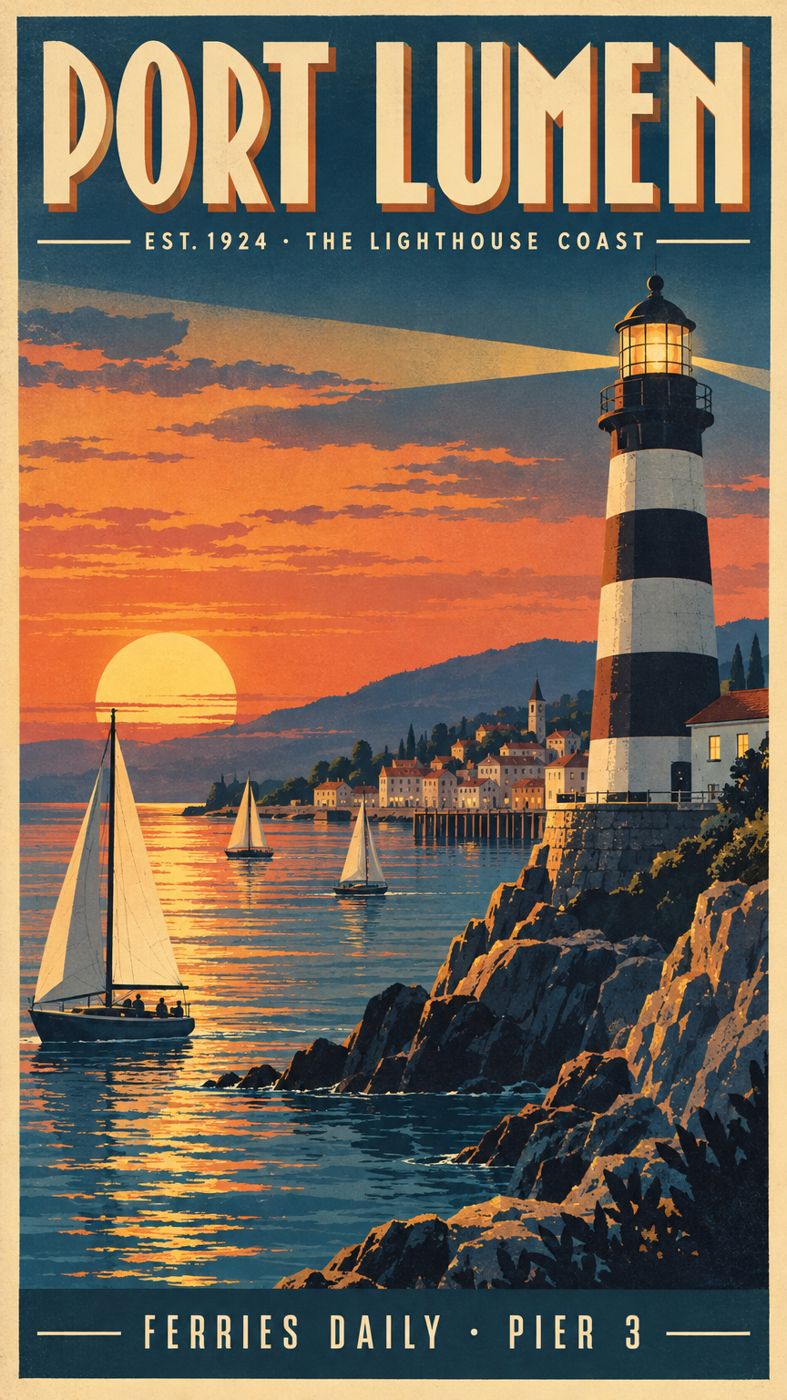
A vintage-style travel poster for a fictional coastal town called "Port Lumen". Bold Art Deco headline "PORT LUMEN" across the top, a smaller line "EST. 1924 · THE LIGHTHOUSE COAST" beneath it, and a footer reading "Ferries daily · Pier 3". A tall striped lighthouse at dusk, sailboats, warm sunset gradient, screen-printed texture, crisp clean lettering.
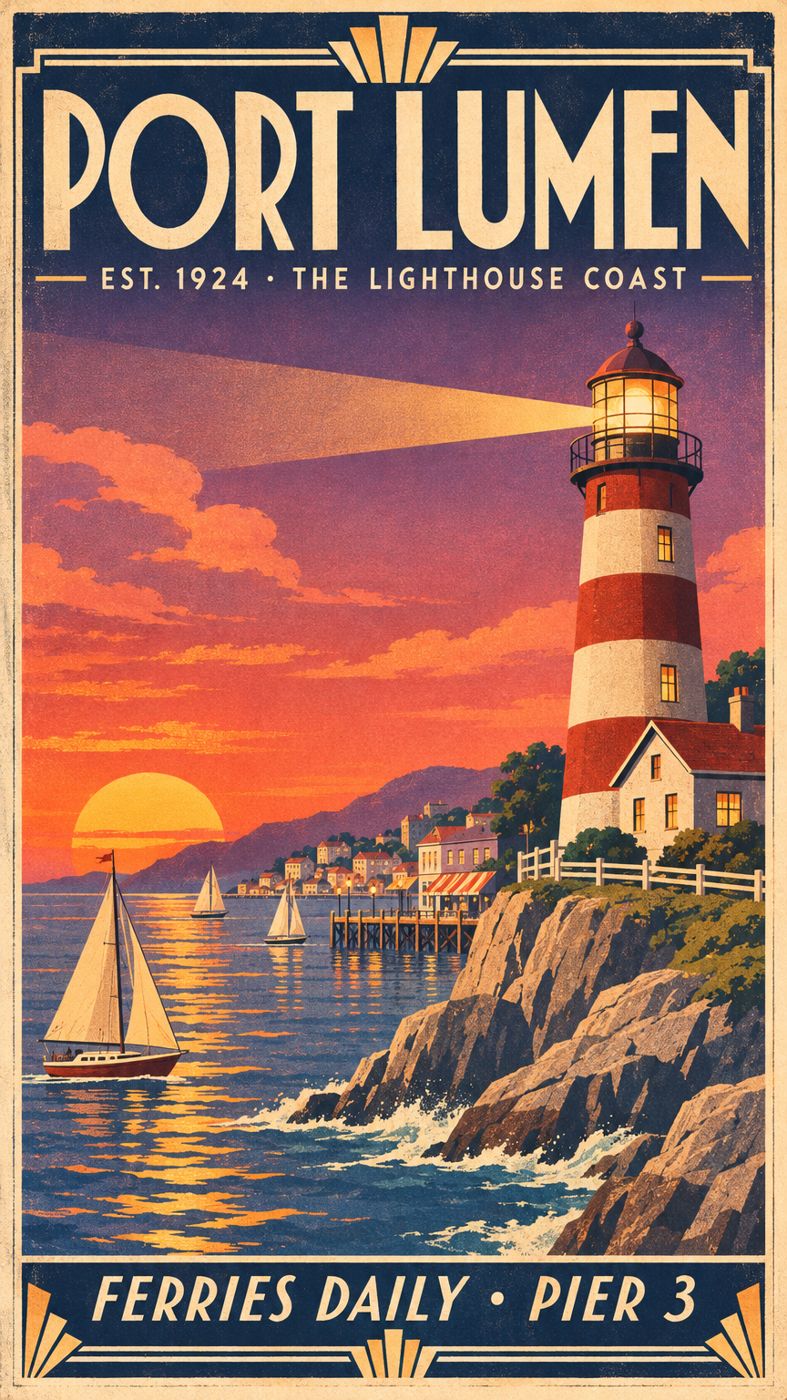
All three lines of text came out exactly as written, including the middle dots, and the poster keeps a consistent screen-printed look from the border to the rocks.
Sunburst edit: same poster, winter night
GPT Image 2.6 Sunburst Edit, Medium quality, 864 × 1536, with the poster above as the only image. It took 41 seconds.
Turn this into a winter night: snow on the rocks, roofs and railings, gentle snowfall, a deep blue night sky with stars, warm glowing windows, the lighthouse beam still on. Keep every word of the lettering, the layout, the borders and the poster style exactly as they are.
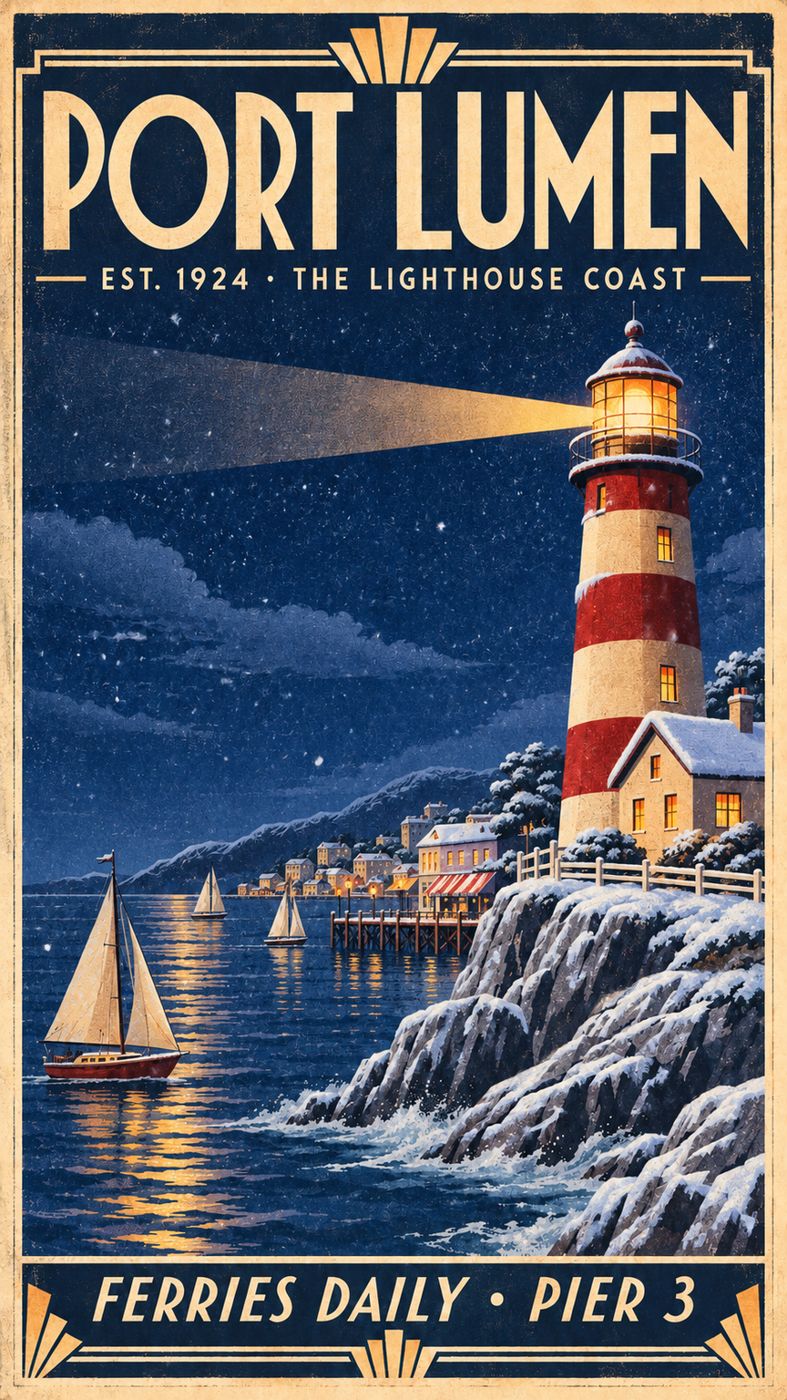
The season, sky and light changed, and the snow sits on the rocks and roofs. The headline, both text lines, the borders and the boats stayed where they were. That is the kind of scoped edit Sunburst is built for.
Sunburst at Maximum: an illustrated cutaway
GPT Image 2.6 Sunburst, Maximum quality, 1536 × 864. It took 104 seconds.
A detailed illustrated cutaway of a lighthouse, like a page from a vintage science book. Label each level with neat hand-lettered captions and leader lines: "LAMP ROOM", "WATCH ROOM", "KEEPER'S QUARTERS", "OIL STORE", "SPIRAL STAIR". Title at the top: "HOW A LIGHTHOUSE WORKS". Cream paper, ink linework, muted watercolor, tiny keeper figure climbing the stairs.
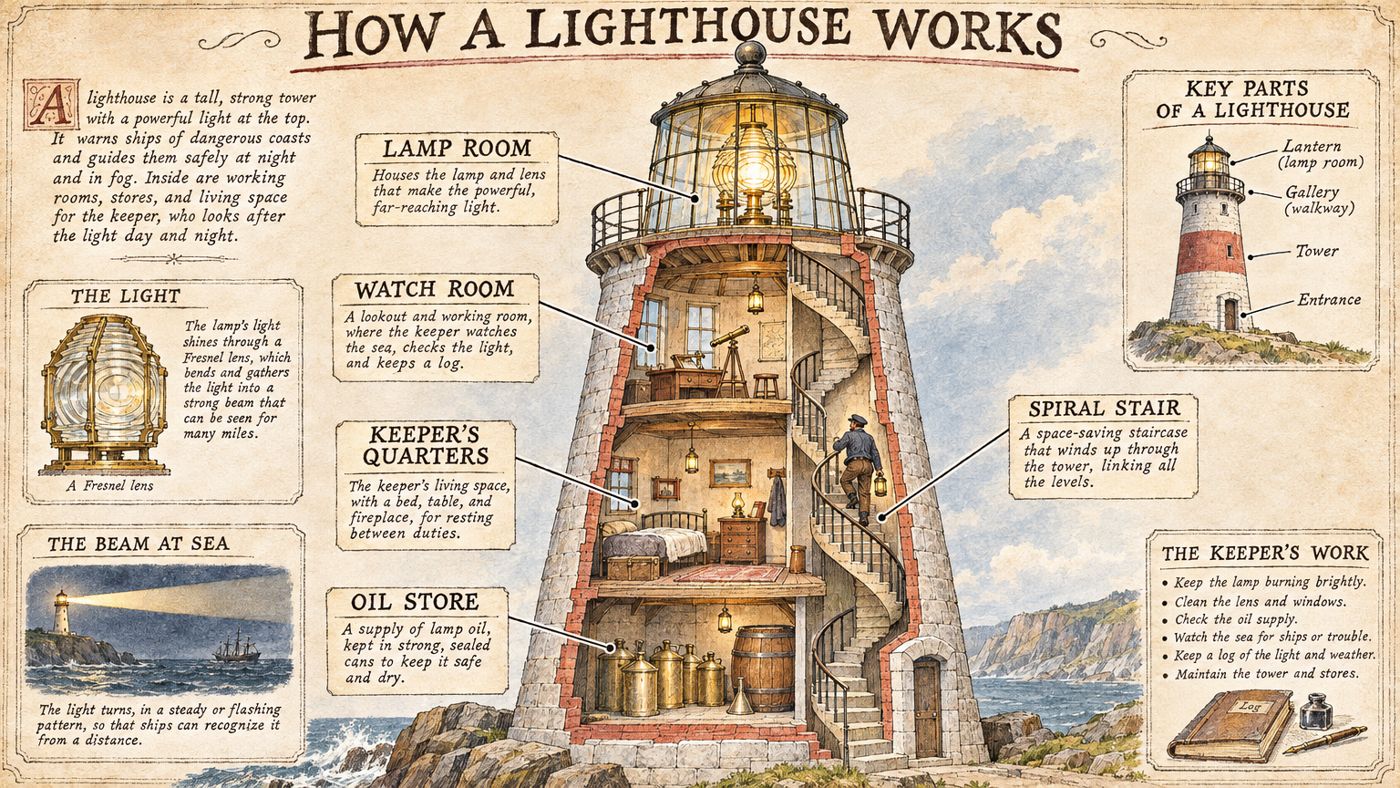
Every label we asked for is there, spelled right and pointing at the right level, and the model added its own panels on the lens, the beam at sea and the keeper's work. Maximum quality is the setting for dense pages like this, where small text has to stay sharp.
Flare: a candid street photo
GPT Image 2.6 Flare, Medium quality, 1536 × 864. It took 35 seconds.
Candid street photograph at dawn in Hanoi's Old Quarter: a woman in a conical hat ladles pho from a steaming pot at a tiny sidewalk stall, plastic stools, motorbikes blurred in the background, soft golden side light through the steam, natural skin texture, 35mm film look.

Flare is the everyday model: natural light, believable texture and a busy layout, at Medium quality in about half a minute.
Flare edit: two images, one scene
GPT Image 2.6 Flare Edit, Medium quality, 1536 × 864, from two images we made with Flare first: a studio portrait and a product shot of a bicycle. It took 39 seconds.

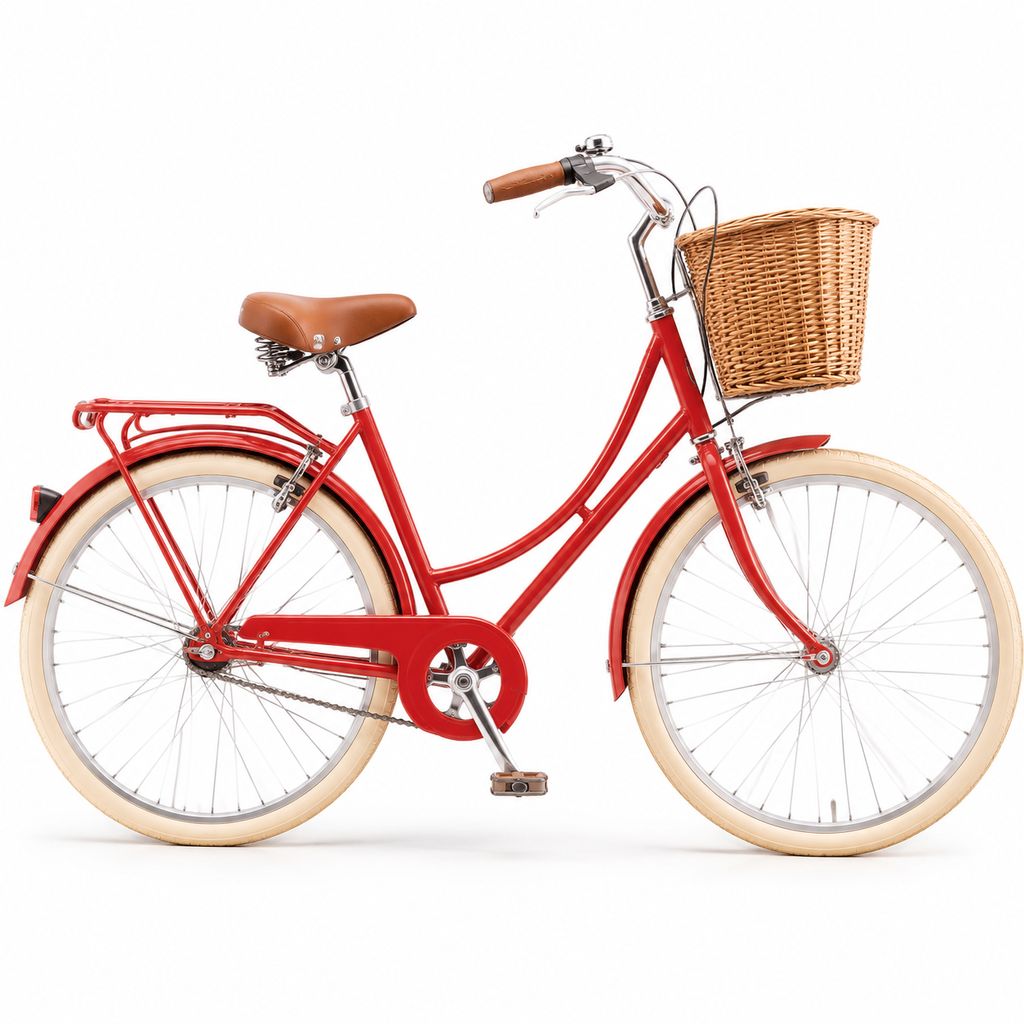
Photograph of the woman from the first image riding the red bicycle from the second image along a rainy Paris street at night. Keep her face, silver hair, freckles and mustard raincoat, and keep the bicycle's red frame, wicker basket and cream tyres. Wet cobblestones, café lights reflecting, slight motion blur, cinematic 35mm look.
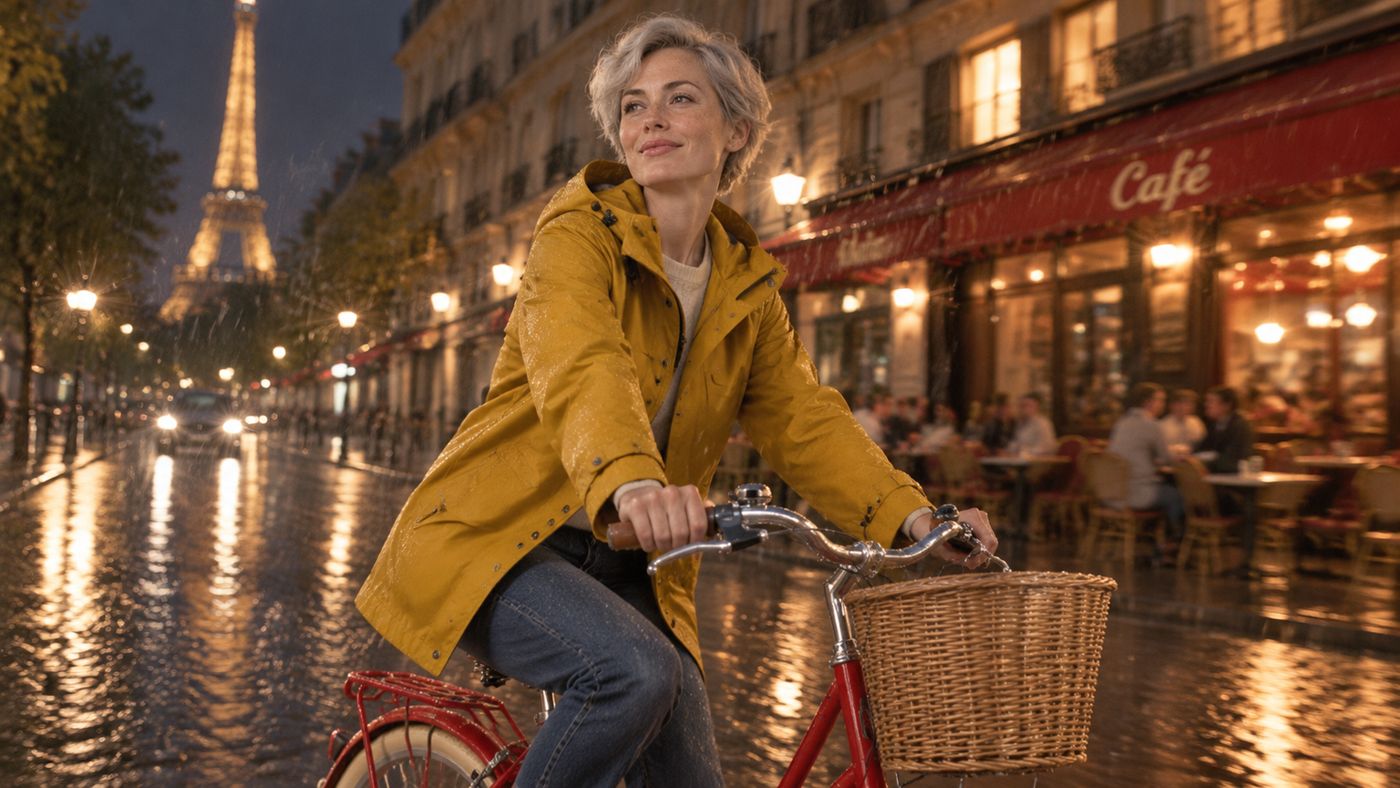
The rider keeps her silver hair, freckles and raincoat, and the bicycle keeps its red frame, basket and cream tyres. You can send up to 16 images in one edit: characters, products, places or a style reference.
GPT Image 2.6 vs GPT Image 2.5
The same poster prompt and settings (Sunburst, High, 864 × 1536) on both versions, run on the same day:
| GPT Image 2.5 Sunburst | GPT Image 2.6 Sunburst |
|---|---|
 |
|
Both versions set every word correctly here. The 2.6 poster has more going on in the scene, with a keeper's cottage, a pier, a town on the far shore and a beam across the sky, and a more finished Art Deco frame. One prompt is not a benchmark, so try your own brief on both. Both versions stay on Flixly, and projects built on 2.5 keep working as they are.
Which one should I use?
- Flare for most images: photos, product shots, social posts and quick variations. Start at Medium and step up when you need more detail.
- Sunburst when precision matters: posters and layouts with text, intricate illustrations, and edits that must leave everything else alone.
- Edit versions when you start from images: restyle a picture, change the season or time of day, or combine up to 16 references into one scene. Use Auto size to keep your source image's shape.
How to use GPT Image 2.6 on Flixly
- Open the Image Generator with GPT Image 2.6 Sunburst or GPT Image 2.6 Flare selected.
- To edit, switch to Image to image and upload your image, plus up to 15 more, or open Sunburst Edit or Flare Edit directly.
- Describe the image or the change. Put any words that must appear in quotation marks, and say what must stay the same.
- Choose the quality, the output size, the background and the format. The credit price updates as you go.
- Press Generate. Your image is saved to your history, where you can download it or edit the result again.
Frequently Asked Questions
What is GPT Image 2.6?▾
GPT Image 2.6 is the newest image model from OpenAI, after GPT Image 2.5. It comes in two versions: Flare, built for fast, high-quality everyday images, and Sunburst, built for precision, with extra fidelity on intricate detail and lettering and edits that stay close to the instruction.
What is the difference between Flare and Sunburst?▾
Flare is the faster model and suits most work, such as photos, product shots and social posts. Sunburst takes longer per image and is the better choice for posters and layouts with text, dense illustrations, and edits that must leave the rest of the image alone. In our launch examples, Flare at Medium took 35 to 39 seconds and Sunburst at High took 45 seconds.
Can GPT Image 2.6 edit my images?▾
Yes. Choose GPT Image 2.6 Flare Edit or Sunburst Edit in the Image Generator, upload one image or up to 16, and describe the change. You can restyle a picture, change the season or the time of day, or combine characters, products and places into one scene. Auto size keeps your source image's shape.
Which quality should I pick?▾
Medium suits most images. Pick High or Extra high for more detail, and Maximum for dense pages where small text must stay sharp, such as infographics, cutaways and posters. Low is the quickest and cheapest way to try an idea. Edits offer Medium to Maximum.
Can GPT Image 2.6 make transparent backgrounds?▾
Yes. Set Background to Transparent and choose PNG or WebP output. JPEG has no transparency, so Flixly switches it to PNG when a transparent background is selected.
How much does GPT Image 2.6 cost on Flixly?▾
New images cost the same credits as GPT Image 2.5 at each quality. Edits are priced by the number of images you send, so a one-image edit costs less than a 16-image composition. Flixly shows the exact credit price before you generate.
Is GPT Image 2.5 still available?▾
Yes. GPT Image 2.5 Flare and Sunburst stay on Flixly next to 2.6, so existing projects keep working and you can compare both on the same prompt.