GPT Image 2.6 vs 2.5 vs 2.0: Character Consistency and Real Results
Can GPT Image keep one character consistent across the keyframes of a 2-minute video? We gave GPT Image 2.6, 2.5 and 2.0 the same reference and six shots, plus five more tests: text, instructions, a portrait, an illustration and an edit. See every result side by side.
TL;DR
For keyframes, GPT Image 2.6 Sunburst was the most consistent: across six shots of a short film it kept the same face, freckles and eyebrow scar, and followed each shot's direction best. 2.5 Sunburst held the face almost as well. 2.0 kept the outfit but let the face drift. All three spelled text correctly. 2.0 still offers 2K, 4K and custom sizes.
Which GPT Image should you use: 2.6, 2.5 or 2.0? We gave all three the same tasks on Flixly. The main one was keeping a single character consistent across six keyframes for a 2-minute short. The others were a recipe card full of text, a seven-cup instruction test, a photoreal portrait, a children's book illustration and a precise edit. Every image below is the first result we got, with the same prompt and settings. Short answer: all three are strong, and GPT Image 2.6 Sunburst was the most consistent, both at keeping a character's face from shot to shot and at following every instruction. 2.0 still offers the largest sizes.
What is the difference between GPT Image 2.6, 2.5 and 2.0?
They are three generations of OpenAI's image model, and all three are on Flixly:
- GPT Image 2.0 is the earlier model with one version. On Flixly it goes up to 4K, with custom sizes at 2K and 4K.
- GPT Image 2.5 introduced two versions: Flare for fast everyday images and Sunburst for precision. It added transparent backgrounds and quality levels up to Maximum.
- GPT Image 2.6 keeps the Flare and Sunburst split and the same controls, and is the newest. Read the GPT Image 2.6 launch post for more examples.
To keep the test fair, we compared each newer model's precision version, Sunburst, with GPT Image 2.0, all at High quality and 1024 × 1024.
Specs on Flixly
| GPT Image 2.0 | GPT Image 2.5 (Flare, Sunburst) | GPT Image 2.6 (Flare, Sunburst) | |
|---|---|---|---|
| Quality | Low, Medium, High | Low to Maximum (5 levels) | Low to Maximum (5 levels) |
| Output size | 1K, 2K or 4K, with custom sizes at 2K and 4K | 1024 × 1024, 1536 × 864, 864 × 1536; more shapes and Auto for edits | The same as 2.5 |
| Images per edit | Up to 16 | Up to 16 | Up to 16 |
| Transparent background | No | Yes | Yes |
| Formats | PNG, JPEG, WebP | PNG, JPEG, WebP | PNG, JPEG, WebP |
| Price at High quality | Higher | Lower | The same as 2.5 |
Flixly shows the exact credit price for each model and setting before you generate.
Character consistency: six keyframes for a 2-minute short
A 2-minute film is roughly 12 to 24 shots. Most AI video workflows, including Story Creator, start each shot from a keyframe: a still image that the video model animates. If the character's face changes between keyframes, it changes between shots, and the film falls apart. So this is the test that matters most for video.
We made one reference image of a character, Mira, with a different model, so no version had a head start. It has details that are easy to check: a copper bob, green eyes, freckles, a small scar through one eyebrow, a navy sweater with a white anchor, and a mustard scarf.
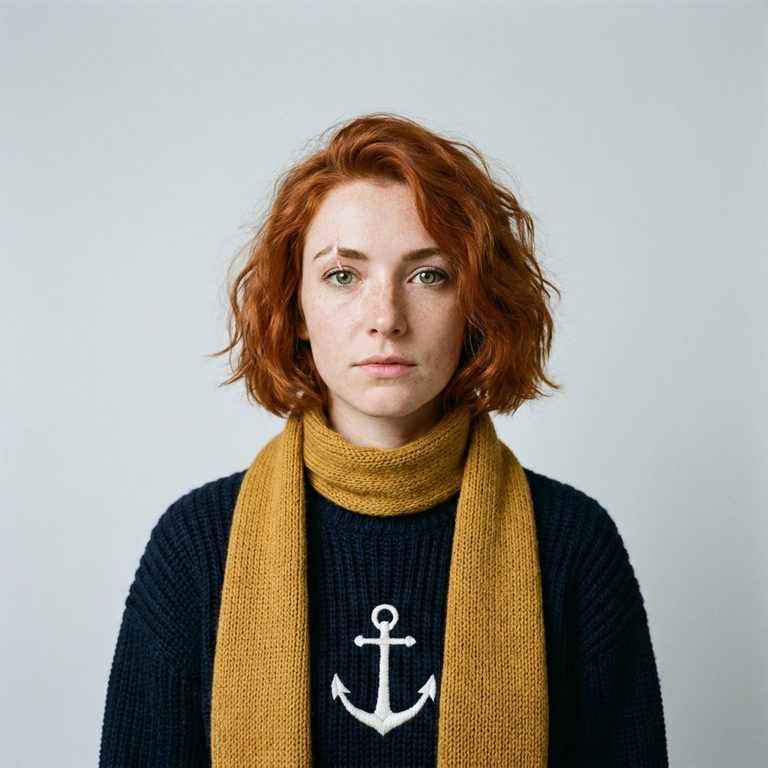
Each version got the same reference image and the same six shot descriptions, at High quality in 16:9. Every prompt began with this line, followed by the shot:
Keyframe for a short film. The woman from the reference image, Mira: the same face, short copper-red bob, green eyes, freckles, the small scar through her eyebrow, navy knitted sweater with the white anchor and the mustard-yellow scarf.
| Shot | Description |
|---|---|
| 1 | Wide shot from below: Mira climbs the spiral iron stairs inside an old lighthouse at night, holding a glowing lantern. |
| 2 | Medium shot: Mira stands on the lighthouse balcony in a storm, rain lashing, her scarf whipping in the wind, gripping the railing. |
| 3 | Close-up of Mira's face lit by the warm glow of the great lighthouse lamp at night, determined expression. |
| 4 | Side view: Mira rows a small wooden boat through thick fog at dawn. |
| 5 | Mira kneels on a pebble beach, helping a soaked old fisherman out of the surf. |
| 6 | Mira laughs at a table by the window of a cosy harbour café, holding a steaming mug. |
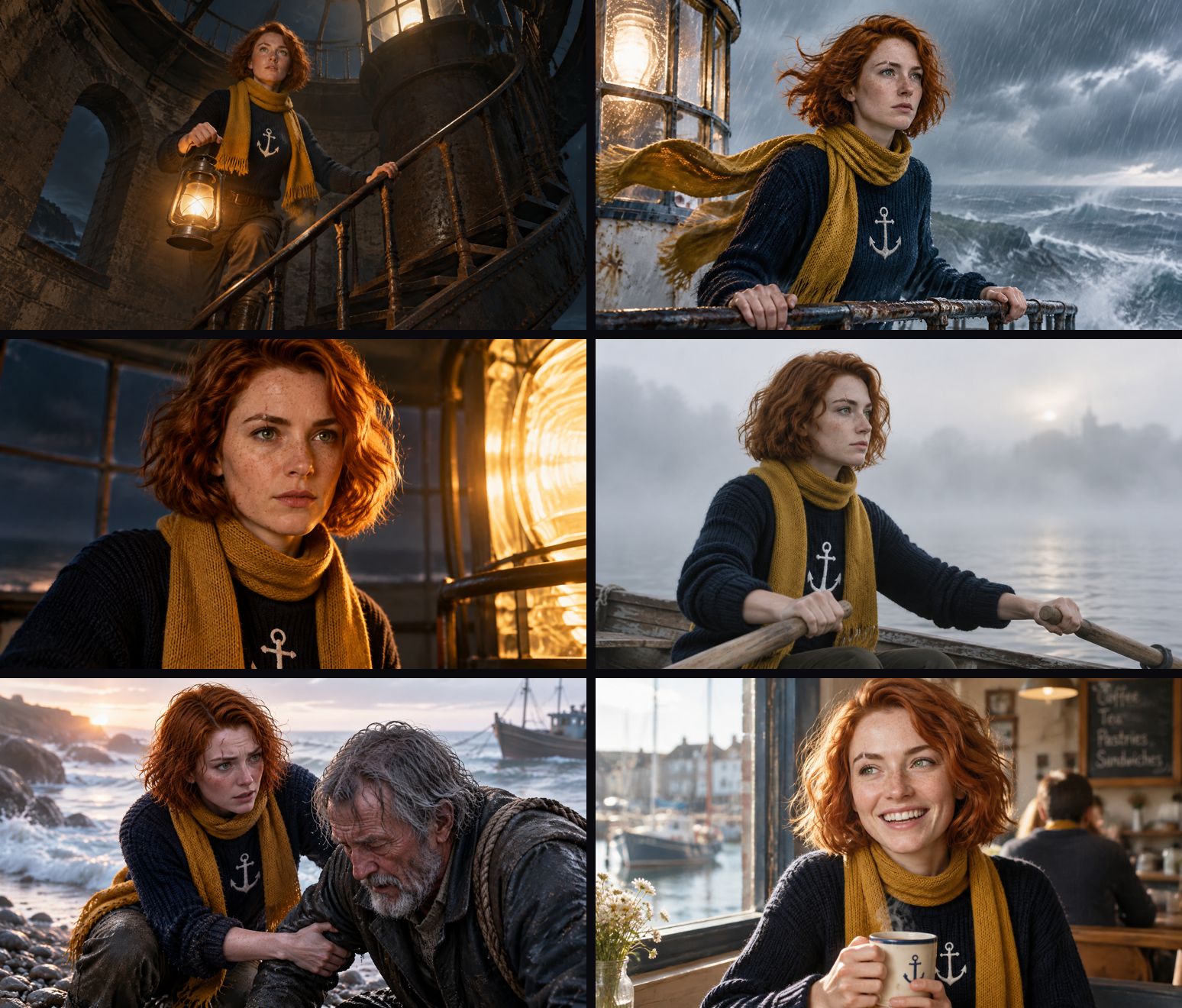
In each storyboard below, shots 1 and 2 are on the top row, 3 and 4 in the middle and 5 and 6 at the bottom.
GPT Image 2.0 Edit
GPT Image 2.5 Sunburst Edit
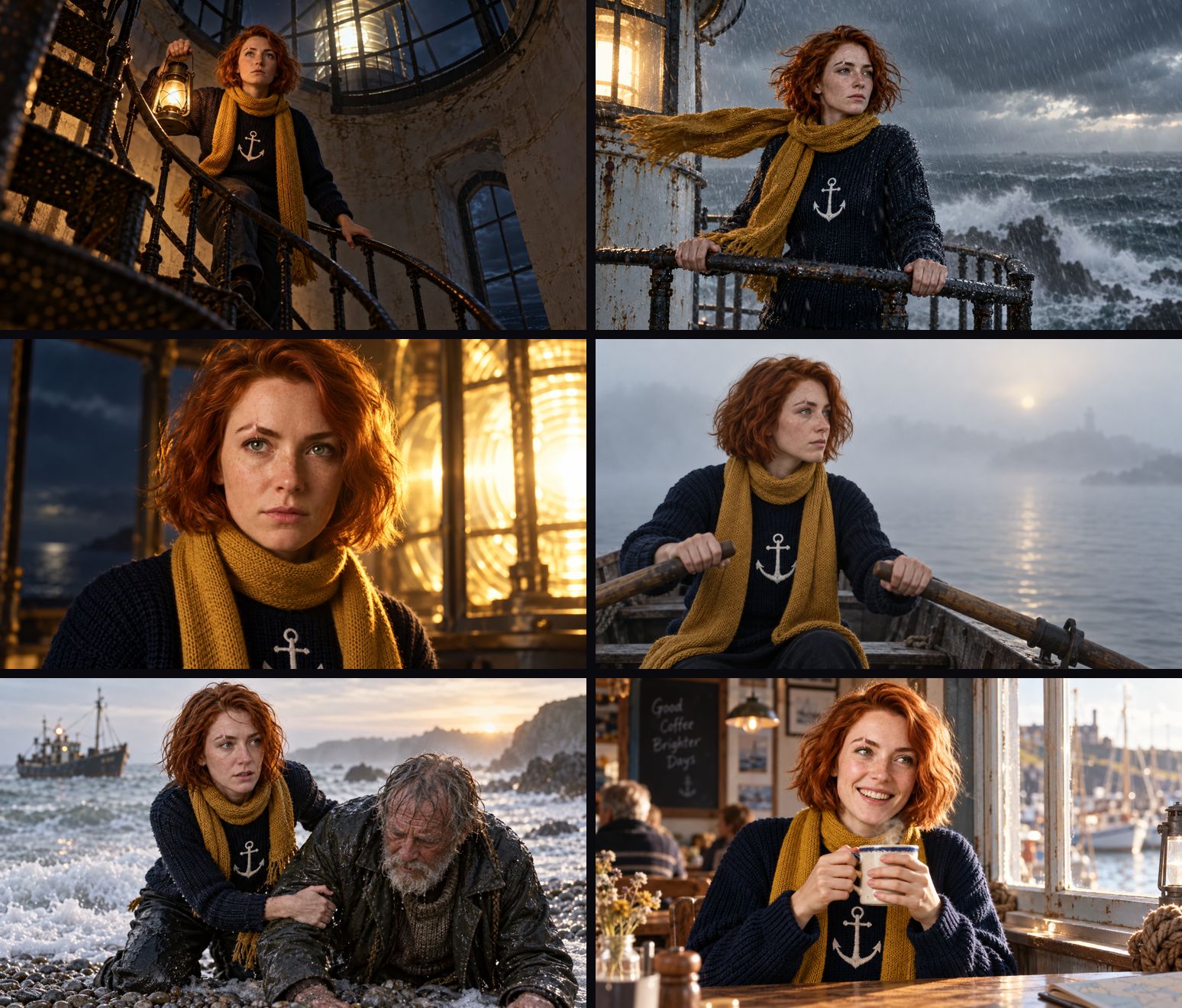
GPT Image 2.6 Sunburst Edit
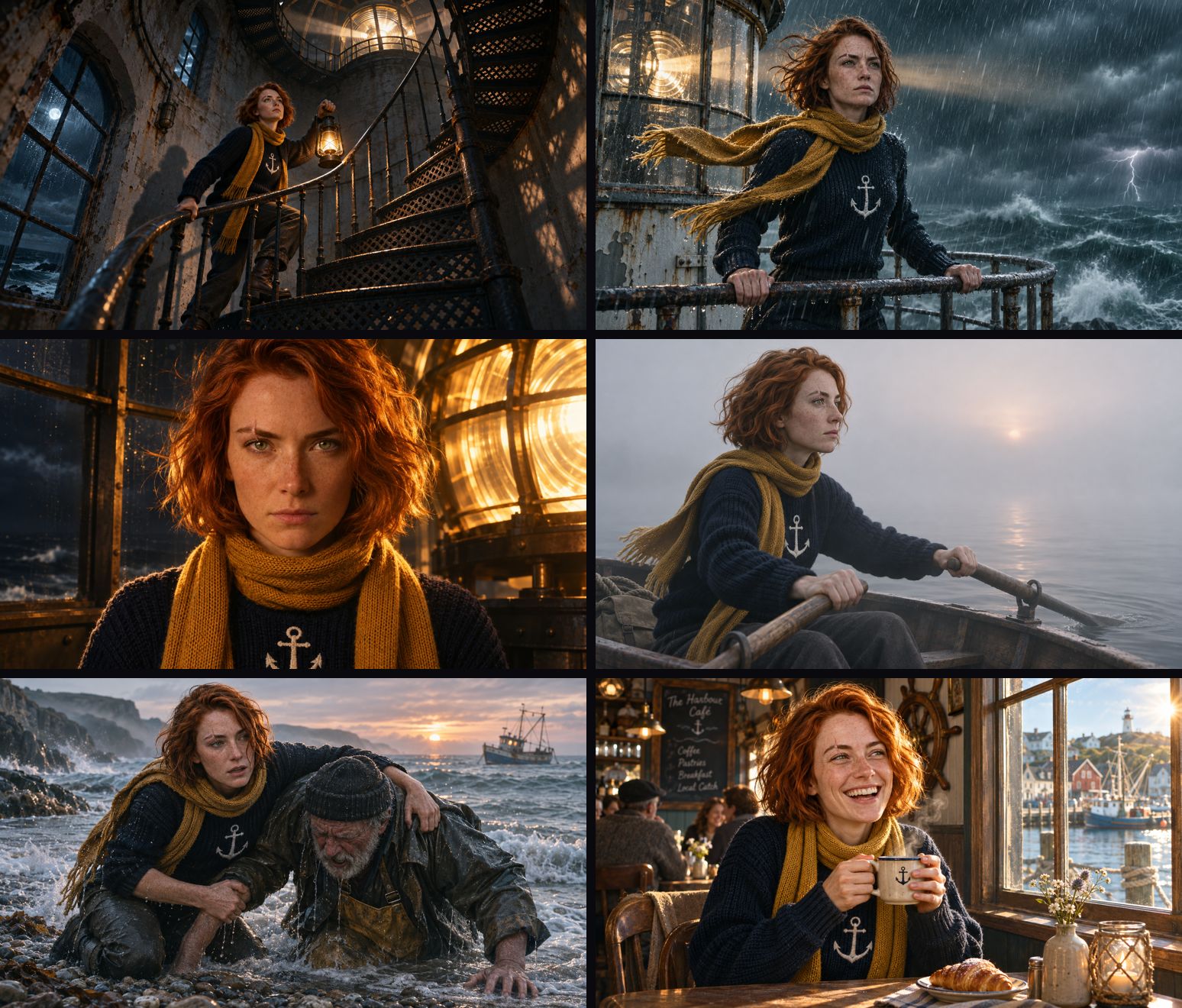
Here are the two face-forward shots next to the reference, one version per row (2.0, then 2.5, then 2.6), with the reference on the left, the lamp close-up in the middle and the café on the right:
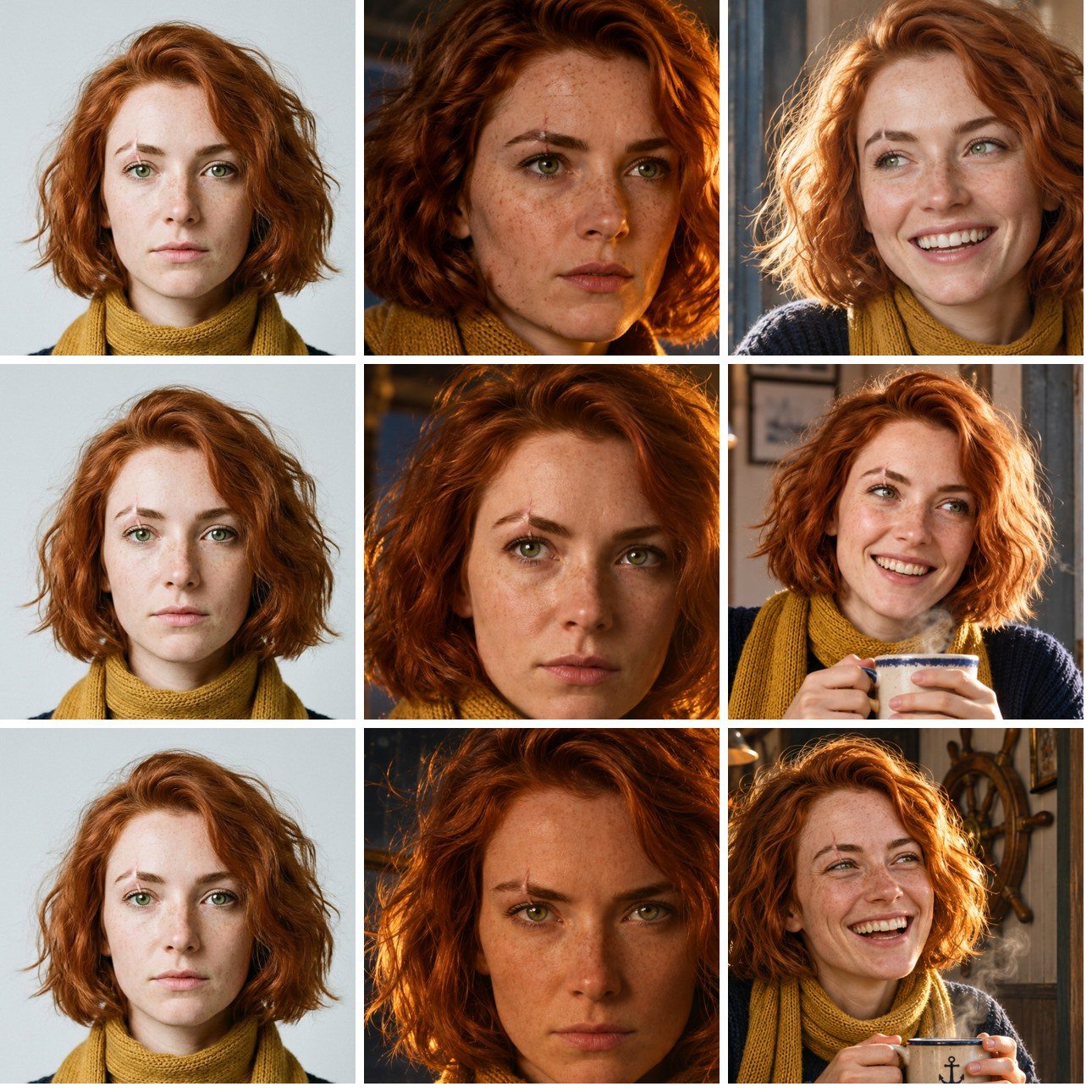
Result: 2.6 and 2.5 kept Mira. 2.0 kept her clothes.
- The outfit held on all three. Every keyframe from every version has the copper bob, the anchor sweater and the mustard scarf. That much works on any of them.
- The face is where they differ. 2.5 and 2.6 kept the same face, the freckles and the scar on the same eyebrow in every shot where the face is visible, including the laughing café shot. 2.0 kept the scar in the close-up but lost it in the café, where her face also came out slimmer and more polished than the reference.
- 2.6 followed the shot directions best. It was the only one to give the rowing shot a real side angle; 2.0 and 2.5 framed it face-on. It also made the widest low angle on the stairs and added lightning to the storm without being asked, and its café shot is the most lived-in.
- Size matters for video. In 16:9, 2.0 returned 1280 × 720 keyframes and 2.5 and 2.6 returned 1536 × 864, which gives the video model more detail to work from.
For a 2-minute film, that means using GPT Image 2.6 Sunburst for keyframes, or 2.5 Sunburst if your project already uses it, and giving every shot the same reference image. Story Creator now offers GPT Image 2.6 Sunburst and Flare as keyframe models: pick one under Keyframe model when you create an episode, and it builds every keyframe from your character references. You can also make keyframes yourself in the Image Generator with GPT Image 2.6 Sunburst Edit. Name the details that must not change in each prompt, as we did with the scar, the anchor and the scarf.
Test 1: a recipe card full of text
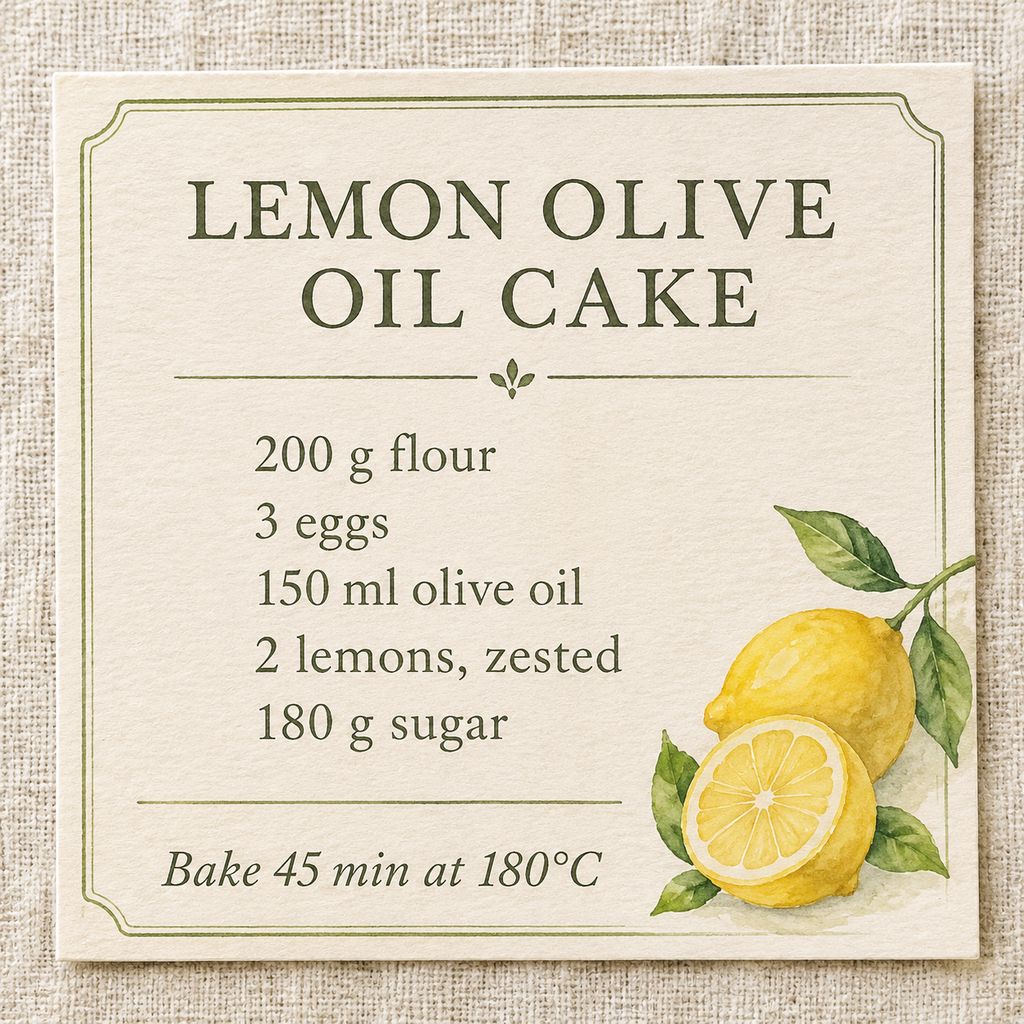
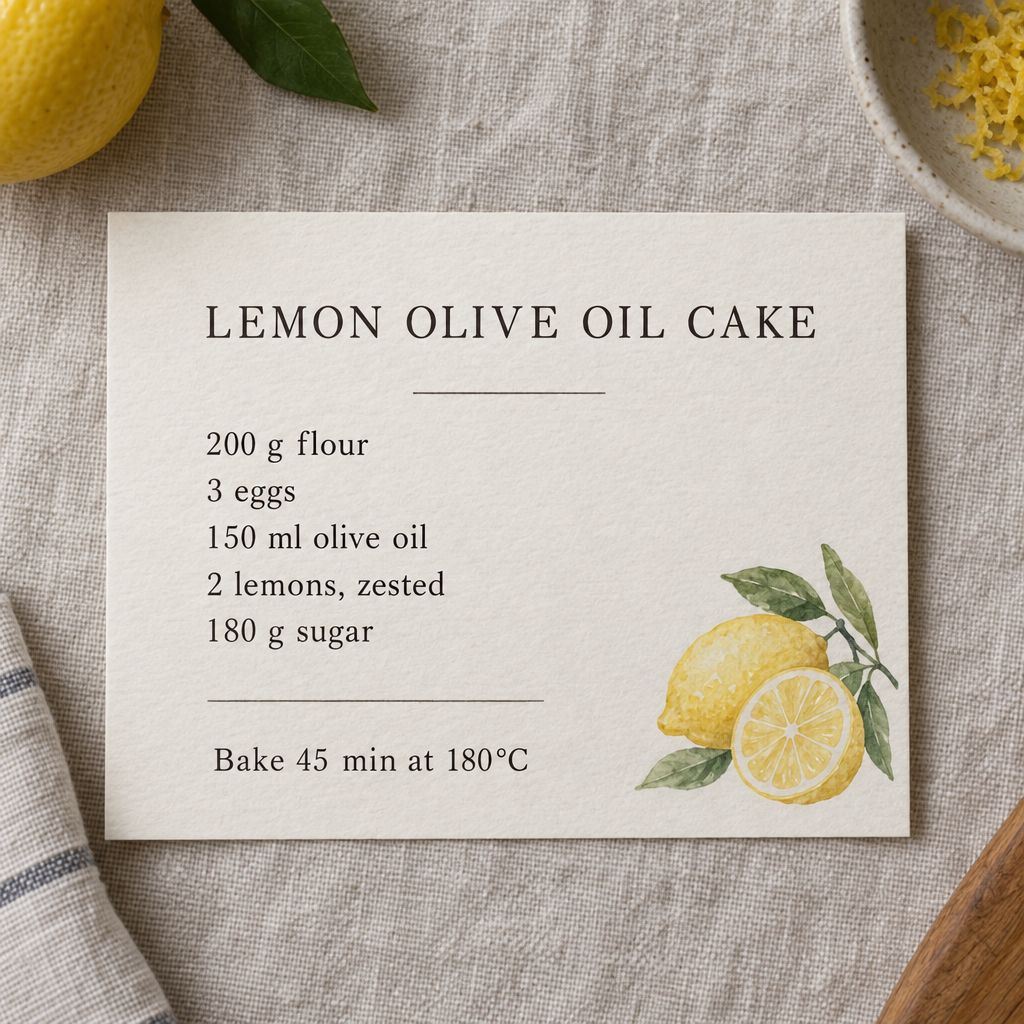
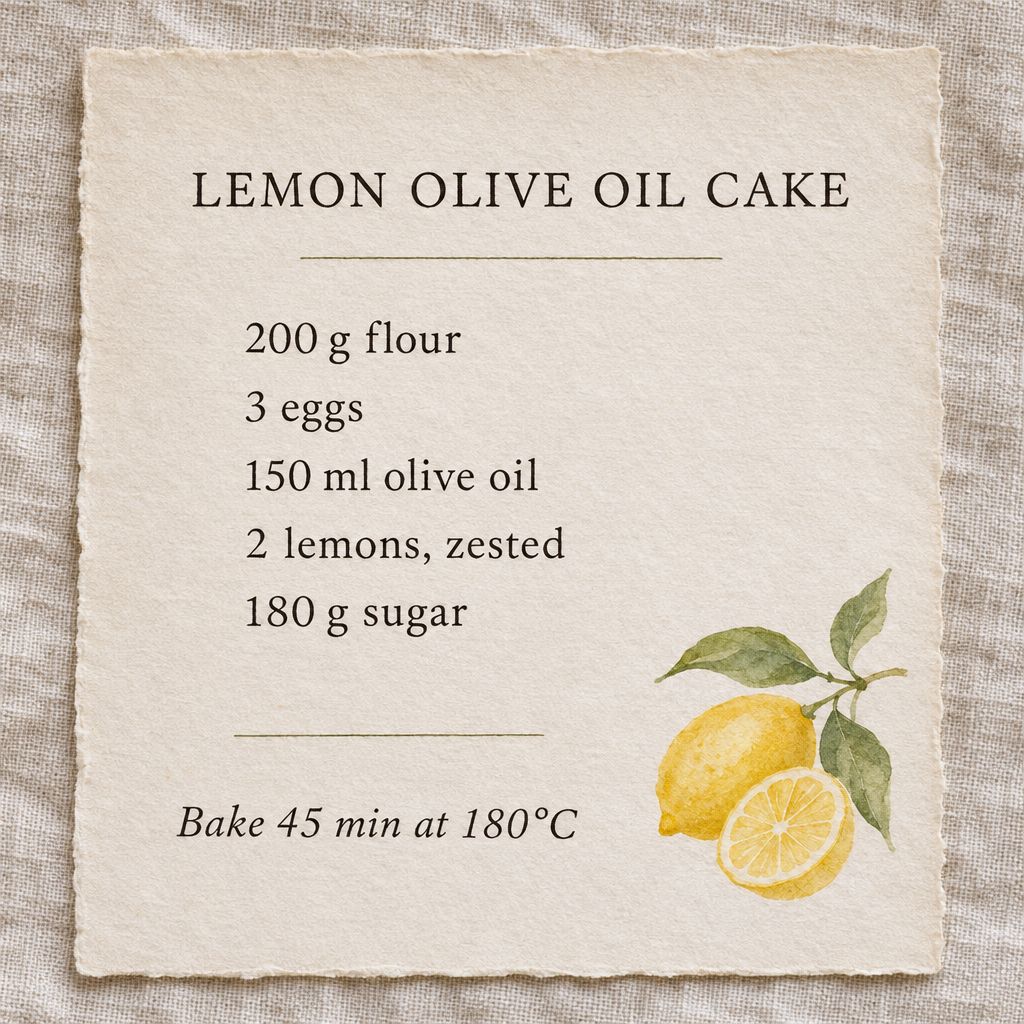
A minimalist recipe card on linen paper titled "LEMON OLIVE OIL CAKE". Under the title, a neatly typeset ingredient list: "200 g flour", "3 eggs", "150 ml olive oil", "2 lemons, zested", "180 g sugar". At the bottom: "Bake 45 min at 180°C". A small watercolor lemon illustration in the corner, soft daylight, top-down photo.
| GPT Image 2.0 | GPT Image 2.5 Sunburst | GPT Image 2.6 Sunburst |
|---|---|---|
 |
 |
 |
| 76 s | 49 s | 43 s |
Result: a three-way tie on accuracy. All three spelled every line correctly, including "180°C". 2.0 made the boldest card, with a framed border and a large two-line title. 2.5 placed a smaller card among real lemons. 2.6 kept closest to "minimalist", with a deckle-edged card and the most even spacing, and it was also the fastest of the three here.
Test 2: seven cups, five instructions
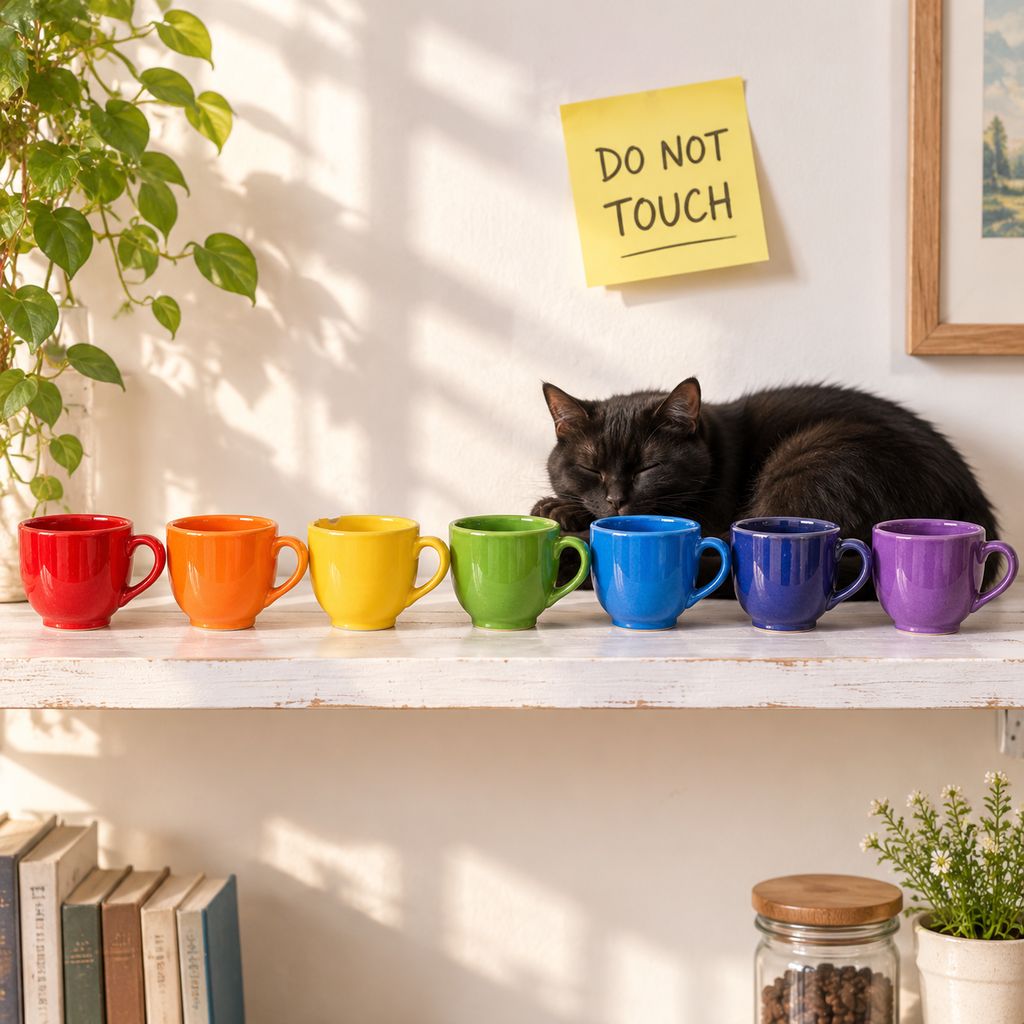
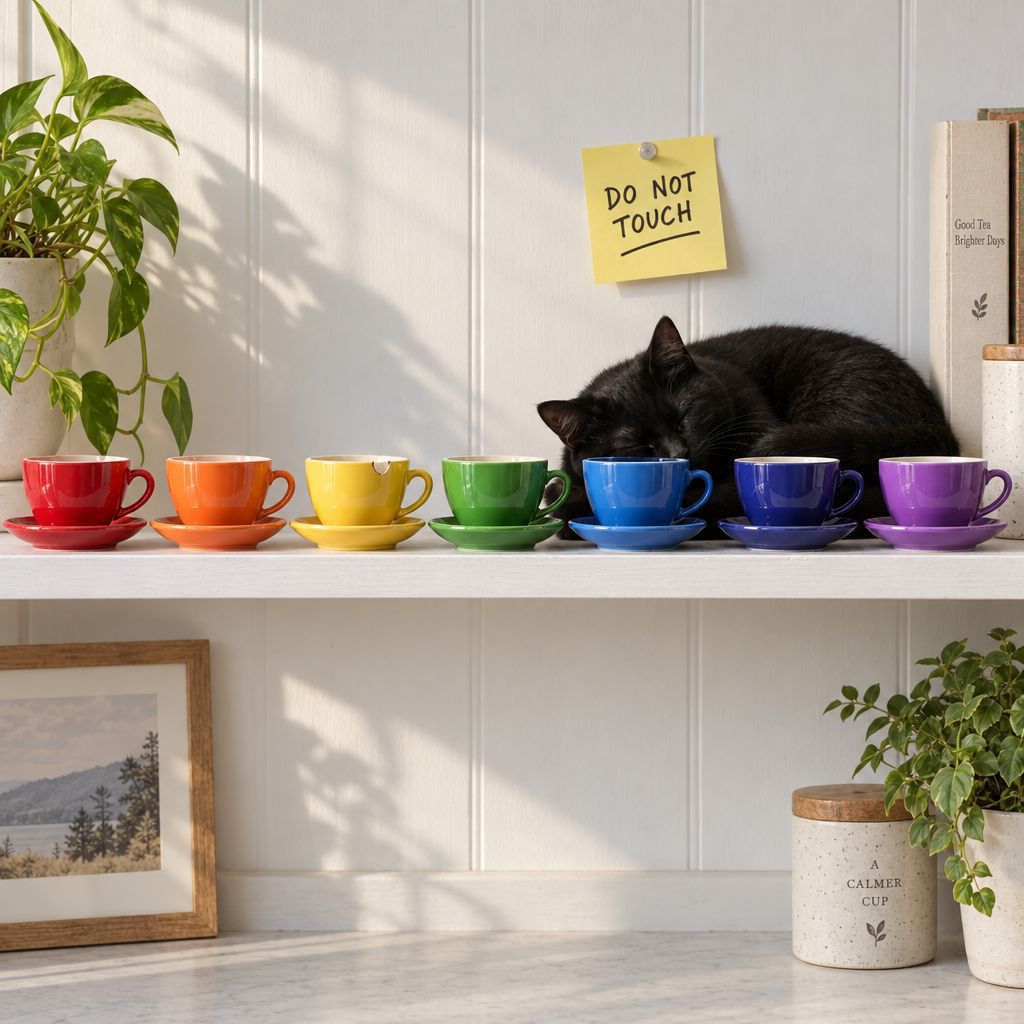
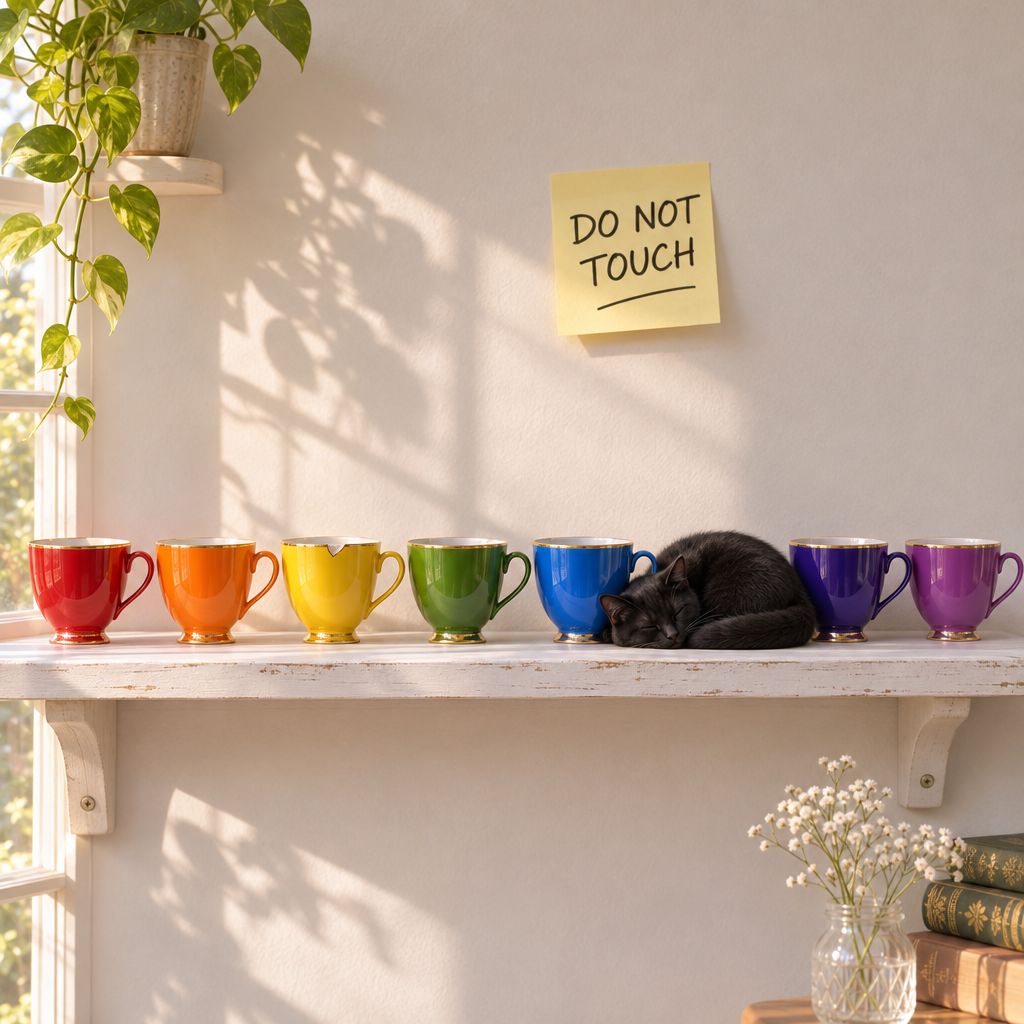
Seven teacups in a row on a white wooden shelf, from left to right: red, orange, yellow, green, blue, indigo, violet. The third cup has a small chip on its rim, a black cat sleeps next to the blue cup, and a sticky note on the wall above reads "DO NOT TOUCH". Soft morning light, product photo.
| GPT Image 2.0 | GPT Image 2.5 Sunburst | GPT Image 2.6 Sunburst |
|---|---|---|
 |
 |
 |
| 52 s | 45 s | 54 s |
Result: 2.6 was the most literal. All three got seven cups in the right colour order, a chip on the third cup and the note. 2.0 and 2.5 put the cat behind the row of cups. 2.6 curled it up on the shelf right beside the blue cup, which is exactly what the prompt said.
Test 3: a photoreal portrait
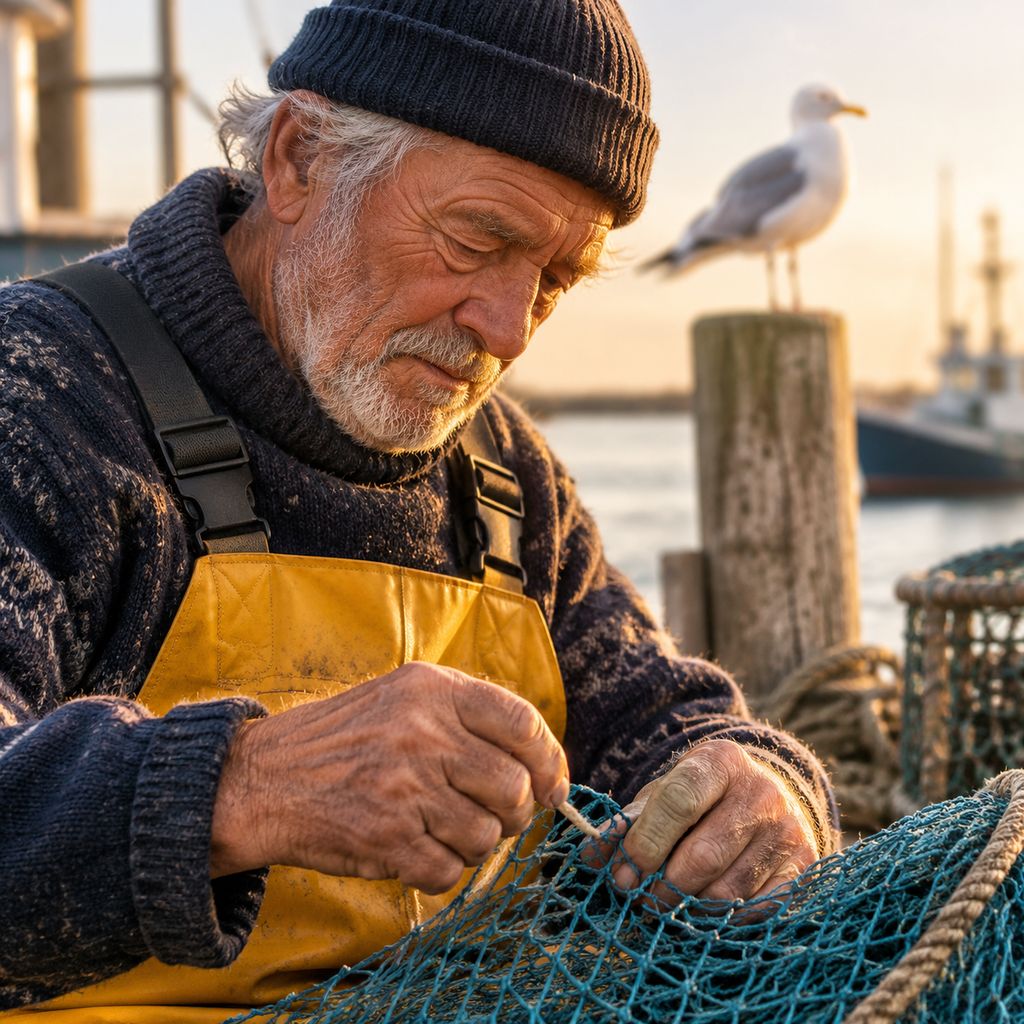
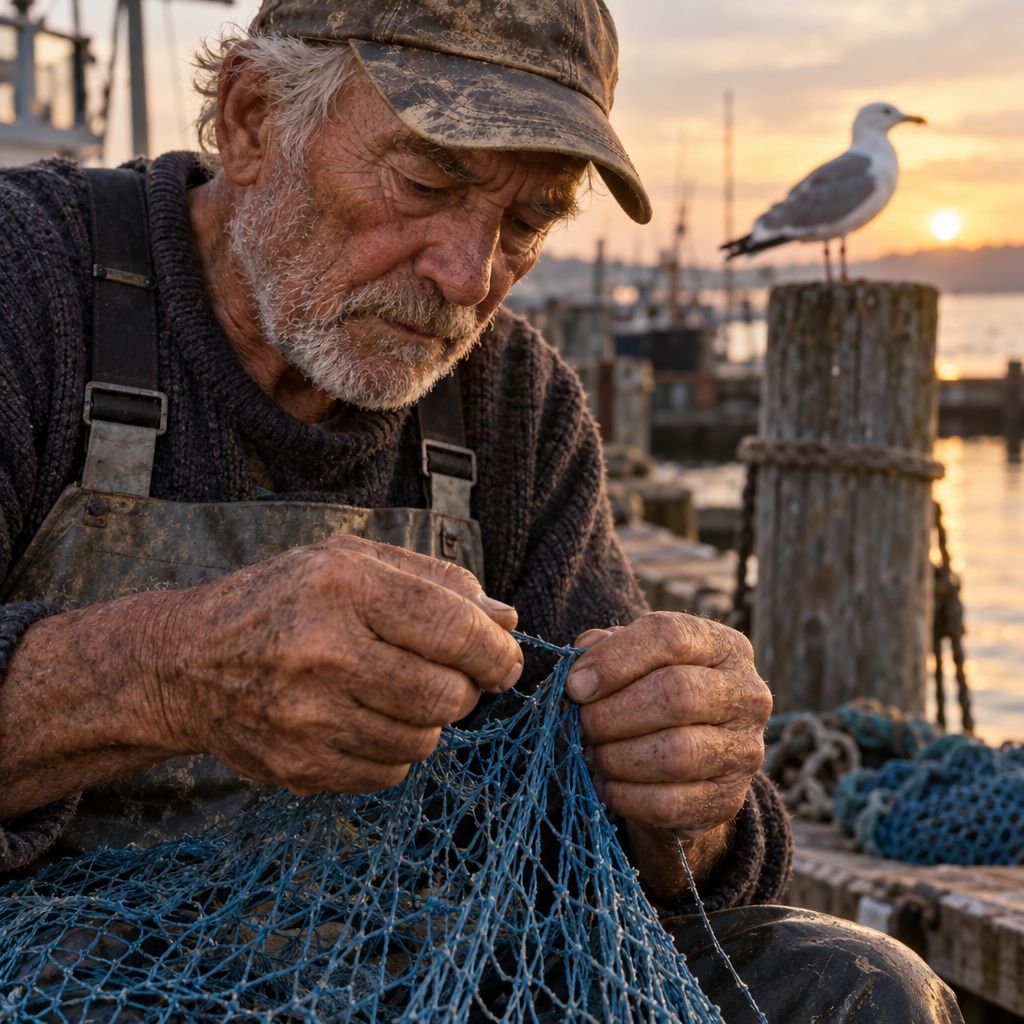
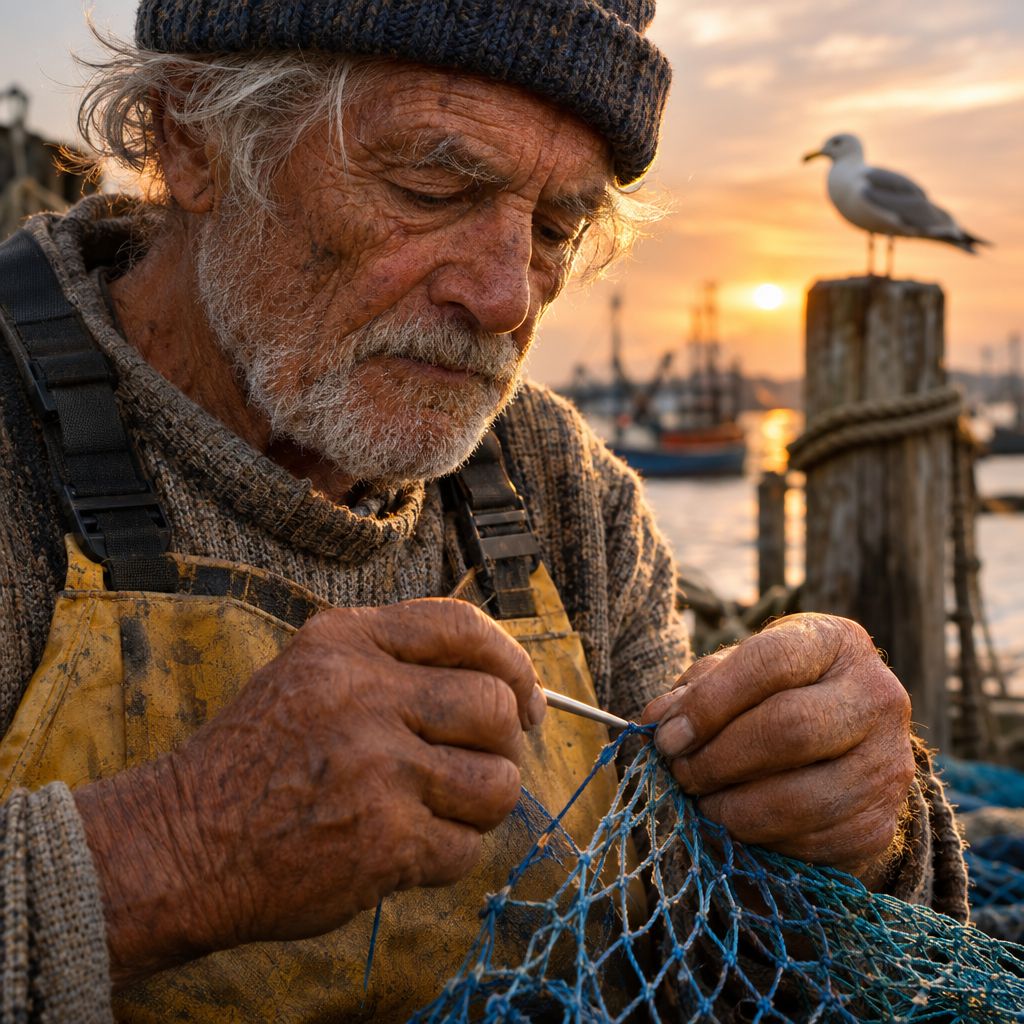
Close-up portrait of an elderly fisherman mending a blue net on a wooden dock at golden hour, weathered skin, silver stubble, rope-calloused hands in focus, a seagull on a post behind him, shallow depth of field, 85mm photograph.
| GPT Image 2.0 | GPT Image 2.5 Sunburst | GPT Image 2.6 Sunburst |
|---|---|---|
 |
 |
 |
| 51 s | 44 s | 52 s |
Result: all three are convincing. 2.0's net came out teal rather than blue. 2.5 and 2.6 both kept the hands in sharp focus with believable skin. 2.6 added the most texture, in the wool, the stubble and a netting needle in his hand, along with the warmest golden-hour light.
Test 4: a children's book illustration
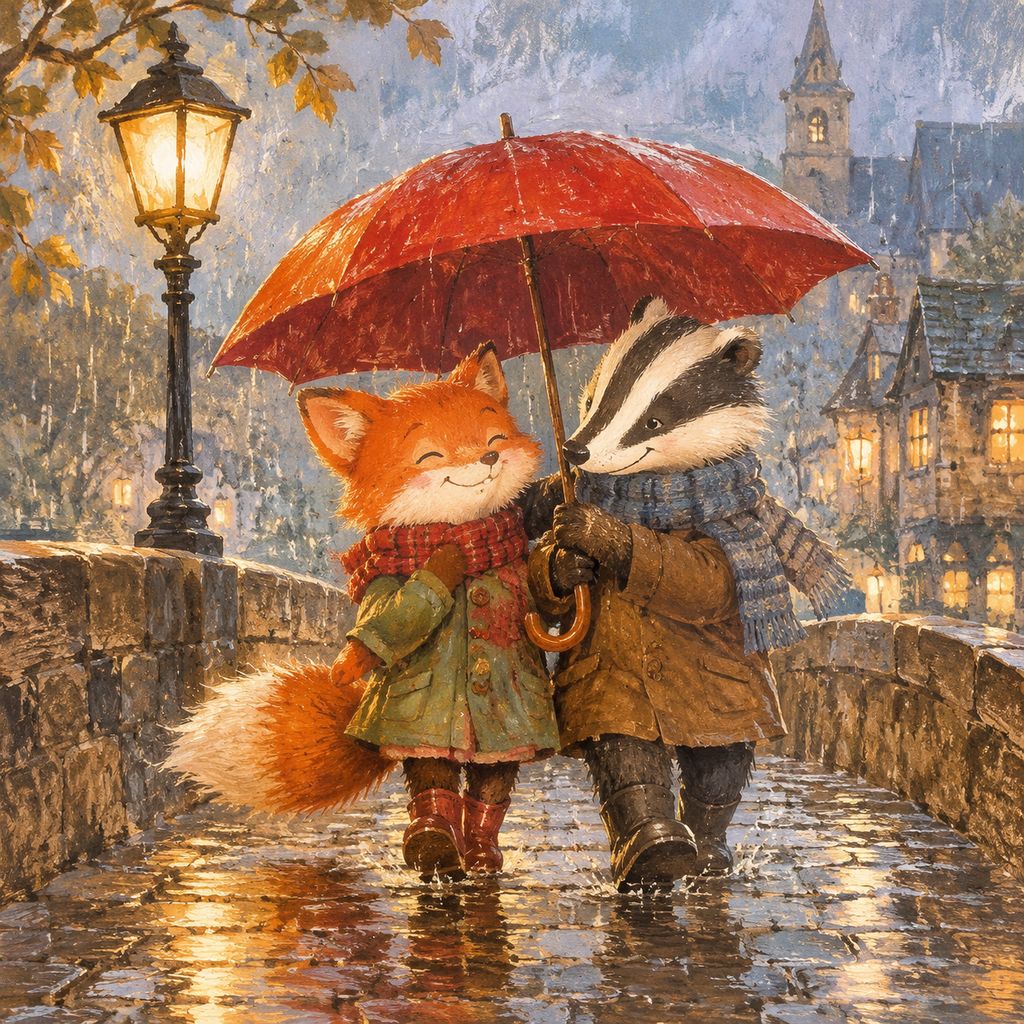
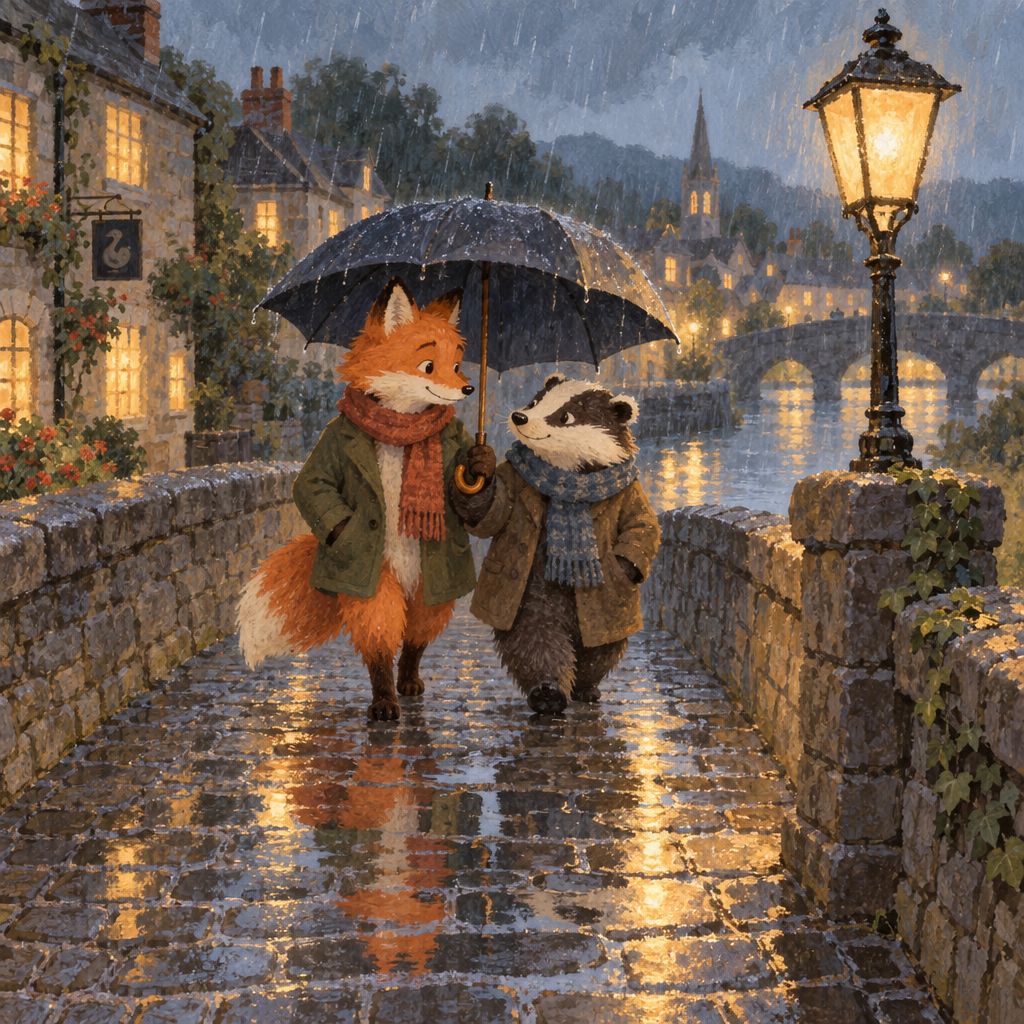
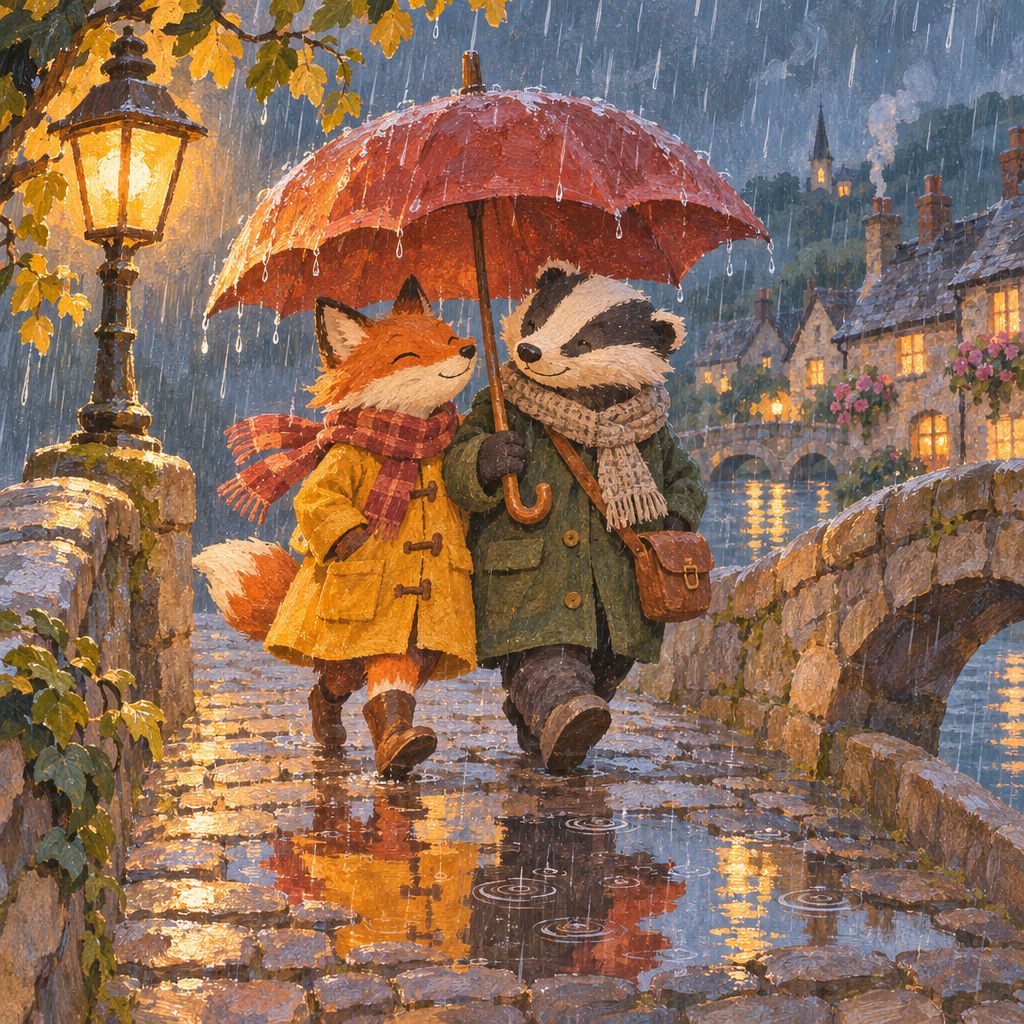
A children's book illustration of a fox and a badger sharing an umbrella in the rain on a cobblestone bridge, gouache texture, warm lamplight, puddle reflections, gentle and cozy.
| GPT Image 2.0 | GPT Image 2.5 Sunburst | GPT Image 2.6 Sunburst |
|---|---|---|
 |
 |
 |
| 50 s | 47 s | 60 s |
Result: a matter of taste. 2.0 has the thickest gouache brushwork and the closest crop. 2.5 pulled back to show the whole bridge and village. 2.6 has the most storybook detail, with rain drops falling off the umbrella, ripples in the puddles and a chimney smoking in the distance, and the two friends are clearly sharing one umbrella.
Test 5: a precise edit
The source image, made with a different model:
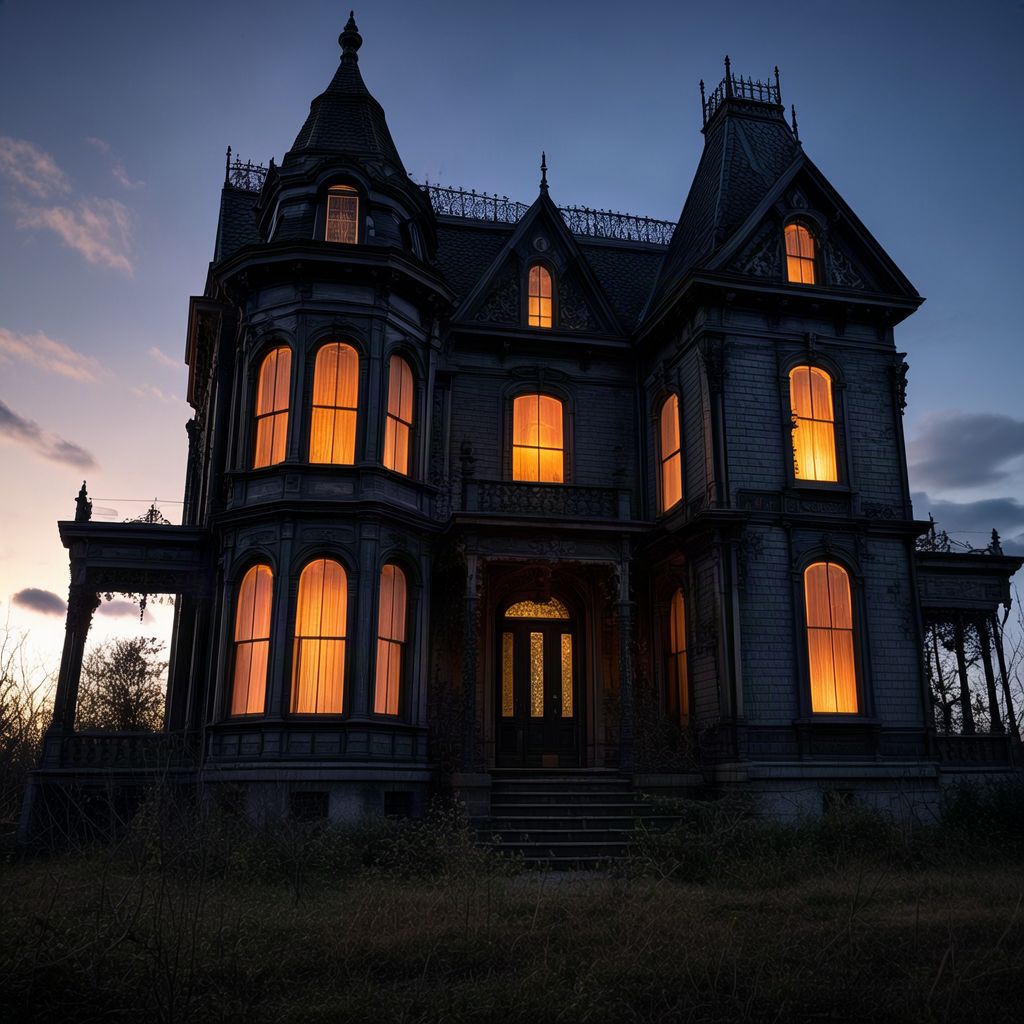
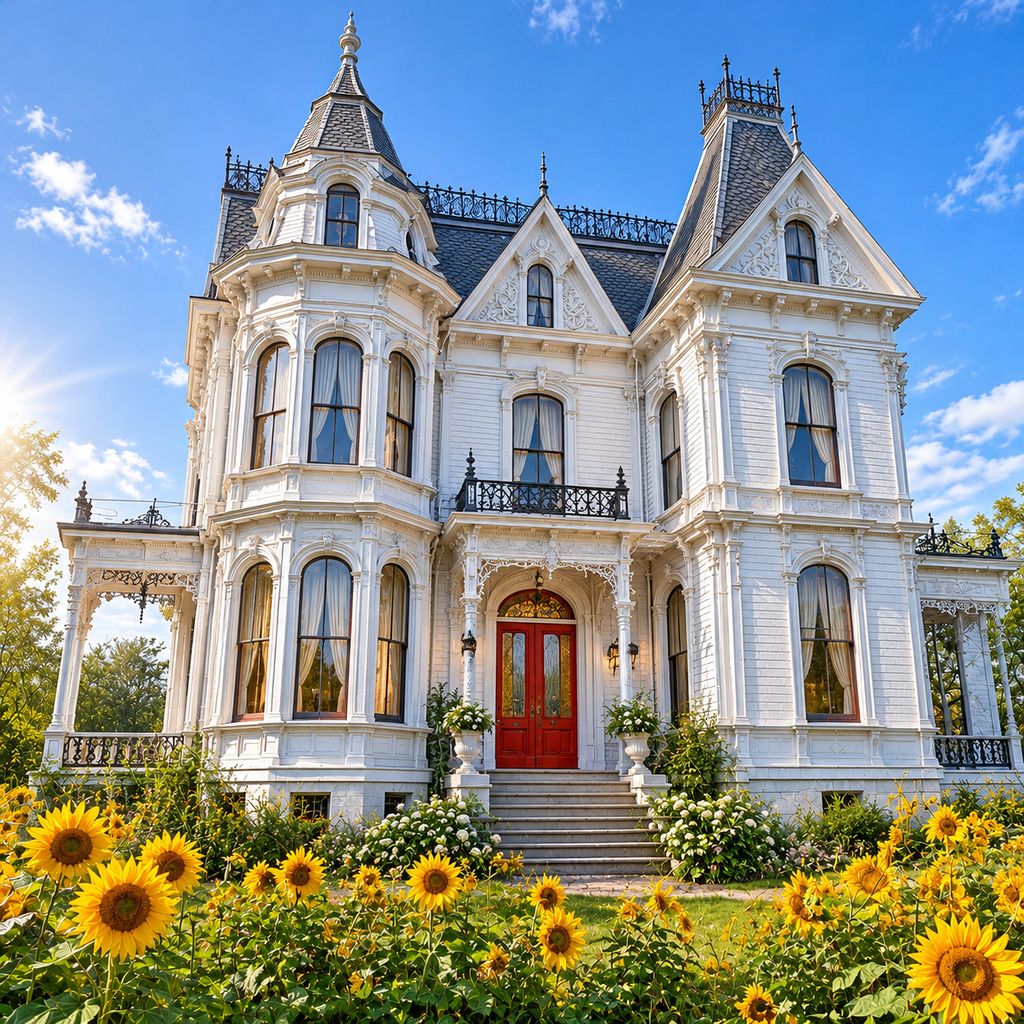
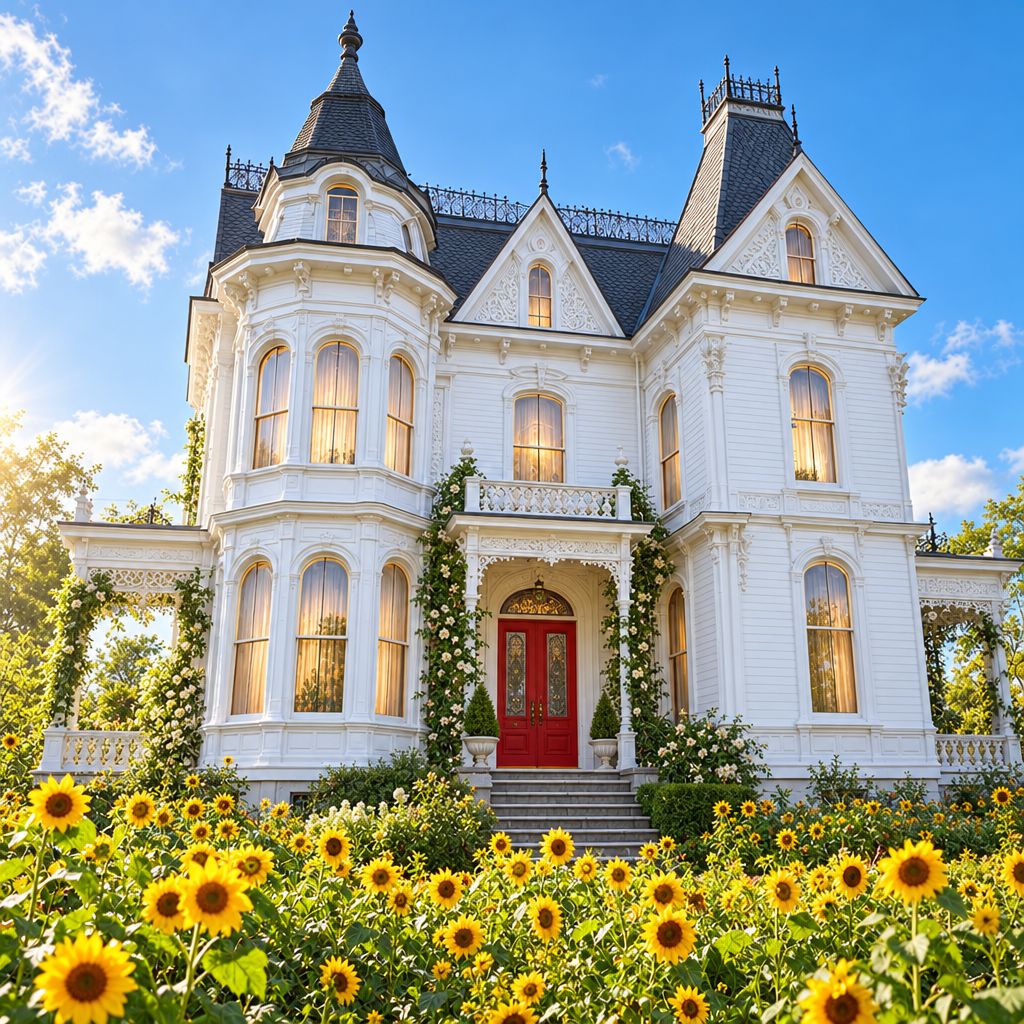
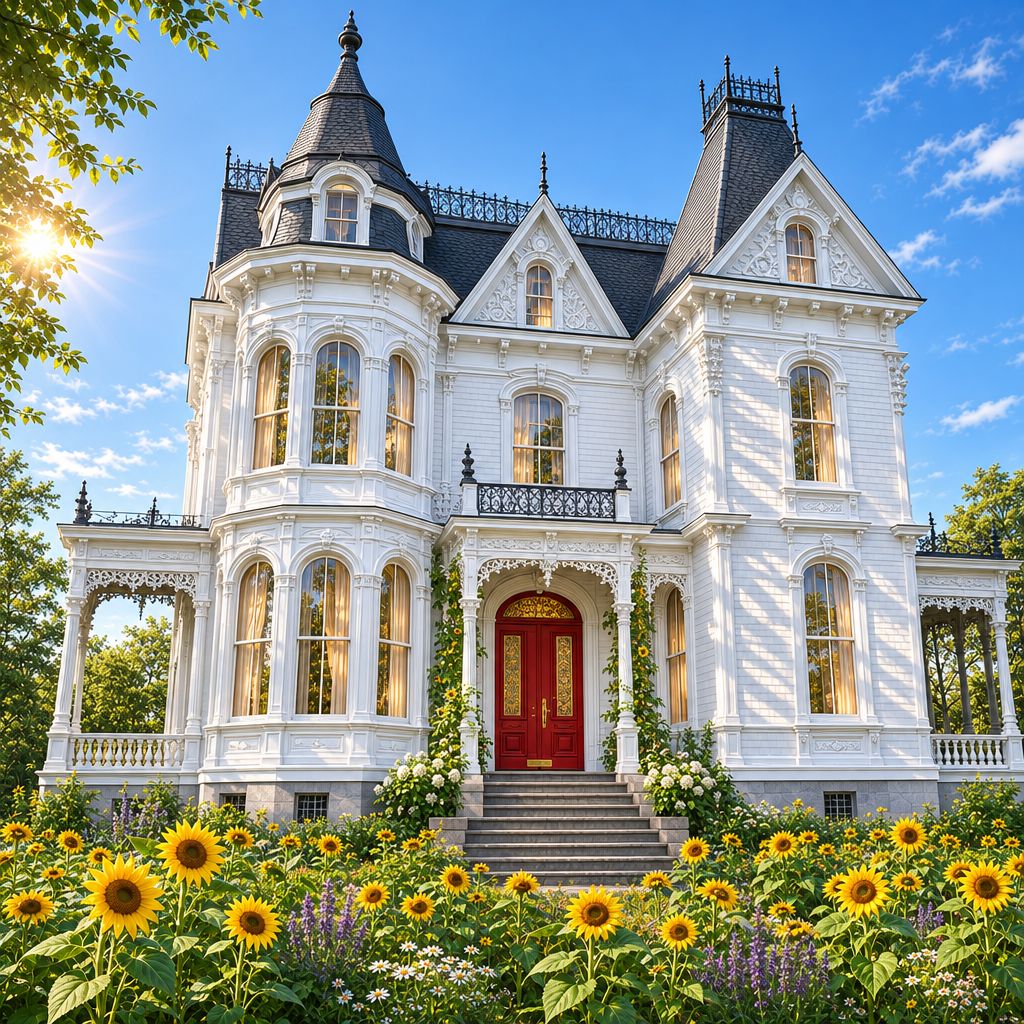
Turn this into a bright sunny morning: fresh white paint on the house, a red front door, blue sky, a garden of sunflowers in front. Keep the shape of the house, every window, the towers and the camera angle exactly the same.
| GPT Image 2.0 Edit | GPT Image 2.5 Sunburst Edit | GPT Image 2.6 Sunburst Edit |
|---|---|---|
 |
 |
 |
| 63 s | 62 s | 68 s |
Result: all three passed. Each one kept the two towers, the window layout and the camera angle while changing the paint, the door, the sky and the garden. 2.5 and 2.6 added climbing roses that weren't asked for, a small liberty. The differences between versions are smaller in edits than in new images.
Speed
Times run from pressing Generate to the finished image, on Flixly, at High quality and 1024 × 1024. Each is a single run, so treat them as a rough guide:
| GPT Image 2.0 | GPT Image 2.5 Sunburst | GPT Image 2.6 Sunburst | |
|---|---|---|---|
| Average of four new images | 57 s | 46 s | 52 s |
| Edit | 63 s | 62 s | 68 s |
Sunburst is the precision version. For speed, use Flare: in our launch examples, GPT Image 2.6 Flare at Medium quality finished in 32 to 39 seconds.
Which one should you use?
- GPT Image 2.6 Sunburst for keyframes and recurring characters, prompts with many instructions, posters and layouts with text, and dense illustrations. It was the most consistent across every test.
- GPT Image 2.6 Flare for most everyday images, when speed matters more than the last bit of detail.
- GPT Image 2.5 if you already have a project built on it. It keeps working, and in these tests it was close to 2.6.
- GPT Image 2.0 when you need 2K or 4K output, or a custom size.
How to compare them yourself
- Open the Image Generator with GPT Image 2.6 Sunburst, GPT Image 2.5 Sunburst or GPT Image 2.0 selected.
- Paste the same prompt into each and pick the same quality and size.
- For edits, upload the same image to GPT Image 2.6 Sunburst Edit, GPT Image 2.5 Sunburst Edit and GPT Image 2.0 Edit.
- Check the credit price shown before each one, then press Generate. Every result stays in your history, so you can compare them side by side.
Frequently Asked Questions
Which GPT Image version keeps a character most consistent?▾
In our test, one reference image and six keyframes for a short film, GPT Image 2.6 Sunburst and 2.5 Sunburst kept the same face, freckles and eyebrow scar in every shot where the face is visible. GPT Image 2.0 kept the outfit but dropped the scar in one shot and drifted to a slimmer face. 2.6 also followed the camera directions most closely.
How do I keep a character consistent across a 2-minute AI video?▾
Make one clear reference image of the character, then create every keyframe from that same reference with an edit model, such as GPT Image 2.6 Sunburst Edit. In each prompt, name the details that must not change, like the hairstyle, a scar or a logo on the clothes. Story Creator on Flixly does this for you: choose GPT Image 2.6 Sunburst as the keyframe model and it builds every keyframe from your character references, shot by shot.
Is GPT Image 2.6 better than GPT Image 2.5?▾
In our side-by-side tests on Flixly, GPT Image 2.6 Sunburst was the most consistent: it held a character's face across six keyframes, followed every instruction literally, such as placing a cat exactly next to the blue cup, and added the most fine detail. GPT Image 2.5 was close behind and spelled text just as accurately. The difference is in the details, not a different class of result.
Is GPT Image 2.6 better than GPT Image 2.0?▾
For most images, yes. 2.6 offers more quality levels, transparent backgrounds and the Flare and Sunburst versions, and it costs less at High quality. GPT Image 2.0 still has one advantage on Flixly: 2K and 4K output with custom sizes.
Which GPT Image version is best for text in images?▾
All three spelled every line of our recipe card correctly, including the degree sign. GPT Image 2.6 Sunburst gave the cleanest layout. For posters and pages with a lot of small text, use 2.6 Sunburst at High or Maximum quality.
Which GPT Image version is fastest?▾
At High quality, all three took between 43 and 76 seconds per image in our tests. For speed, use GPT Image 2.6 Flare: at Medium quality it finished in 32 to 39 seconds in our launch examples.