How to Create AI Art: Beginner's Guide
A practical walkthrough that shows exactly how to generate AI art on Flixly with named models, file specs, and a repeatable 8-step workflow.
TL;DR
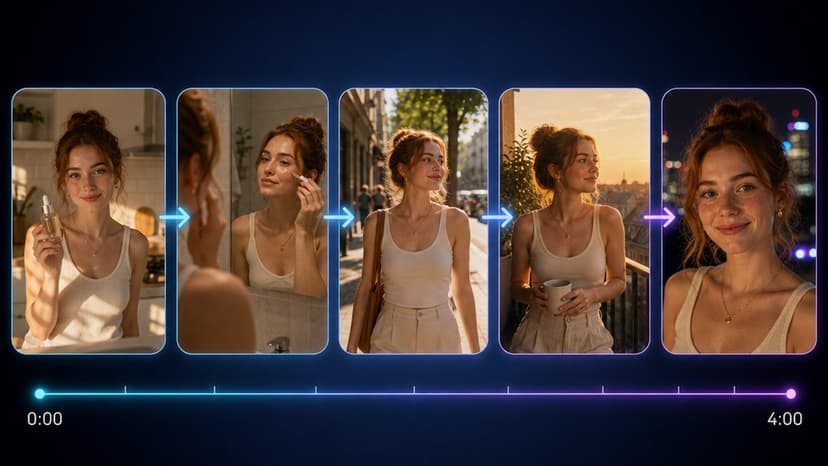
AI art is produced by diffusion models such as GPT-Image 2.0 and FLUX Kontext. Supply a text prompt or reference image, select the model, set resolution and strength, then generate. Flixly returns a PNG file in seconds. Follow the eight-step sequence above to create your first image and refine it with image-to-image.
What AI art actually is
AI art refers to images generated by neural networks from text prompts or reference images. It does not include hand-drawn illustrations or traditional photo editing.
How the models work under the hood
Flixly routes requests to specific frontier models. GPT-Image 2.0 processes a text prompt through a diffusion pipeline that starts from noise and refines it over 50 steps. FLUX Kontext adds context-aware attention layers that preserve fine details such as fabric textures at 1024x1024 resolution.
Seedance 2.0 extends the same pipeline for motion but still begins with a static frame when used for still art. The system charges credits per generation, and the app quotes the cost of a 1024x1024 image with GPT-Image 2.0 before you run it.
Concrete inputs and outputs
Users supply a prompt string up to 500 characters and optional negative prompt. Output files are delivered as PNG at 1024x1024 or 1536x1536 pixels with embedded metadata listing the model version.
Reference images for image-to-image jobs must be under 10 MB and in JPEG or PNG format. Strength values range from 0.3 to 0.8; a value of 0.6 keeps 40 percent of the original structure while altering style.
Real workflows that use these tools
Product teams generate 20 logo concepts in one session via logo generation then refine the winner with image-to-image. Social media managers create 10 thumbnail variations through thumbnail generator and apply ai photo effects for color grading.
Illustrators start with a rough sketch uploaded to image-to-image, set strength to 0.5, and add the prompt "manga style, line art, high contrast" to reach a finished panel in four minutes.
Step-by-step first generation
- Navigate to the dashboard and select the text-to-image tool.
- Enter a prompt of 40-80 words describing subject, lighting, and style.
- Choose GPT-Image 2.0 from the model dropdown.
- Set width and height to 1024 and generate one preview.
- If needed, adjust the negative prompt to remove unwanted elements like text artifacts.
- Download the PNG and upload it to image-to-image for further refinement.
- Apply a strength of 0.4 and a new style prompt to create variations.
- Save the final file to your project folder.
Comparison of common settings
| Setting | GPT-Image 2.0 | FLUX Kontext |
|---|---|---|
| Max resolution | 1536x1536 | 1024x1024 |
| Credit cost | Quoted in-app | Quoted in-app |
| Steps | 50 | 40 |
| Best for | Photoreal portraits | Detailed illustrations |
Frequently Asked Questions
What prompt length gives the most consistent results with GPT-Image 2.0?▾
Prompts between 60 and 120 tokens produce the fewest artifacts. Shorter prompts lose detail while longer ones dilute focus.
Can I use the same reference image across multiple tools?▾
Yes. Upload once, then send the output to image-to-image, ai avatar, or product mockup without re-uploading.
How long does a typical batch of ten images take?▾
Ten generations with GPT-Image 2.0 finish in under three minutes when queued sequentially.
What file formats and sizes are accepted for image-to-image jobs?▾
JPEG or PNG files under 10 MB are accepted. Larger files are automatically rejected before the generation queue.