Ideogram Vector Is Live on Flixly: Text to SVG and Image to SVG
Ideogram Vector is live on Flixly. Turn a prompt into an editable SVG logo, icon set, sticker or poster, or convert an image you already have into a clean vector file. Every result comes as an SVG plus a PNG preview.
TL;DR
Ideogram Vector, Ideogram's vector model, is live on Flixly. It makes editable SVG files from a text prompt, converts an existing image to SVG with Detailed or Simple shapes, or redraws your image as a new design with up to 5 reference images. Lettering is drawn as shapes, so no fonts are needed, and every result also comes with a PNG preview. Results took 14 to 78 seconds in our tests.
Ideogram Vector is live on Flixly. It is Ideogram's vector model, and it turns a text prompt into an editable SVG, or converts an image you already have into one. Describe a logo, an icon set, a sticker or a poster and you get a real vector file built from paths, with any lettering already drawn as shapes. Every result also comes with a PNG preview. Make an SVG from text or convert an image to SVG.
What's new
| Text to SVG | Image to SVG | |
|---|---|---|
| Start from | A prompt | Your image, with or without a prompt |
| What you get | An SVG file plus a PNG preview | An SVG file plus a PNG preview |
| Options | Low, Medium or High quality, and the aspect ratio | No prompt: Detailed or Simple shapes. With a prompt: a new design drawn from your image, at Low, Medium or High quality |
| Reference images | Not used | Up to 5 when you add a prompt |
| Where on Flixly | Image Generator, text mode | Image Generator, image mode |
An SVG (Scalable Vector Graphics) file describes shapes instead of pixels, so it stays sharp at any size, from a favicon to a billboard. You can recolour it, move pieces around, or open it in Illustrator, Figma, Inkscape or Affinity Designer.
See Ideogram Vector in action
Every example below was made on Flixly with the prompt and settings shown under it. Each one is the first result we got, unedited. The images on this page are web-sized previews; the numbers describe the SVG files themselves. Times run from submitting the request to the finished files, measured on October 22, 2026, to within a few seconds.
A logo with its name built in
The logo below is an 18-path SVG of 9 KB in six colours. The words "Summit Roast" are shapes in the file, not live text, so they look the same in every app without the font installed. It took 32 seconds.
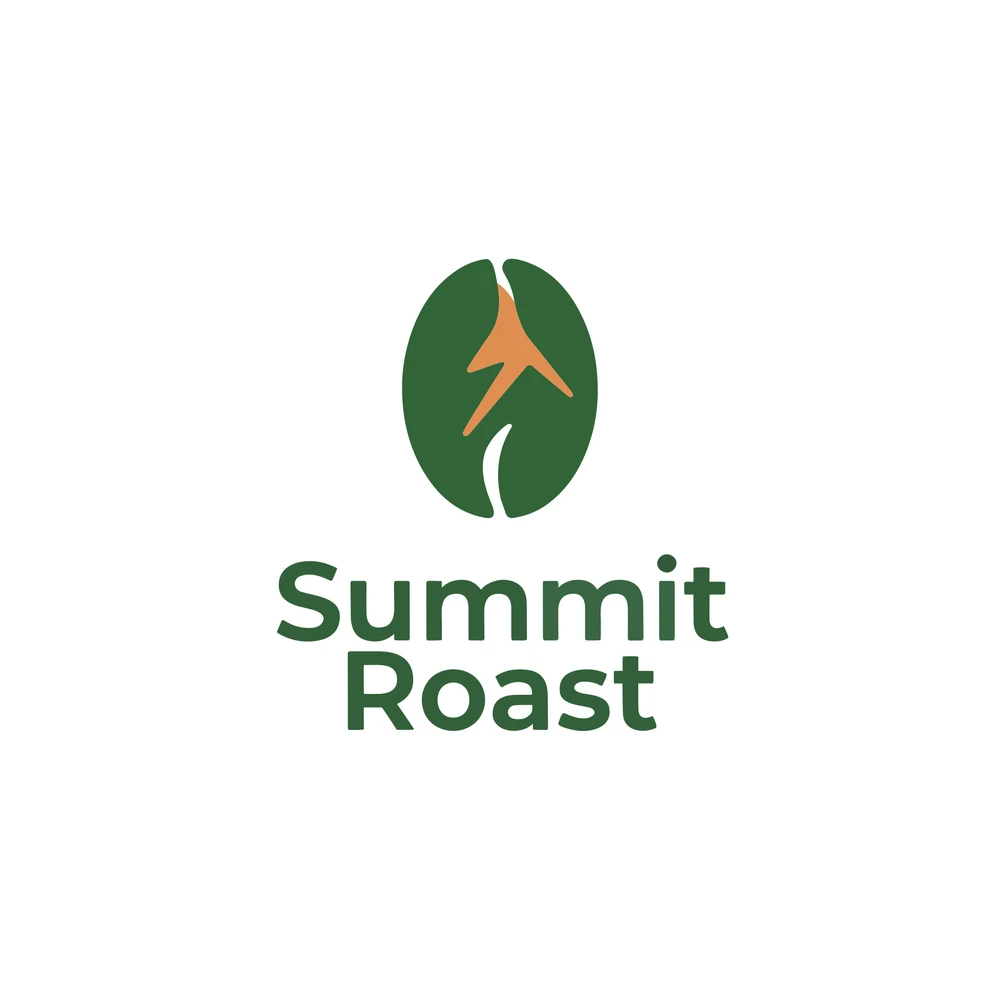
Text to SVG, Medium quality, 1:1:
Minimal flat vector logo for a mountain coffee roaster called "Summit Roast": a coffee bean whose center line forms a mountain peak, deep forest green and warm copper, the name in bold rounded sans-serif below, white background
A matching icon set
One request gave us a 3×3 grid of weather icons with the same line weight and pastel fills: 93 paths in a 32 KB SVG. Eight of the nine came out as asked. Rain and snow were merged, so two of the icons show both. It took 78 seconds at High quality.
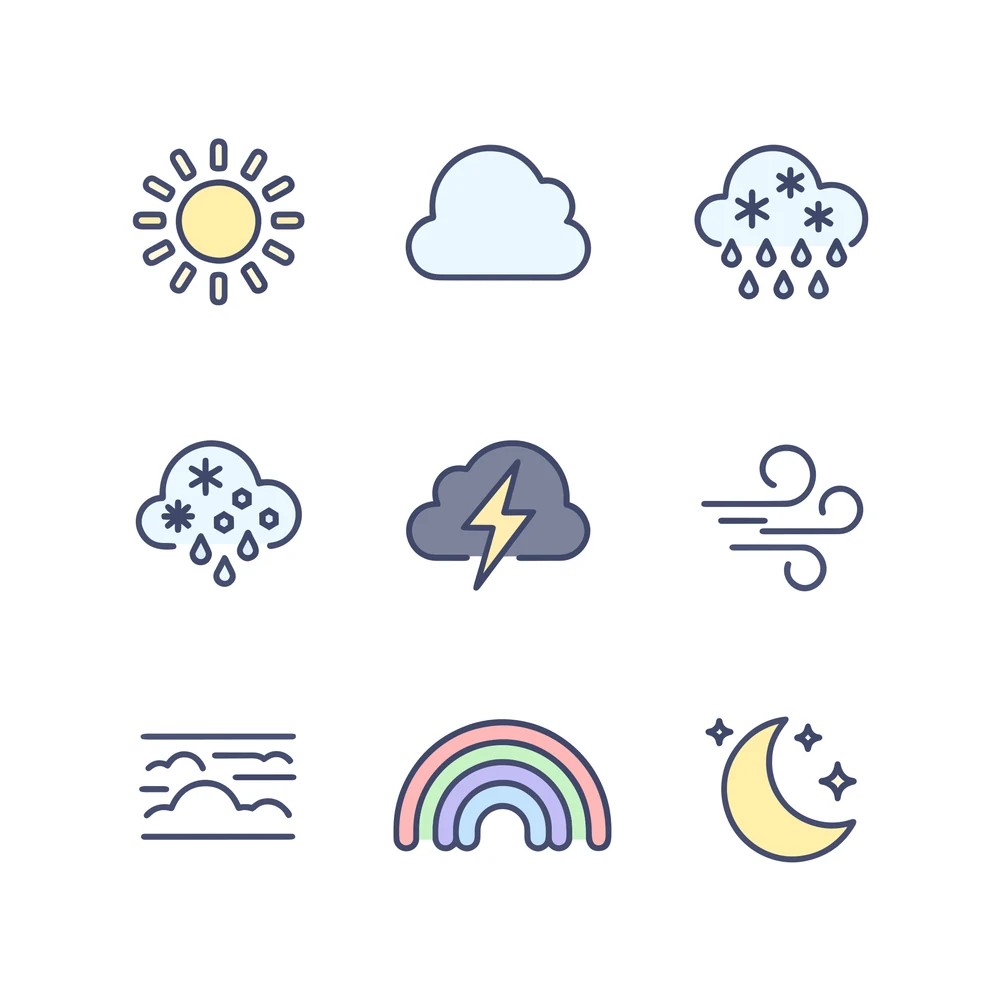
Text to SVG, High quality, 1:1:
A set of nine flat vector weather icons arranged in a neat 3x3 grid: sun, cloud, rain, snow, thunderstorm, wind, fog, rainbow, crescent moon with stars. Consistent rounded line style with soft pastel fills, even spacing, white background
A detailed poster with a headline
Ideogram Vector also handles busy scenes. This travel poster holds 3,321 paths and 94 colours in a 950 KB SVG, with the LISBOA headline drawn as shapes. It took 76 seconds.
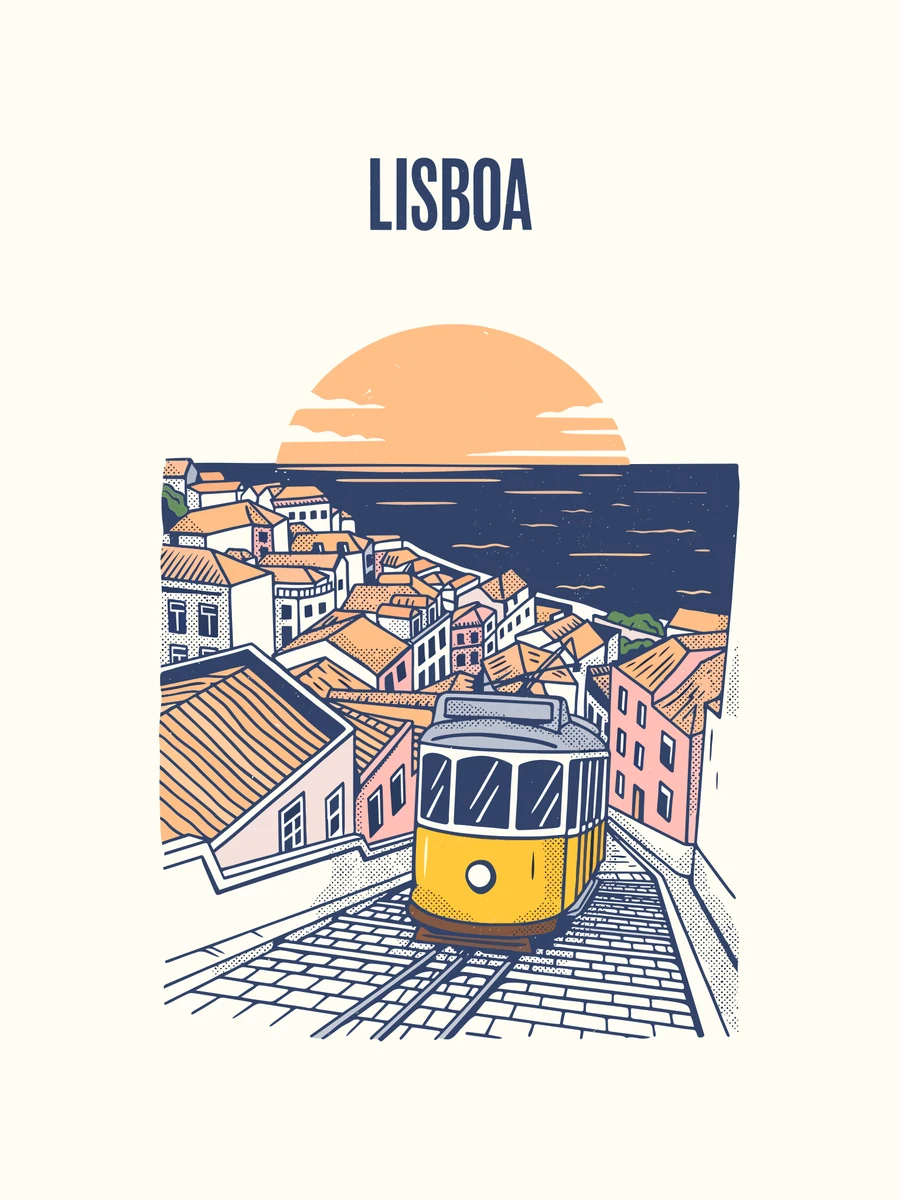
Text to SVG, High quality, 3:4:
Flat vector travel poster for Lisbon: a yellow tram climbing a steep cobbled street, terracotta rooftops, the river at sunset behind, the word "LISBOA" in a bold condensed headline at the top, limited palette of five colours, mid-century screen-print style
A sticker or mascot
Character art comes out as clean, layered shapes, ready for print or a die-cut sticker. This fox is 108 paths in a 61 KB SVG. It took 31 seconds.

Text to SVG, Medium quality, 1:1:
Cute fox mascot sticker for a kids' coding club: the fox waves and holds a small laptop, thick white sticker border, bold outlines, flat colours, plain light background
Convert an image to SVG
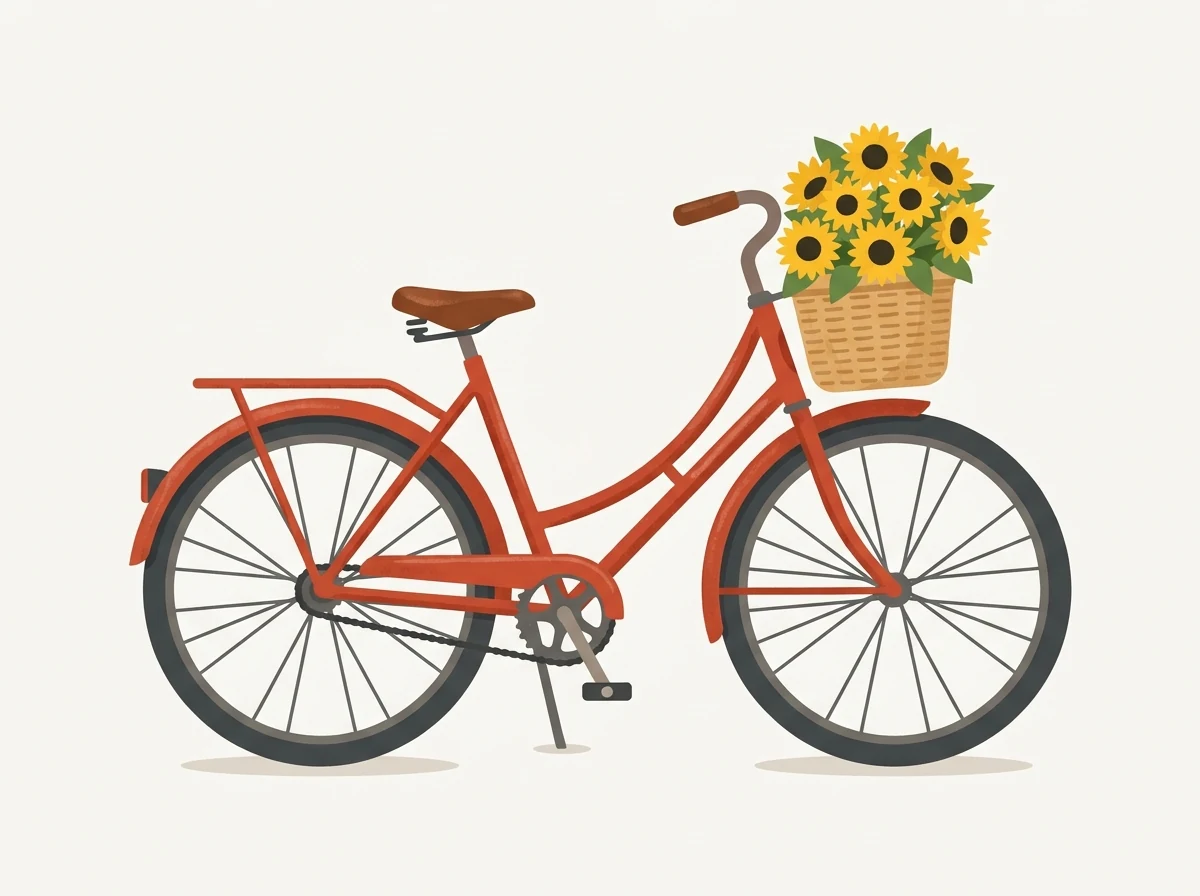
In image mode, leave the prompt empty and Ideogram Vector traces your picture into an SVG. We started from this flat bicycle illustration, made on Flixly with Nano Banana 2.1. Like most images, it is a 1200 × 896 grid of pixels.
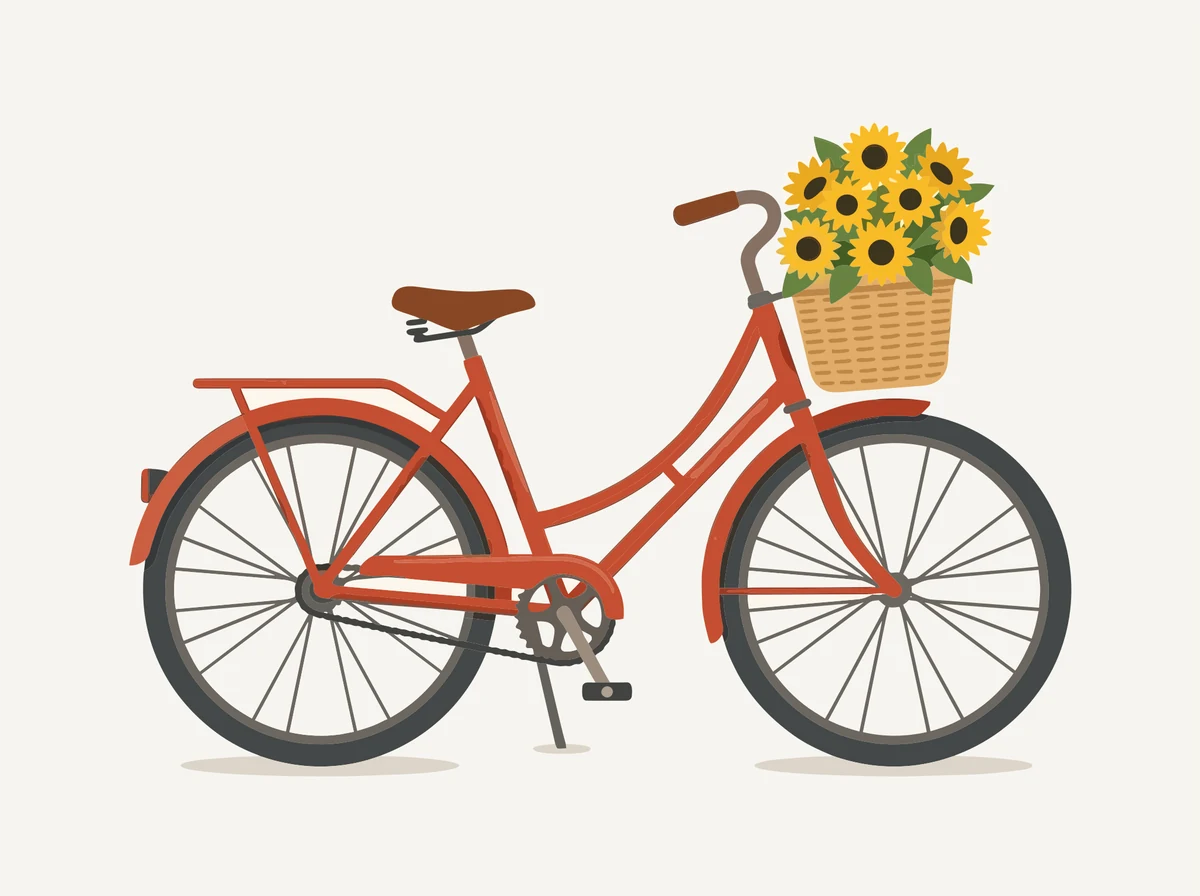
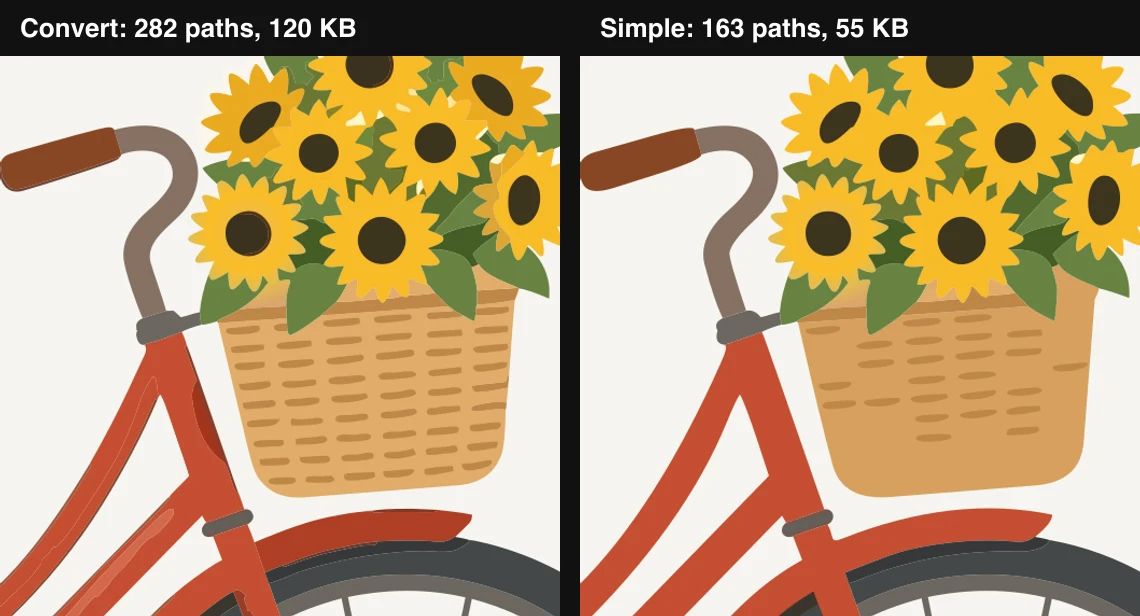
Converted with Detail set to Detailed, it became a 282-path SVG of 120 KB in 14 seconds:
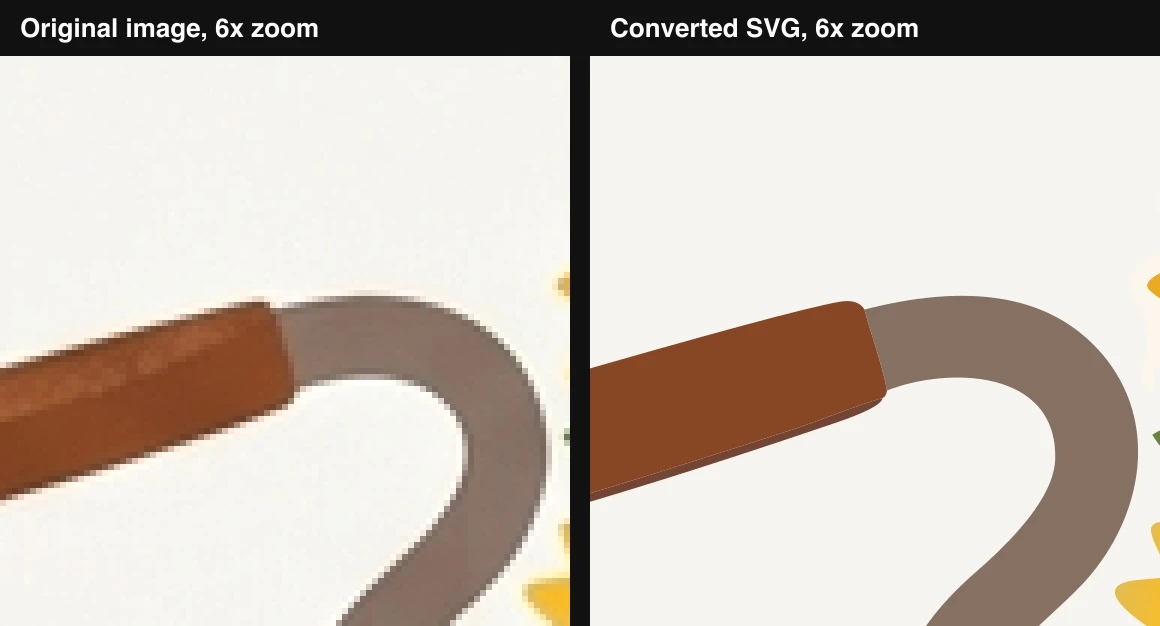
The difference shows when you zoom in. Here is the end of the handlebar at six times its size: the original turns into visible pixels, while the SVG redraws a clean edge.
Detailed or Simple shapes
The Detail setting decides how closely the SVG follows your image. Detailed keeps the basket weave, the shading on the frame and the flower centres. Simple shapes merges them into fewer, flatter areas. That gives 163 paths instead of 282 and a file under half the size, 55 KB instead of 120 KB, which is easier to edit and to cut on a vinyl or laser cutter. Both cost the same, and the simple version took 16 seconds.
Redraw your image with a prompt
Add a prompt in image mode and Ideogram Vector draws a new SVG, using your image as a reference. You can add up to five images. From the same bicycle we asked for a one-colour line-art logo and got a 46-path SVG of 17.5 KB in 40 seconds at High quality.
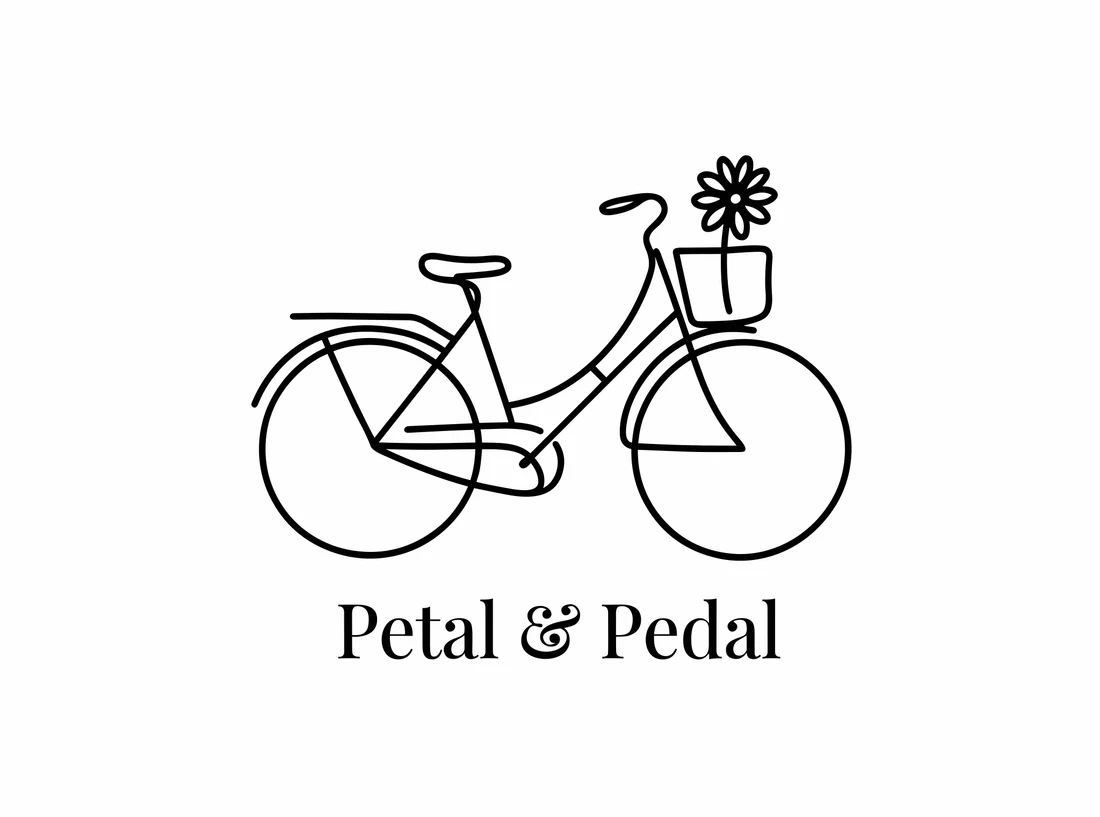
Image to SVG with a prompt, High quality:
Turn this into a minimalist single-colour line-art logo for a bike shop called "Petal & Pedal", the bicycle and one sunflower drawn with a single continuous stroke, the shop name in an elegant serif below
How to use Ideogram Vector on Flixly
Make an SVG from text
- Open the Image Generator and choose Ideogram Vector.
- Describe what you want. Name the style ("flat", "line art", "sticker"), the colours, and any words that should appear in quotes.
- Pick the aspect ratio and the quality, then check the credit estimate and click Generate. Low costs less than Medium, and Medium less than High.
- Click Download SVG for the vector file, or Download for the PNG preview.
Convert an image to SVG
- Switch to image mode and upload your picture.
- Leave the prompt empty and choose Detailed or Simple shapes. A conversion costs less than generating a new design.
- Click Generate. To redraw the image as a new design instead, type a prompt before you generate.
Both files stay in your history, so you can download the SVG again later.
Tips for better results
- Ask for flat styles. Words like "flat", "line art", "sticker", "icon" and "screen print" give clean shapes with few colours. Photo-real prompts give much larger files.
- Put lettering in quotes. Quoted words came out spelled correctly in every example above.
- Name the colours. A short palette ("forest green and warm copper") keeps the file small and easy to recolour.
- Use Simple shapes for cutting and embroidery. Fewer, larger shapes are easier for cutters, embroidery software and later edits.
- Convert clean images. Flat illustrations, logos and drawings convert best. A busy photo works, but the SVG will hold thousands of shapes.
- Draft at Low or Medium. Switch to High for the final version, or when a design has a lot of fine detail.
Learn more
Frequently Asked Questions
What is Ideogram Vector?▾
Ideogram Vector is Ideogram's vector graphics model. On Flixly it creates editable SVG files from a text prompt, converts an existing image into an SVG, or redraws an image as a new SVG design guided by a prompt and up to 5 reference images.
How do I convert an image to SVG on Flixly?▾
Open the Image Generator, choose Ideogram Vector, switch to image mode and upload your picture. Leave the prompt empty, choose Detailed or Simple shapes, and click Generate. In our tests the SVG was ready in 14 to 16 seconds.
How is Ideogram Vector priced on Flixly?▾
You pay in Flixly credits per result, and the exact price is shown before you generate. Converting an image to SVG costs less than generating a new one, and Low quality costs less than Medium or High. Detailed and Simple shapes cost the same.
Are the SVG files editable?▾
Yes. Each result is a standard SVG built from paths and colour fills, so you can recolour it, move or delete shapes, and open it in Illustrator, Figma, Inkscape, Affinity Designer or any other vector editor. Lettering is drawn as shapes rather than live text, so it looks the same without the font installed.
What is the difference between Detailed and Simple shapes?▾
Both convert your image to SVG and cost the same. Detailed follows the image closely and keeps fine texture and shading. Simple shapes merges areas into fewer, flatter shapes. In our test that meant 163 paths instead of 282 and a file under half the size, which is easier to edit and to use with cutting machines.
Can Ideogram Vector put text in a logo?▾
Yes. Put the words in quotes in your prompt. In our tests, names such as "Summit Roast", "LISBOA" and "Petal & Pedal" came out spelled correctly, drawn as vector shapes inside the SVG.
Do I also get a PNG?▾
Yes. Every Ideogram Vector result comes with a PNG preview of up to 2048 pixels on its longest side, next to the SVG. Use Download for the PNG and Download SVG for the vector file. Both stay in your Flixly history.