
Ideogram 4.6 Is Live on Flixly: Accurate Text and Precise Edits
Ideogram 4.6, Ideogram's newest image model, is live on Flixly. It writes clean, correctly spelled text into posters and logos in 15 aspect ratios, and it edits your photos one precise change at a time, with up to four references and an optional region. See real results with their settings and times.
TL;DR
Ideogram 4.6 is Ideogram's newest image model, released November 19, 2026, and it is now on Flixly. It generates posters, logos and designs with accurate text in 15 aspect ratios at up to 2K, and edits photos precisely: change one thing, keep the rest. High-precision and region edits keep your photo's full size, and every edit can take up to four reference images.
Ideogram 4.6 is live on Flixly: Ideogram's newest image model writes accurate text into images and makes precise edits that keep everything you did not ask to change. Generate posters, logos and designs in 15 aspect ratios at up to 2K, or upload a photo and change one thing at a time, with up to four reference images and an optional region. It is in the AI Image Generator.
What is Ideogram 4.6?
Ideogram 4.6 is Ideogram's image generation and editing model, released on November 19, 2026. Ideogram built it for precise creative control: make a focused change, check the result, and keep refining the same image over several turns. Ideogram reports that 4.6 ranks first in Rapidata's multi-step image editing benchmark. Like Ideogram 4.5, it is known for clean, correctly spelled text inside images.
On Flixly, Ideogram 4.6 does two jobs:
| Text to image | Edit an image | |
|---|---|---|
| Start from | A prompt | Your photo, plus up to four references |
| Size | 15 aspect ratios, up to 2K | Plain edits are sized to fit 2K; high-precision and region edits keep your photo's full size |
| Quality | Low, Medium or High | Low, Medium or High |
| Precision | — | Regular, or High to keep untouched areas exactly as they were |
| Region | — | Draw a box to edit only that part at full resolution |
Flixly shows the credit amount before you generate. High quality, and high-precision edits of large photos, cost more. The Ideogram 4.6 model page lists the current rates.
Real examples
Every example below was made on Flixly with Ideogram 4.6 and the settings shown. Each is the first result we got, resized for the web and otherwise unedited. Times run from pressing Generate to the finished image.
A poster with a headline, a subtitle and small print
Text to image, 16:9, High quality, 2560×1440. It took 39 seconds.
A vintage travel poster for a seaside town, bold headline "LUMEN BAY", subtitle "Summer Festival 2027", sailboats and a lighthouse at sunset, flat screen-print style
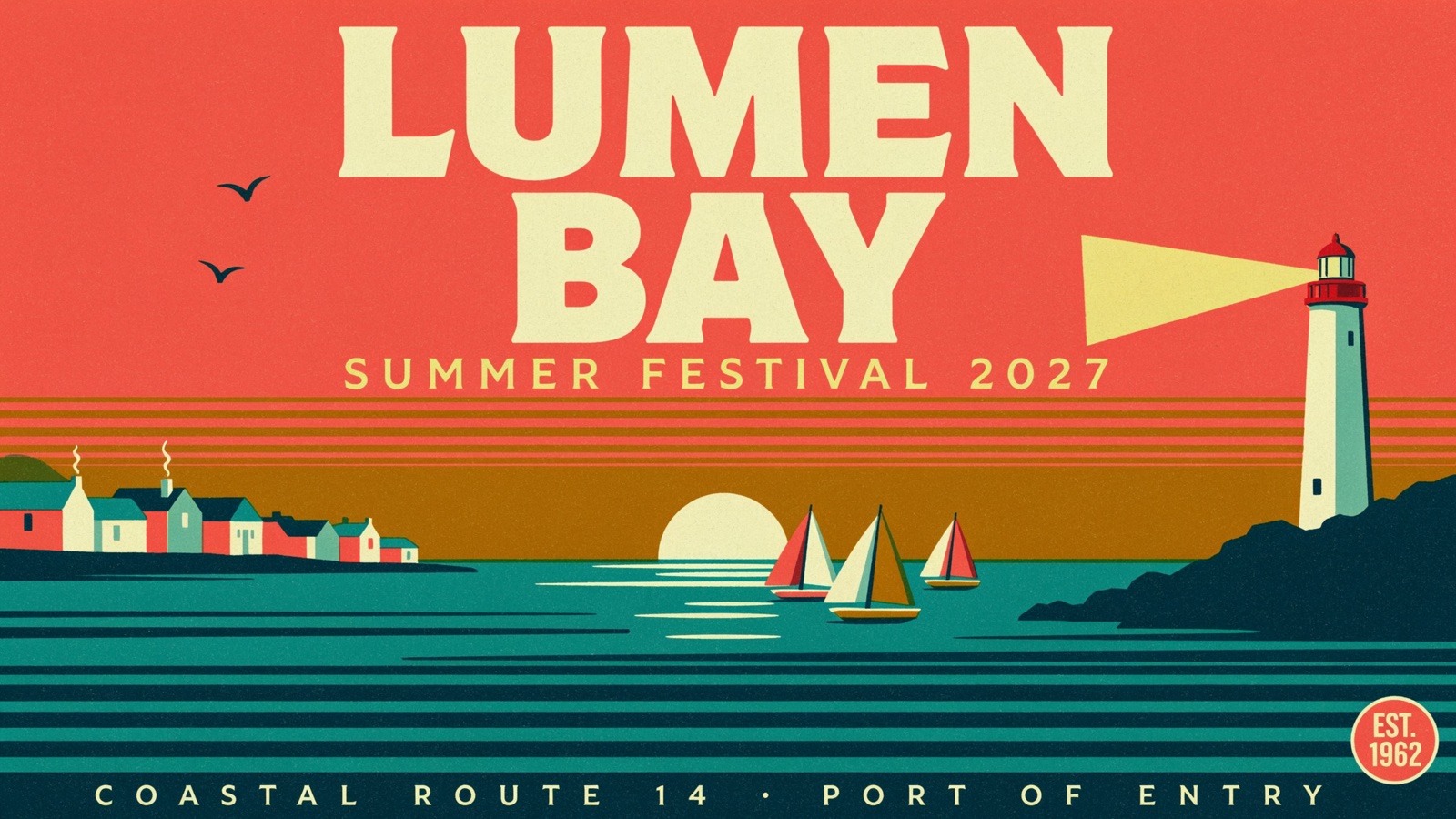
Every word is spelled correctly, including small print the prompt never asked for ("Coastal Route 14 · Port of Entry", "Est. 1962").
A logo with a wordmark and a tagline
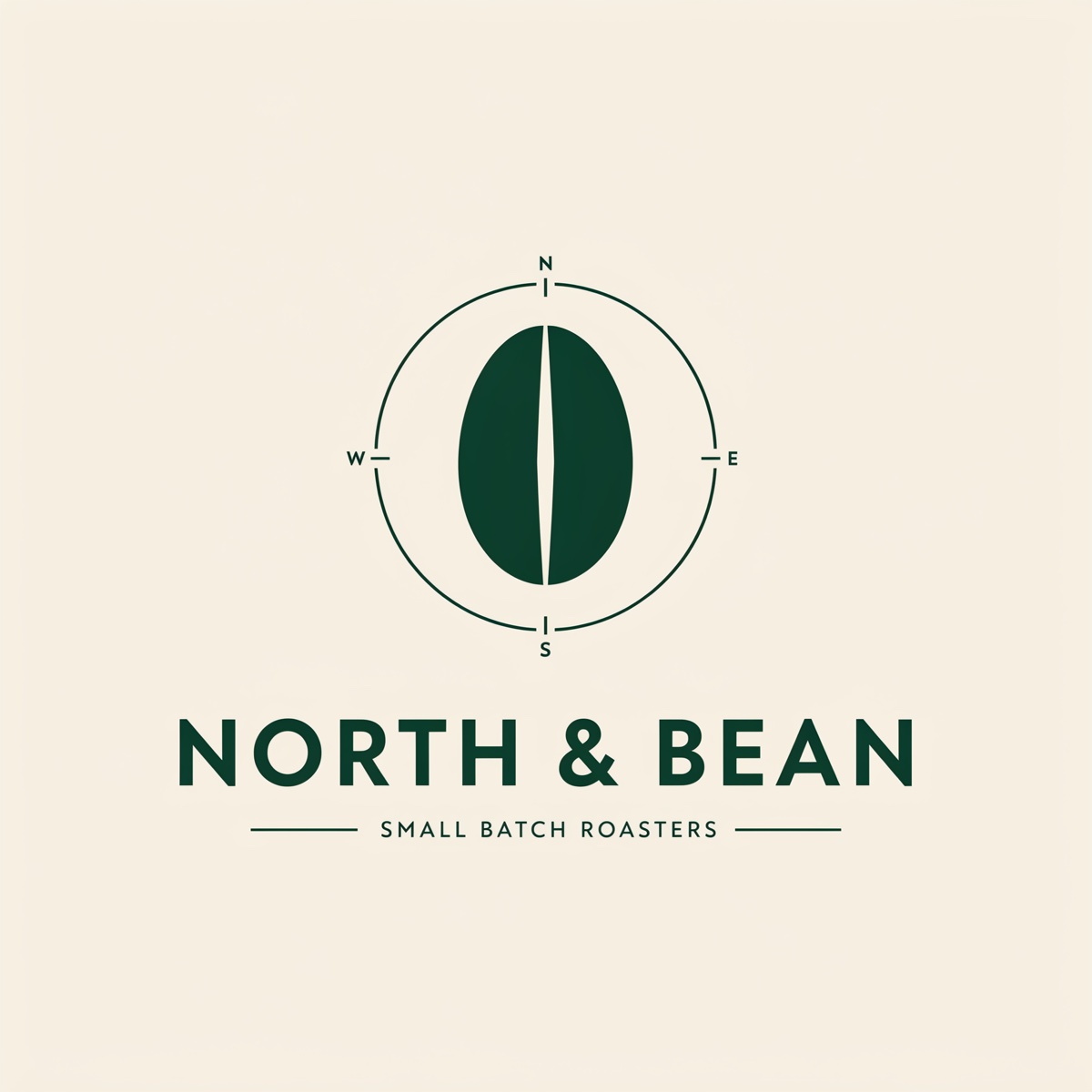
Text to image, 1:1, Medium quality, 2048×2048. It took 17 seconds.
A minimalist logo for a coffee roastery called "NORTH & BEAN", a single coffee bean shaped like a compass needle above the name in a bold geometric sans serif, small tagline "Small Batch Roasters", deep forest green on cream
Editing a large photo: regular precision
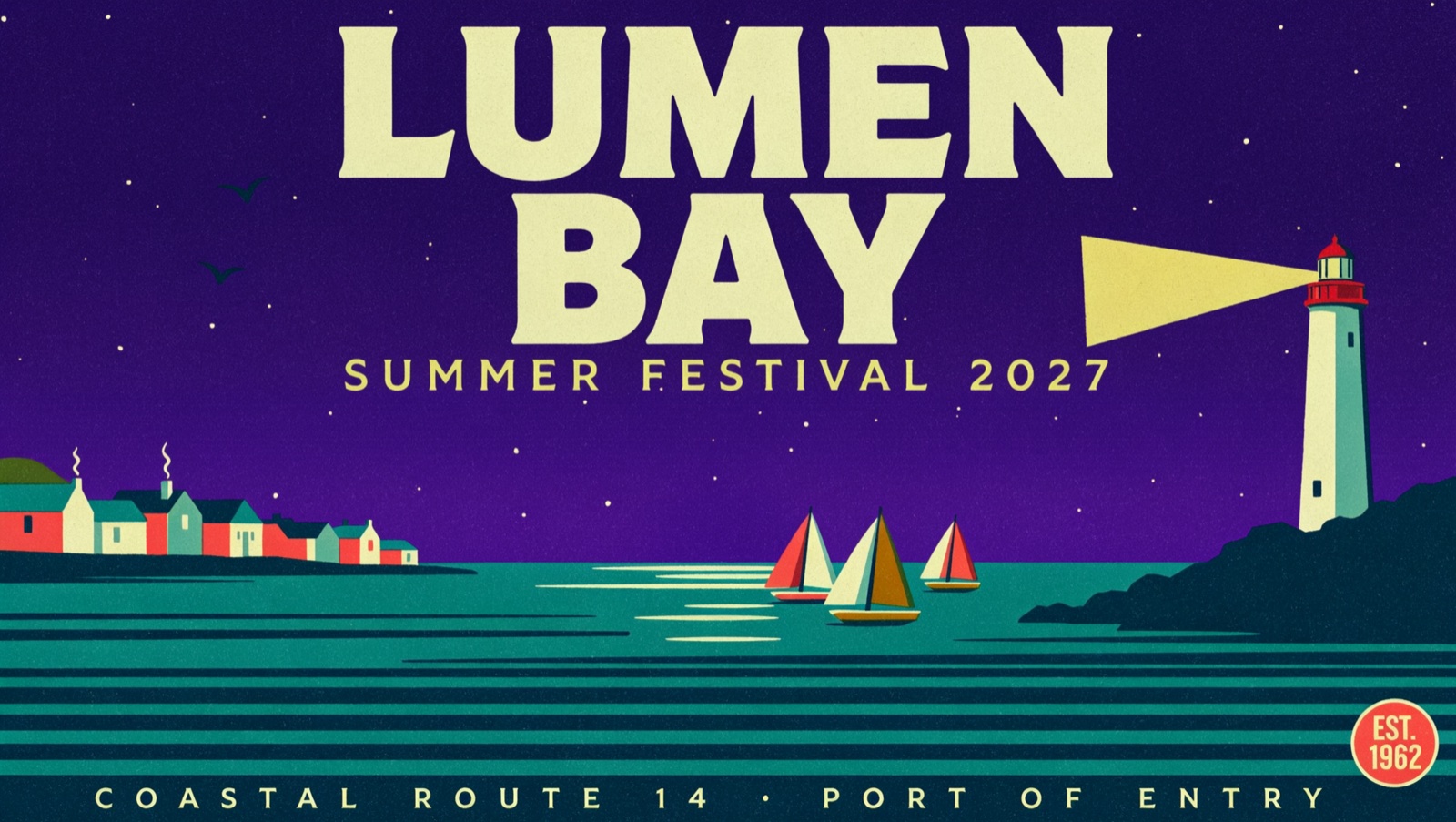
We uploaded a 4266×2400 copy of the poster above and asked for one change. Medium quality, regular precision. The result came back at 2720×1536, the poster's shape sized to fit 2K. It took 36 seconds.
Change the sky to a deep purple night sky with stars, keep all text exactly as it is
The same edit at high precision
Same photo and prompt, Medium quality, high precision. High precision keeps the photo's full 4266×2400 size and leaves everything outside the change as it was. It took 61 seconds.
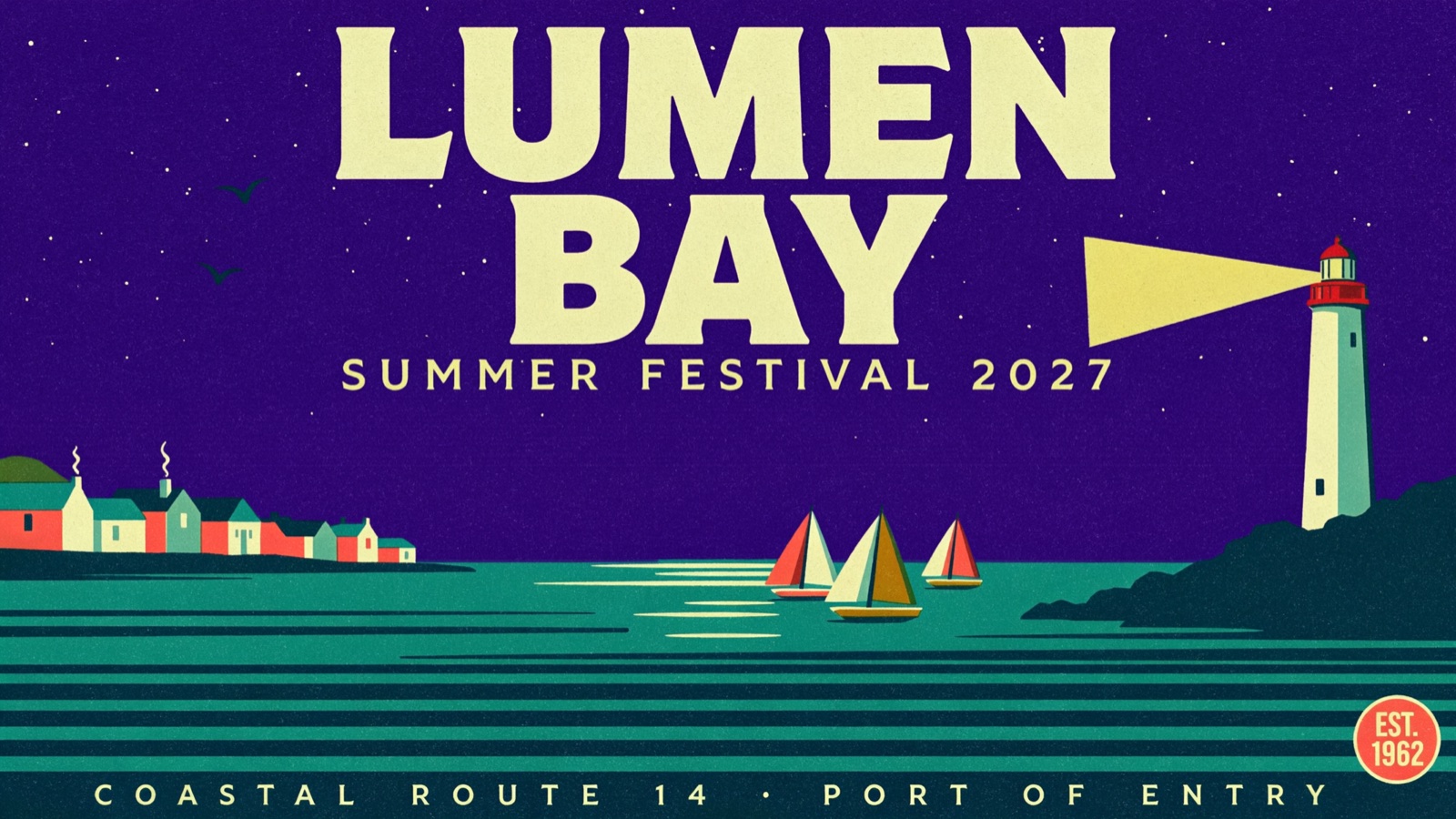
Both edits kept every letter of the poster exact. Use regular precision for quick changes, and high precision when the output must stay at your photo's full size.
How to use Ideogram 4.6 on Flixly
- Open the AI Image Generator and pick Ideogram 4.6.
- For a new image, stay on Text to image, choose an aspect ratio and a quality, and put any words you want in the image in quotes.
- To edit, switch to Image to image, upload your photo and up to four references, and describe one change.
- Choose Regular precision for speed, or High to keep untouched areas pixel for pixel. To change only part of the image, pick A region and draw a box.
- Check the credit amount next to the button, then press Generate.
Ideogram 4.6 or Ideogram 4.5?
Both are on Flixly. Ideogram 4.6 adds Ideogram's newer editing engine and full-size high-precision edits; Ideogram 4.5 stays available for existing workflows. For text-heavy designs from a prompt, start with Ideogram 4.6. For a straight conversion to SVG, use Ideogram Vector.
Frequently Asked Questions
What is Ideogram 4.6?▾
Ideogram 4.6 is Ideogram's image generation and editing model, released on November 19, 2026. It is built for precise edits that change only what you ask for, and for accurate text inside images. On Flixly, Ideogram 4.6 generates from a prompt and edits your own photos.
Can Ideogram 4.6 write text in images correctly?▾
Yes. Ideogram 4.6 spells headlines, taglines and small print correctly in most images. In our poster example every word came out right, including small print the prompt did not ask for. Put the exact words you want in quotes in your Ideogram 4.6 prompt.
How does editing work with Ideogram 4.6 on Flixly?▾
Upload a photo on the Image to image tab, add up to four reference images, and describe one change. Ideogram 4.6 offers regular precision for quick edits and high precision to keep untouched areas exactly as they were. You can also draw a region to edit only that part.
What size images does Ideogram 4.6 make on Flixly?▾
From a prompt, Ideogram 4.6 renders 15 aspect ratios at up to 2K, such as 2560 by 1440 for 16:9. Plain edits are sized to fit 2K. High-precision and region edits with Ideogram 4.6 keep your photo's full size, for example 4266 by 2400.
What is the difference between Ideogram 4.6 and Ideogram 4.5?▾
Ideogram 4.6 is Ideogram's newer model, focused on precise multi-step editing, and Ideogram reports it ranks first in Rapidata's multi-step image editing benchmark. Ideogram 4.5 stays available on Flixly. For new text-heavy designs and edits, start with Ideogram 4.6.
Do I need a subscription to use Ideogram 4.6 on Flixly?▾
No. Ideogram 4.6 runs on Flixly credits, which never expire, with no subscription. Flixly shows the credit amount before you generate, and it depends on the quality and, for edits, on the precision and your photo's size.