
Kling Image 4.0 Is Live on Flixly: Native 8K Images and Long Page Designs
Kling Image 4.0, Kling AI's new image model, is live on Flixly. It makes images at native 2K, 4K or 8K, renders text cleanly and edits with up to 10 references. Kling Image 4.0 Long Image designs full webpages and e-commerce product pages. See real results, including where it missed the brief.
TL;DR
Kling Image 4.0 from Kling AI is live in Flixly's Image Generator. It makes single images at native 2K, 4K or 8K (10880 × 6144 at 16:9), renders short text accurately, and combines up to 10 reference images in an edit. Kling Image 4.0 Long Image designs a scrolling webpage from a brief, or a product page from 1-3 photos. In our tests it can miss exact placement and parts of long briefs.
Kling Image 4.0 is live on Flixly: Kling AI's new image model makes images at native 2K, 4K or 8K, renders text cleanly, and edits with up to 10 reference images. It comes with a second model, Kling Image 4.0 Long Image, that designs a full scrolling webpage from a brief or turns 1-3 product photos into an e-commerce product page. Both are in the Image Generator. Below are real results, including where the model did not follow the brief.
What is Kling Image 4.0?
Kling Image 4.0 is the image model from Kling AI, the team behind the Kling video models. Kling AI released it on 17 November 2026 with improved realism, text rendering, instruction following and reference consistency. Its headline feature is resolution: single images come out at 2K, 4K or native 8K, generated at that size rather than upscaled afterwards.
Kling AI ships it as two models, and Flixly offers both:
| Model | What it makes | Resolutions | Input |
|---|---|---|---|
| Kling Image 4.0 | Single images: photos, posters, product shots, scenes with text | 2K, 4K, 8K | A prompt, plus up to 10 reference images for edits |
| Kling Image 4.0 Long Image | One tall image: a webpage design or an e-commerce product page | 1K or 2K wide | A brief for a webpage; 1-3 product photos for a product page |
How big are 2K, 4K and 8K?
The sizes below are what Flixly delivered for a 16:9 image at each setting. 8K is about 67 megapixels, enough for large prints, billboards and close crops.
| Setting | 16:9 output | Megapixels | Best for |
|---|---|---|---|
| 2K | 2720 × 1536 | 4.2 | Social posts, web images, drafts |
| 4K | 5440 × 3072 | 16.7 | Large screens, hero images, cropping |
| 8K | 10880 × 6144 | 66.8 | Print, billboards, very close crops |
8K files are large: our 8K PNG was 160 MB. Choose JPEG as the output format if you do not need lossless files.
How to use Kling Image 4.0 on Flixly
- Open the Image Generator and pick Kling Image 4.0 in the model list.
- Text mode: write the prompt, then pick the aspect ratio and the resolution (2K, 4K or 8K).
- Image mode: upload up to 10 images and refer to them in the prompt as @Image1, @Image2 and so on.
- For a long page, pick Kling Image 4.0 Long Image. Text mode designs a webpage. Image mode builds an e-commerce product page from 1-3 product photos, with a Short, Medium or Long page length.
- Press Generate. Flixly shows the credit amount before you generate, and the model page lists the current rates.
Real examples
Every example below was made on Flixly with the model and settings shown, and each one is the first result we got. The images are unedited; the versions on this page are compressed JPEG copies, and the two close-ups are 100% crops of the original files. Times run from pressing Generate to the finished image.
Text inside the image, at 2K
Kling Image 4.0, Text mode, 16:9, 2K, 69 seconds:
A neon-lit ramen shop at night in the rain, a sign reading "KLING 4.0" above the door, cinematic photo
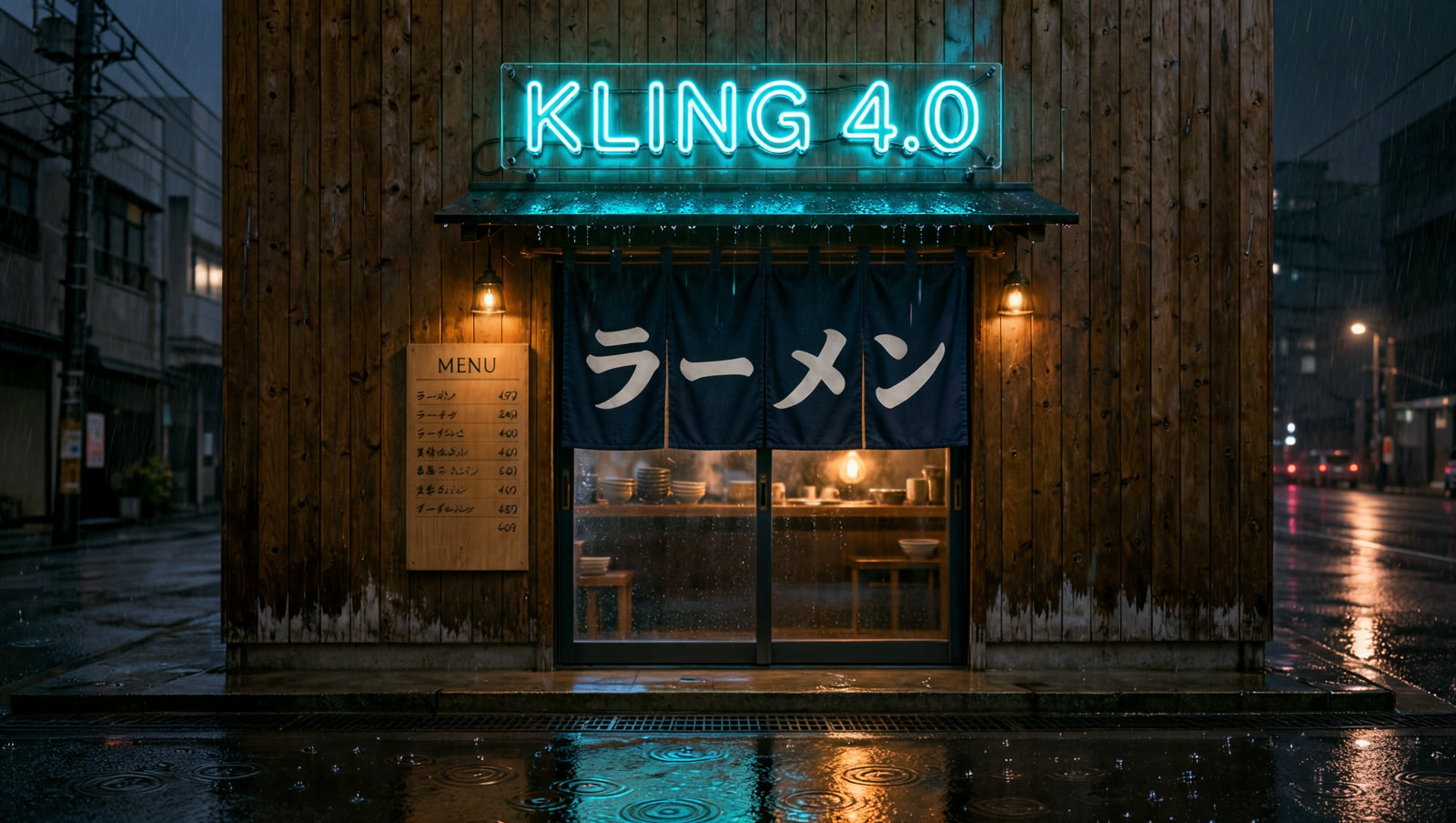
The sign reads exactly "KLING 4.0". The model also added text we did not ask for: ラーメン (ramen), spelled correctly on the curtain, and a menu board of Japanese dish names.
A 4K close-up
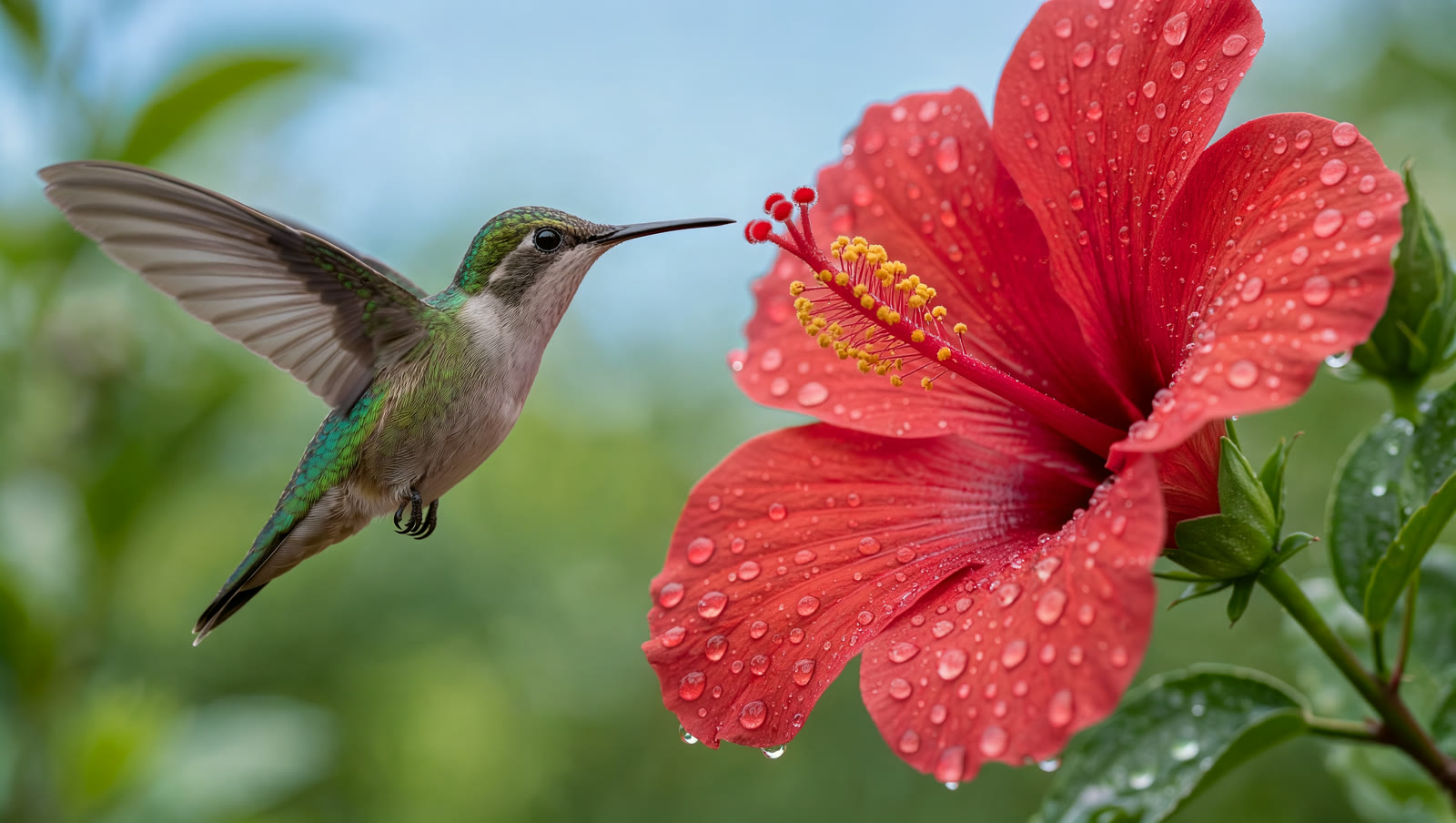
Kling Image 4.0, Text mode, 16:9, 4K, 112 seconds:
Macro photograph of a hummingbird hovering beside a red hibiscus flower, morning dew on the petals, iridescent green feathers, shallow depth of field, soft natural light
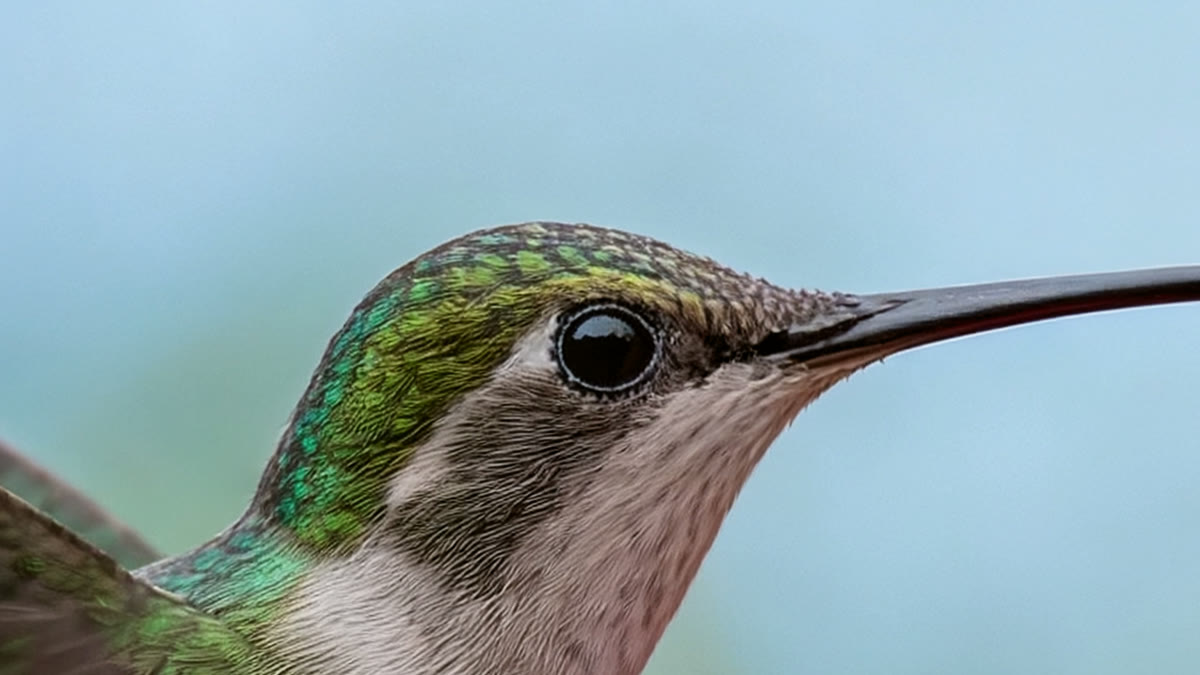
Here is the bird's head at 100%, cut straight from the 5440 × 3072 file:
Native 8K
Kling Image 4.0, Text mode, 16:9, 8K, 213 seconds:
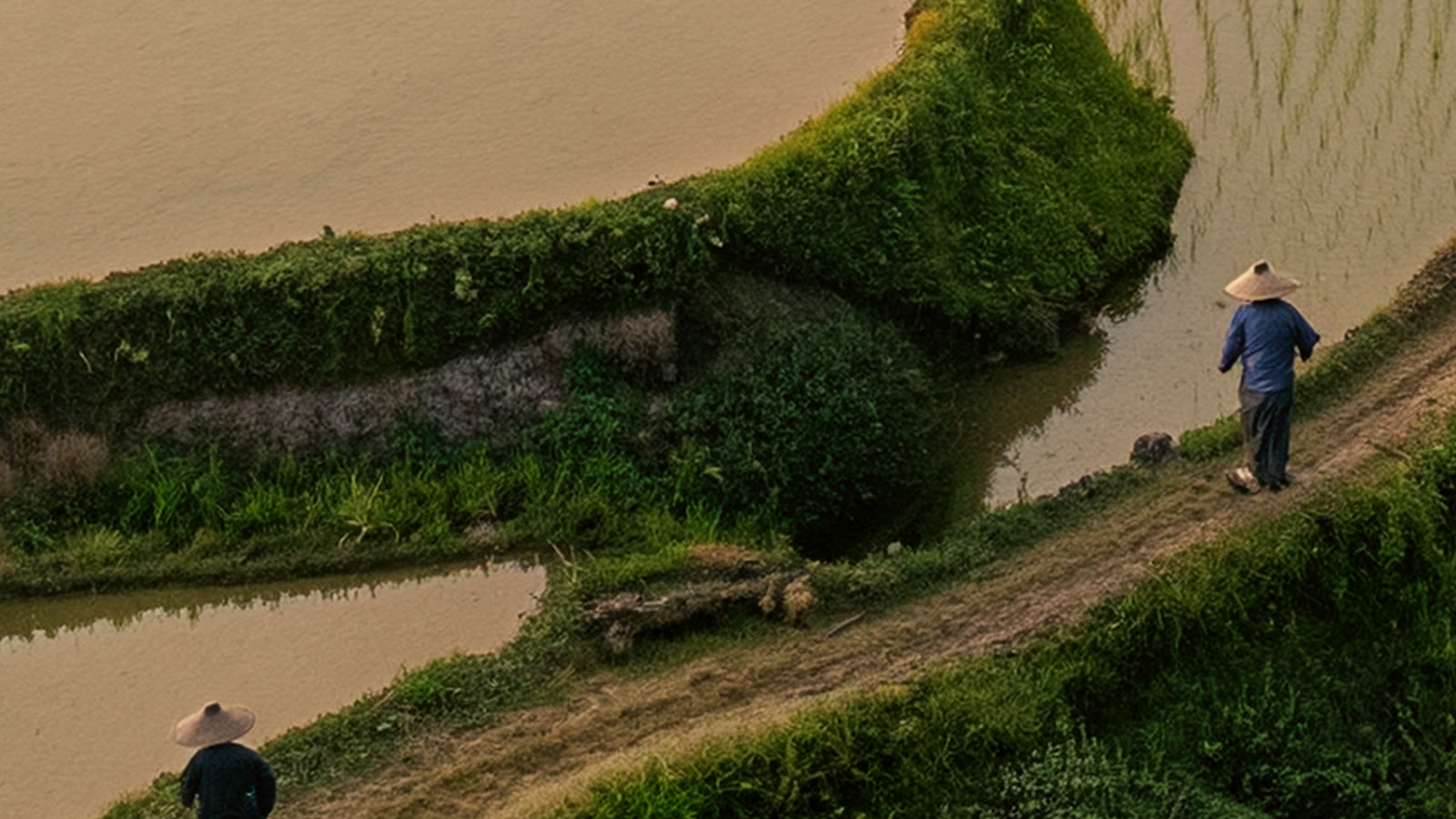
Aerial photograph of terraced rice fields on a mountainside at sunrise, mist drifting through the valley, a small village with tiled roofs and a winding dirt road, farmers in conical hats walking between the paddies, highly detailed
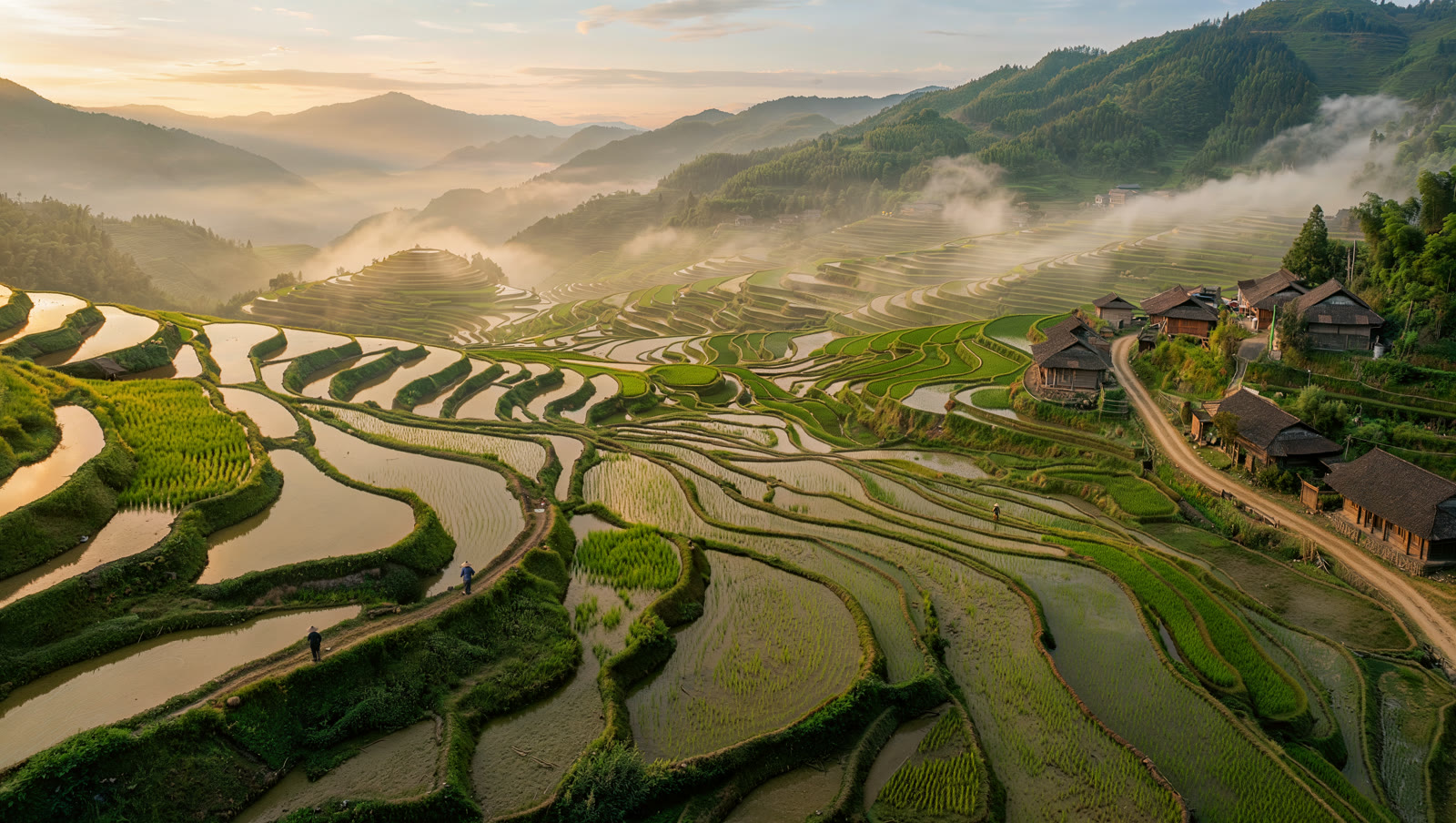
At this size the two farmers are tiny specks. This is the same image at 100%, a 1600 × 900 piece of the 10880 × 6144 original:
Combining two reference images
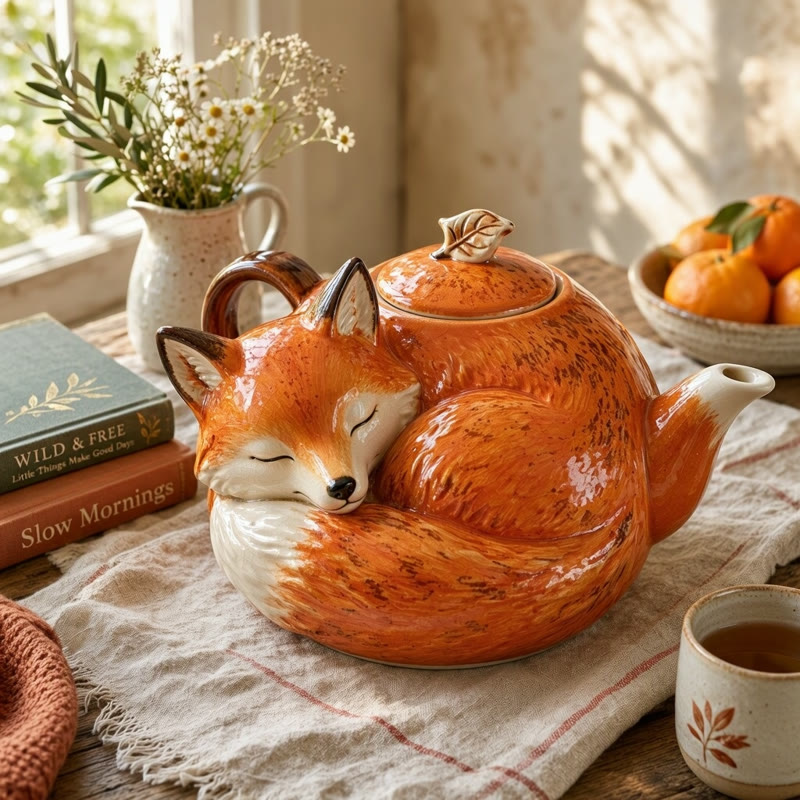
For this edit we used two Flixly images as references: the ramen shop above, and a fox teapot we made with MAI Image 2.7 in 54 seconds:
A ceramic teapot shaped like a sleeping fox on a linen tablecloth, soft window light, product photo
Kling Image 4.0, Image mode, two references, 16:9, 2K, 107 seconds:
Place the fox-shaped teapot from @Image1 on the wooden counter inside the ramen shop from @Image2, with steam rising from its spout. Keep the neon sign, the rain and the night mood.
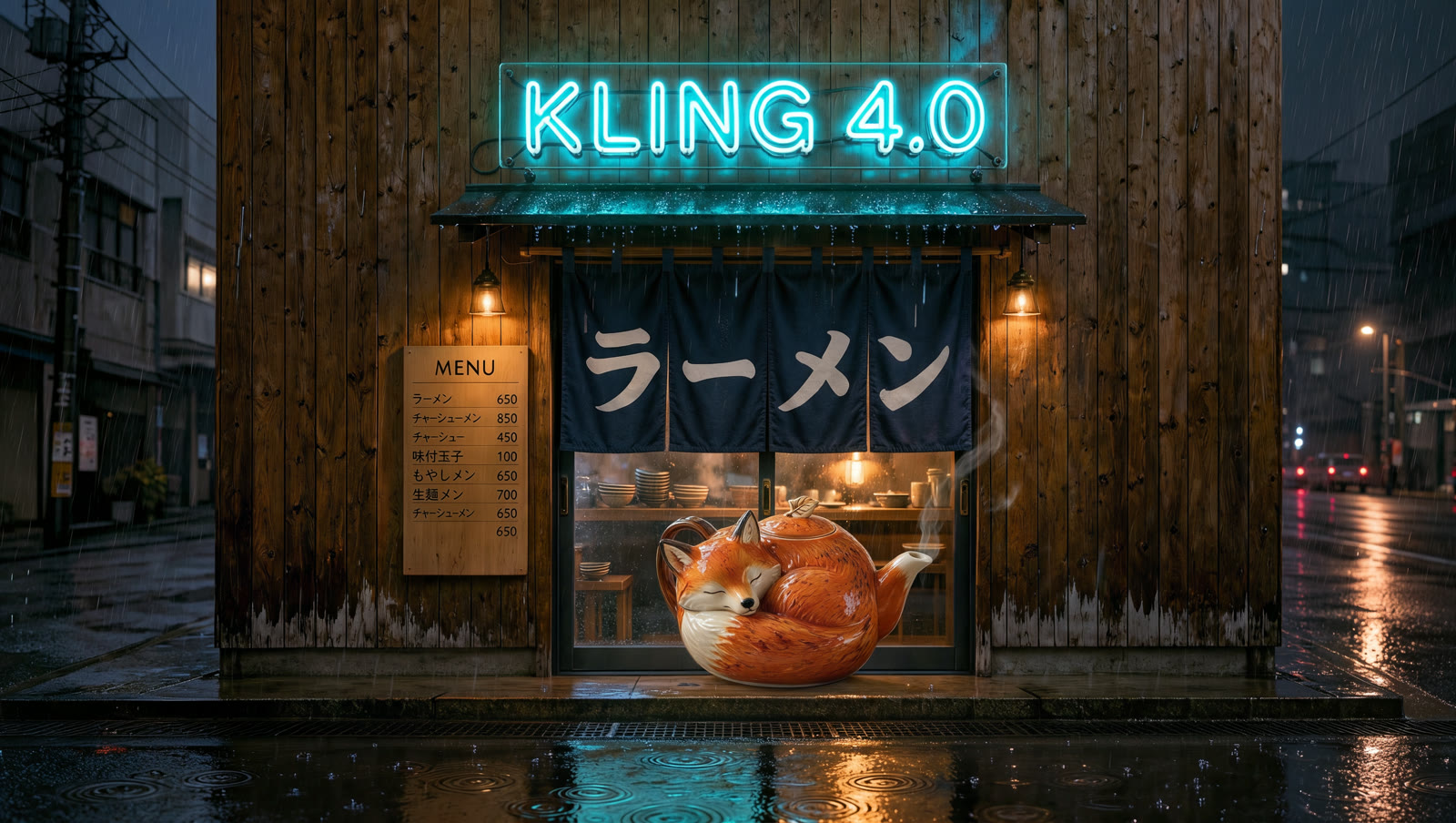
The teapot and the shop both stayed recognisable, with the sign, curtain, rain and steam intact. But it did not follow the placement: the teapot sits in the doorway, much larger than life, instead of on the counter inside.
A webpage design from a brief
Kling Image 4.0 Long Image, Text mode, 1K wide, 99 seconds:
Homepage for Kumo Coffee, a small specialty coffee roaster in Kyoto. Hero section with the headline "Slow coffee, roasted in Kyoto" and a Shop beans button, three single-origin beans with tasting notes, a visit-the-cafe section with opening hours, and a footer with a newsletter signup. Warm, minimal, cream and dark brown palette.
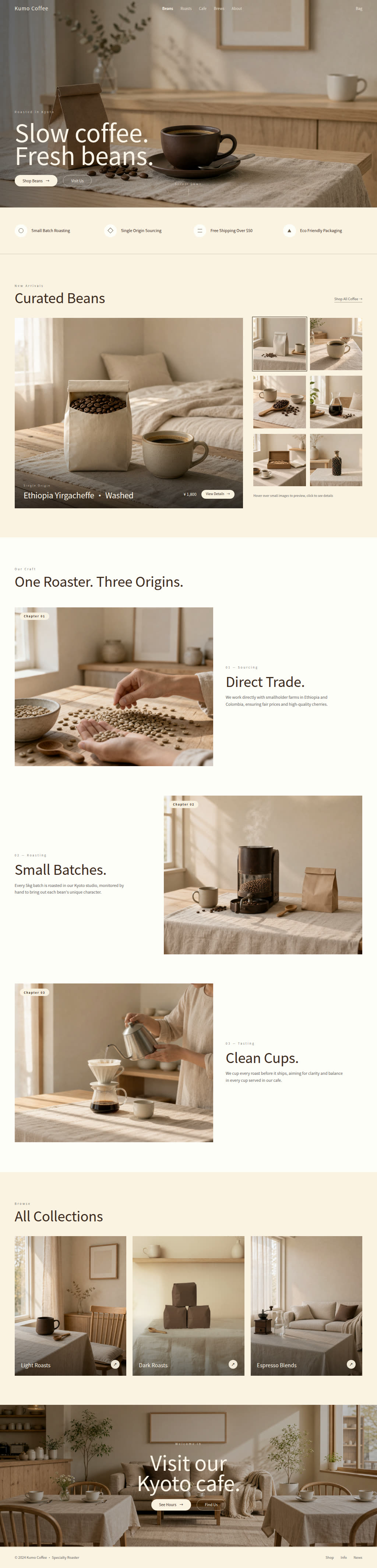
The result is one 1024 × 4257 image with a consistent style, readable small text and photos that match each other. It took liberties with the brief: the headline became "Slow coffee. Fresh beans.", the three beans became three craft sections, and the opening hours and newsletter footer are missing. Treat it as a design mockup to iterate on, not a finished layout.
An e-commerce product page from one photo
Kling Image 4.0 Long Image, Image mode with the fox teapot photo, Short length, 1K wide, 163 seconds:
Product page for the Sleeping Fox ceramic teapot: handmade stoneware, holds 600 ml, built-in tea strainer, dishwasher safe. Calm, warm, Scandinavian style.

This one followed the brief closely: all four product facts appear as feature tiles, and the teapot stays the same object in every new shot, from the close-ups of the spout and handle to the material section.
Is Kling Image 4.0 good at text?
In our tests, yes. Short text came out exactly as written ("KLING 4.0"), the Japanese word it added on its own was spelled correctly, and the headings and feature labels on the long pages were clean and readable. Kling AI lists text rendering among the model's main improvements. As with any image model, check longer passages before you publish.
What does Kling Image 4.0 find hard?
- Exact placement in edits. In our two-reference edit it kept both images recognisable but put the object somewhere other than where we asked, at the wrong scale.
- Following every point of a long brief. The webpage design matched the style and the overall idea, but changed the headline and dropped two sections.
- File size at 8K. A 16:9 8K PNG is about 160 MB. Use JPEG output unless you need lossless files.
Kling Image 4.0 or Long Image: which should you use?
| You want | Use |
|---|---|
| A photo, poster, ad or scene | Kling Image 4.0 |
| A large print or a crop-ready master | Kling Image 4.0 at 4K or 8K |
| To combine several images or keep a product consistent | Kling Image 4.0, Image mode |
| A full webpage mockup | Kling Image 4.0 Long Image, Text mode |
| A product detail page from product photos | Kling Image 4.0 Long Image, Image mode |
Kling Image 4.0 and Kling Image 4.0 Long Image run on Flixly credits, which never expire, with no subscription. Try Kling Image 4.0 or design a long page.
Frequently Asked Questions
What is Kling Image 4.0?▾
Kling Image 4.0 is Kling AI's image model, released on 17 November 2026. It turns a prompt into a single image at native 2K, 4K or 8K, renders text inside the image, and can combine up to 10 reference images in an edit. On Flixly it is in the Image Generator, in both Text and Image mode.
Does Kling Image 4.0 really make 8K images?▾
Yes. Kling AI says Kling Image 4.0 generates 8K natively rather than upscaling. On Flixly, an 8K image at 16:9 came back at 10880 × 6144 pixels, about 67 megapixels, and close crops held real detail. 8K files are large, so choose JPEG output on Flixly unless you need a lossless PNG.
What is Kling Image 4.0 Long Image?▾
Kling Image 4.0 Long Image is Kling AI's model for tall, scrolling images. On Flixly, Text mode designs a full webpage from a written brief, and Image mode turns 1-3 product photos into an e-commerce product detail page, with a Short, Medium or Long page length. Pages come out 1K or 2K wide.
How many reference images can Kling Image 4.0 use?▾
Kling Image 4.0 accepts up to 10 reference images in one edit. On Flixly, upload them in Image mode and refer to them in the prompt as @Image1, @Image2 and so on. Kling Image 4.0 Long Image takes 1-3 product photos for an e-commerce page and none for a webpage design.
Is Kling Image 4.0 good at rendering text?▾
In Flixly's tests Kling Image 4.0 wrote short text exactly as asked, such as a neon sign, and the headings and labels on its long page designs were clean and readable. Kling AI lists text rendering among the model's main improvements. As with any image model, check longer passages before publishing.
Do I need a Kling AI account to use Kling Image 4.0 on Flixly?▾
No. Kling Image 4.0 and Kling Image 4.0 Long Image run on Flixly credits, which never expire, with no subscription. Flixly shows the credit amount before you generate, and every image you make stays in your Flixly history to download.