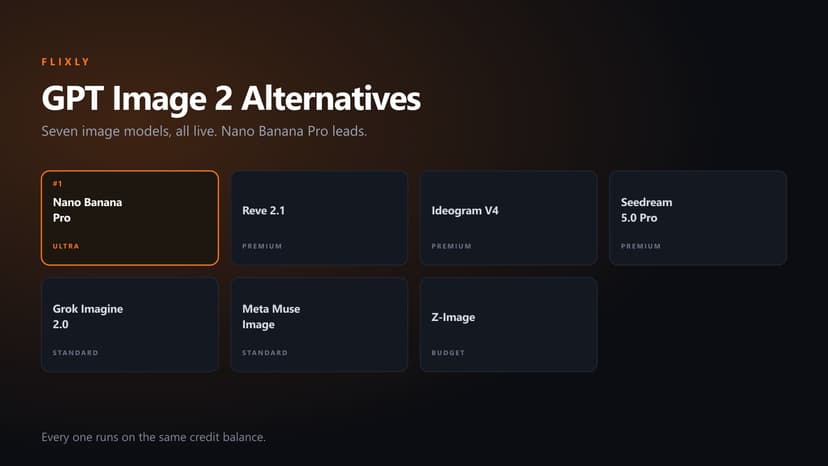
Nano Banana Alternatives: 10 AI Image Models Worth Switching To
Nano Banana is good, but it is not right for every image. Ten AI image models live in Flixly right now, what each one is actually for, and how to pick.
TL;DR
Flixly runs 35 image models in production, five of them Nano Banana variants. The closest like-for-like swap is GPT-Image 2.0: it matches Nano Banana on in-image text, claiming above 99% accuracy, at the same ULTRA tier as Nano Banana Pro, and it reaches more tools than any other image model. For value use FLUX 2 Flex, for typography Ideogram V4 or Reve 2.1, for product work Seedream 5.0 Pro, and for volume Z-Image.
Nano Banana is good. It is not the right tool for every image you need to make.
That sounds obvious until you watch how many people run every prompt through it, get a mediocre result on the fourth attempt, and conclude that this is just what AI image generation looks like now.
It isn't. It's what one model looks like.
Flixly runs 35 image models in production. Five of them are Nano Banana variants. The other 30 include models that render text far more reliably, models built for product photography, models that edit an existing image without repainting the parts you liked, and one that finishes in under a second.
Here are the ten worth knowing, what each one is for, and how to tell which one your next prompt belongs to.
Why look past Nano Banana at all
Nano Banana's reputation was built on conversational editing. Describe a change, get the change, keep the rest of the image. That is a genuinely hard problem and it handles it well.
The trouble starts when it becomes the only hammer.
Text inside an image is a different problem. Photorealistic skin is a different problem. Generating four variations so you can pick one is a different problem. Editing a product shot while holding the label sharp is different again.
Different problems, different models. That's the whole argument.
How these were picked
Every model below is live in Flixly production right now. No waitlists, no "coming soon", no external API key to go and register for.
They are grouped by what they are good at rather than ranked one to ten, because a ranking implies you should always reach for number one. You shouldn't. You should reach for the one that matches the job.
Tiers below are Flixly catalog tiers: BUDGET, STANDARD, PREMIUM, ULTRA. Current credit costs live on the pricing page, which stays accurate as costs move.
1. GPT-Image 2.0, the straight replacement
Tier: ULTRA. Text-to-image.
If you want the closest like-for-like swap, start here.
Nano Banana's strength was never only conversational editing. It reads and renders legible text, which is why people reach for it on posters, thumbnails, UI mockups and diagrams. A replacement that can't hold text isn't really a replacement. It's a different tool that happens to make images.
GPT-Image 2.0 is the model in the catalog that matches on that specific axis. Its entry claims text rendering above 99% accuracy, alongside photorealism, UI and screenshot-grade detail, and multilingual text including Japanese and Korean.
It matches on tier too. Nano Banana Pro sits in ULTRA and so does GPT-Image 2.0, so moving across isn't a quality downgrade dressed up as a swap.
It is also the most widely deployed image model on the platform, wired into thirteen tools: AI avatars, headshots, logos, thumbnails, product mockups, book covers, memes, backgrounds, patterns, QR code art, social posts, the landing page generator and text-to-image. Nothing else in the catalog reaches further.
If the deliverable is a poster, an ad, a UI mockup or an infographic, anything a human will read rather than only look at, try this one first.
2. Reve 2.1, four options per prompt
Tier: PREMIUM. Text-to-image.
Reve sits here for the same reason GPT-Image 2.0 leads: it is built around clean in-image typography, so text survives the render. What it adds on top is volume.
Reve renders up to four variations per request, in every frame from square to wide, built around prompt adherence and clean in-image typography.
Four-per-request changes how you work. Instead of prompt, judge, adjust, re-prompt, you get a spread and pick. For creative exploration where you don't yet know what you want, that's a faster loop than iterating one image at a time.
It shows up in product mockups, book covers, logos and social posts.
3. FLUX 2 Flex, the value pick
Tier: STANDARD. Text-to-image and image-to-image.
If GPT-Image 2.0's ULTRA tier is more than the job deserves, this is the step down that doesn't feel like one.
FLUX 2 Flex sits at STANDARD, two tiers below, and matches GPT-Image 2.0's reach almost exactly: the same thirteen tools, from avatars and headshots through logos, thumbnails, product mockups, book covers, memes, backgrounds, patterns and QR code art.
It handles text-to-image and image-to-image both, so it covers the generate-then-edit loop without switching models halfway through.
One honest limit. Its catalog entry reads, in full, "FLUX 2 Flex fast text-to-image generation". It makes no in-image text claim, where GPT-Image 2.0, Reve 2.1 and Ideogram V4 all lead with one. So use FLUX 2 Flex when the image is the deliverable, and reach for a text model when words have to appear inside the frame.
That split is the whole reason this list isn't one model long.
4. Ideogram V4, the typography specialist
Tier: PREMIUM. Text-to-image.
Ideogram made its name on in-image text, and V4 is the sharpest version of it.
The pitch is best-in-class text rendering, sharper typography, stronger prompt adherence, and three rendering speeds (TURBO, BALANCED, QUALITY) so you can trade time against fidelity depending on whether you're exploring or finishing.
That speed dial matters more than it sounds. Exploration wants fast and cheap. Final output wants slow and sharp. One model doing both saves you a switch.
Find it in logo generation, thumbnails, book covers, memes and social posts.
So how do you choose between this and GPT-Image 2.0?
Ideogram when typography is the design. GPT-Image 2.0 when the text sits inside a photorealistic scene, or when you want the nearest thing to a Nano Banana swap.
5. Seedream 5.0 Pro, built for commercial work
Tier: PREMIUM. Text-to-image, image-to-image, photo effects.
This is the one for work that has to sell something.
Seedream 5.0 Pro targets product visuals, design assets, dense layouts and commercial creative, and it supports multi-reference editing. Hand it several reference images and it works from all of them rather than one.
Multi-reference is the part worth understanding. Product photography usually means holding a specific object consistent across many shots. One reference gets you an approximation. Several get you the actual product.
It also powers AI photo effects and appears in text-to-image.
If you're producing e-commerce imagery, this and FLUX 2 Flex are the two to test against each other.
6. FLUX Kontext Pro, editing without repainting
Tier: PREMIUM. Image-to-image and text-to-image.
Kontext exists for transformation. Take an image, describe a change, keep everything you didn't mention.
That is the same territory Nano Banana built its name on, which makes this the most direct head-to-head on the list. Run both on the same edit and keep whichever holds your subject better, because the answer genuinely varies by image.
It's wired into AI photo effects and the landing page generator.
7. GPT-Image 2.0 Edit, for surgical single-image edits
Tier: ULTRA. Image-to-image.
The edit-mode sibling of GPT-Image 2.0, built on the same natively multimodal architecture, aimed at precise single-image editing with detail preservation.
Note the emphasis: single image, detail preservation. This is the scalpel, not the brush. When you need one specific region changed and everything else untouched down to the texture, this is the model that respects that.
Pair it with GPT-Image 2.0 for generation and you get a matched generate-and-refine set that won't drift in style between the two steps.
8. Grok Imagine Image 2.0, for range and speed
Tier: STANDARD. Text-to-image.
xAI's entry, and the most flexible on framing.
It ships a 2K option, a low/medium quality dial, and thirteen aspect ratios running from ultrawide to ultratall. Thirteen is not a number most models offer, and it matters when you're producing one concept as a YouTube thumbnail, a story, a banner and a square post.
There's also a Fast variant at a flat low price, one image per request, no quality dial, five aspect ratios, for when you're exploring and don't want to think about cost per attempt.
And a dedicated Edit variant that takes up to three images and composes, edits or restyles them while holding identity and style.
Three models, one family, covering explore, generate and edit. They're in text-to-image, thumbnails, logos and social posts.
9. MAI-Image-2.5, Microsoft's photorealism play
Tier: STANDARD. Text-to-image.
General-purpose, with strong photorealism, prompt adherence and in-image text rendering, supporting up to four images per request.
The interesting part is the tier. It sits in STANDARD, not PREMIUM or ULTRA, while covering photorealism and text, the two things you usually pay up for. If you're producing at volume and the ULTRA-tier models are pushing your costs somewhere uncomfortable, this is the first place to look.
Available across text-to-image, backgrounds, logos, thumbnails and social posts.
10. Z-Image, the cheap fast one that isn't bad
Tier: BUDGET. Text-to-image.
Tongyi-MAI's lightweight 6B model. Photorealistic output, sub-second generation, and notably accurate bilingual text rendering in English and Chinese.
Sub-second is the headline. At that speed the model stops feeling like a request you wait on and starts feeling like a slider you drag. That changes what you're willing to try.
It's the only BUDGET-tier image model in the catalog, which makes it the obvious pick for drafting, for volume work, and for anything bilingual.
Don't reach for it on final client deliverables. Do reach for it when you need to see twenty ideas before committing to one.
Also in the catalog
The ten above are where most people should start. The catalog runs deeper.
Cosmos 3 Super (PREMIUM) is NVIDIA's flagship photorealistic model, with optional agentic refinement that generates multiple candidates per round and rewrites the prompt between them. Kling O1 (ULTRA) is a reasoning model for image editing with cinematic output. Wan 2.7 Image and Wan 2.7 Image Pro handle generation and editing in one model.
The lighter and earlier lines are all there too: Seedream 4.0, 4.5 and 5.0 Lite, FLUX 2 Pro Edit, GPT-Image 1.5 and GPT-4o Image, plus Qwen Image and Qwen 2 Image.
All of them live in the model catalog.
Picking one without overthinking it
| If you need | Use |
|---|---|
| The closest like-for-like swap | GPT-Image 2.0 |
| Several options per prompt | Reve 2.1 |
| Breadth and value | FLUX 2 Flex |
| Typography as the design | Ideogram V4 |
| Product and commercial shots | Seedream 5.0 Pro |
| To edit without repainting | FLUX Kontext Pro |
| One precise region changed | GPT-Image 2.0 Edit |
| Unusual aspect ratios | Grok Imagine Image 2.0 |
| Photorealism without ULTRA pricing | MAI-Image-2.5 |
| Speed and volume | Z-Image |
The honest advice: pick two, run the same prompt through both, keep the winner. Model comparisons written by other people are a starting point, not an answer. Your prompts and your subject matter decide it.
You can switch models inside text-to-image without leaving the page, which makes that test cost you about a minute.
Frequently Asked Questions
What is the best Nano Banana alternative?▾
GPT-Image 2.0 is the closest like-for-like swap. Nano Banana renders legible text, and GPT-Image 2.0 is the model in the Flixly catalog that matches it there, claiming above 99% text accuracy, at the same ULTRA tier as Nano Banana Pro. It is also the most widely deployed image model on the platform, in thirteen tools. If text never appears inside your images, FLUX 2 Flex reaches the same thirteen tools at two tiers down.
Are there cheap Nano Banana alternatives?▾
Z-Image is the only BUDGET-tier image model in the Flixly catalog, which makes it the cheapest way to generate at volume. It runs sub-second and handles English and Chinese text. Check the pricing page for current credit costs.
Which alternative is best for text inside images?▾
GPT-Image 2.0 and Ideogram V4. GPT-Image 2.0 claims above 99% text accuracy plus multilingual support including Japanese and Korean. Ideogram V4 targets best-in-class typography with three rendering speeds. Use Ideogram when text is the design, and GPT-Image 2.0 when text sits in a photorealistic scene.
Can I edit an existing image instead of generating a new one?▾
Yes. FLUX Kontext Pro, GPT-Image 2.0 Edit, Grok Imagine Image 2.0 Edit and Kling O1 are all editing models. Kontext Pro handles broad transformation, GPT-Image 2.0 Edit does precise single-image work with detail preservation, and Grok's edit mode accepts up to three images at once.
How many image models does Flixly have?▾
35 image models are active in production, including five Nano Banana variants. The full list is in the model catalog.
Do I need a separate account for each model?▾
No. Every model listed here runs inside Flixly on the same credits, with no separate provider signup or API key.
Which model is best for product photography?▾
Seedream 5.0 Pro. It targets commercial creative specifically and supports multi-reference editing, so it can hold a product consistent across several images rather than approximating it from one reference.