
Bria RMBG-3.0 on Flixly: Remove Backgrounds With Clean Edges
Bria RMBG-3.0 now powers Flixly's Remove Background tool. Upload a photo and get a transparent PNG at the same size, with clean edges on hair, group shots, openwork and product labels. See five real first results with their times, including where clear glass still needs a second look.
TL;DR
Bria RMBG-3.0, Bria's newest background removal model, now runs Flixly's Remove Background tool. Upload one photo and get back a transparent PNG at exactly the same size, usually in about 10 seconds, at the same price for any image size. In Flixly's tests it kept all five people in a group shot, fine flyaway hair, the gaps in a lattice chair and every line of a product label. Clear glass stays only partly see-through.
Bria RMBG-3.0 is now the engine behind Flixly's Remove Background tool: upload a photo and download a transparent PNG at exactly the same size, with clean edges on hair, crowds, openwork and product labels. Open Remove Background, drop in an image and click Remove background. There are no settings to tune, Flixly shows the price before you start, and a typical photo comes back in about 10 seconds. Every example below is a real first result made on Flixly, with its time.
What is Bria RMBG-3.0?
Bria RMBG-3.0 is Bria's newest background removal model, available on Flixly since November 16, 2026. According to Bria's RMBG-3.0 model card, it is built on Bria's Fibo 2.0 image model, fine-tuned and distilled to run in four steps, and trained only on licensed data, which gives it clear terms for commercial use. On its launch page, Bria says RMBG-3.0 ranked first of six background removers on 234 hard images in its own benchmark, with cleaner edges on hair, fur and fine product detail.
What makes it different from older cut-out tools is that it treats background removal as understanding the picture, not just tracing edges. Bria says it:
- Keeps every person in a group shot, including motion-blurred arms and legs.
- Clears the gaps in chain-link, bicycle spokes, chair rungs and openwork instead of filling them in.
- Keeps packaging, white products and dark lids solid, without grey patches or punched-out holes.
- Leaves cast shadows and reflections out of the product.
How to remove a background on Flixly
- Open Remove Background under Image Tools.
- Upload a PNG, JPG or WebP photo.
- Click Remove background. Flixly shows the price first, and it is the same at any image size.
- The result appears over a checkerboard, so you can see exactly what is transparent. Click Download for the PNG.
The PNG keeps your image's full size, from a small thumbnail up to an 8192 by 8192 pixel photo, and its alpha channel holds soft edges for hair and fur, so the cut-out sits naturally on any new background.
Which images does RMBG-3.0 handle best?
| Image type | What RMBG-3.0 does | Example below |
|---|---|---|
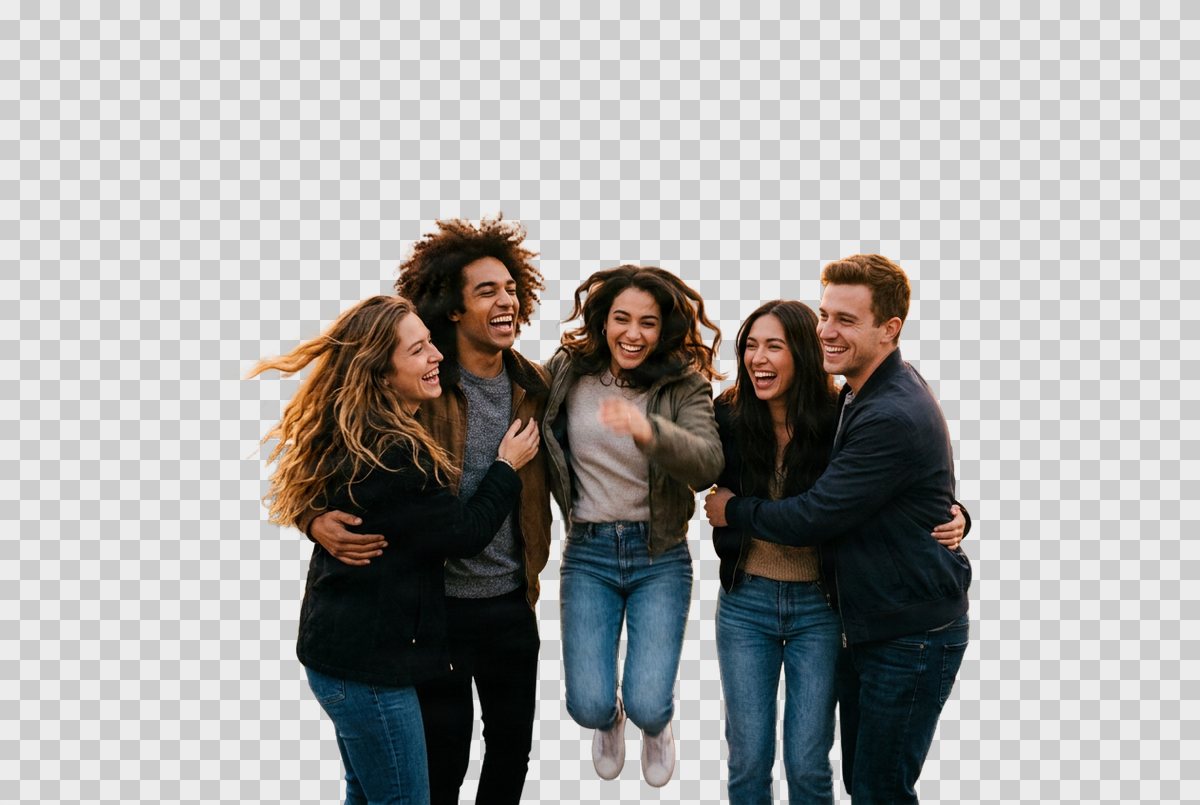
| Group photos | Keeps every person, including a friend mid-jump | Five friends on a rooftop |
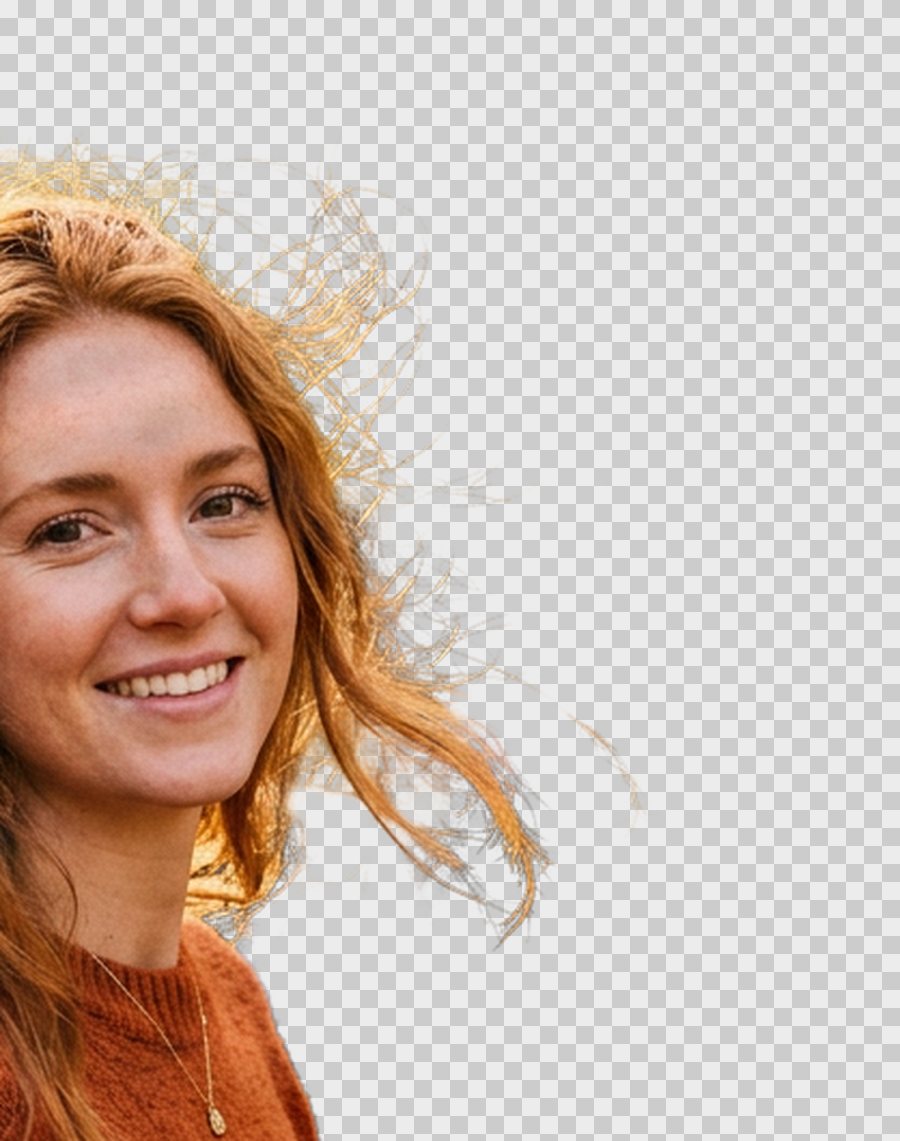
| Long or flyaway hair | Keeps fine strands with soft, partly transparent edges | Portrait in an autumn park |
| Openwork, mesh, spokes | Clears the gaps so the new background shows through | Wrought-iron garden chair |
| Products with labels | Keeps lettering sharp and the packaging solid | Coffee bag |
| Clear glass | Keeps the bottle and label perfect; clear glass is only partly see-through | Perfume bottle |
Real examples
Every result below was made on Flixly with the Remove Background tool, the first result we got, resized for the web and otherwise unedited. Cut-outs are shown on a light checkerboard so you can see where they are transparent. The rooftop, portrait and chair photos were made on Flixly with Nano Banana 2 for this post; the coffee bag and perfume bottle come from earlier Flixly posts.
A group of five friends, 8 seconds
The source: five friends hugging on a rooftop at golden hour, one of them mid-jump, with a railing, string lights, plants and a city skyline behind them.
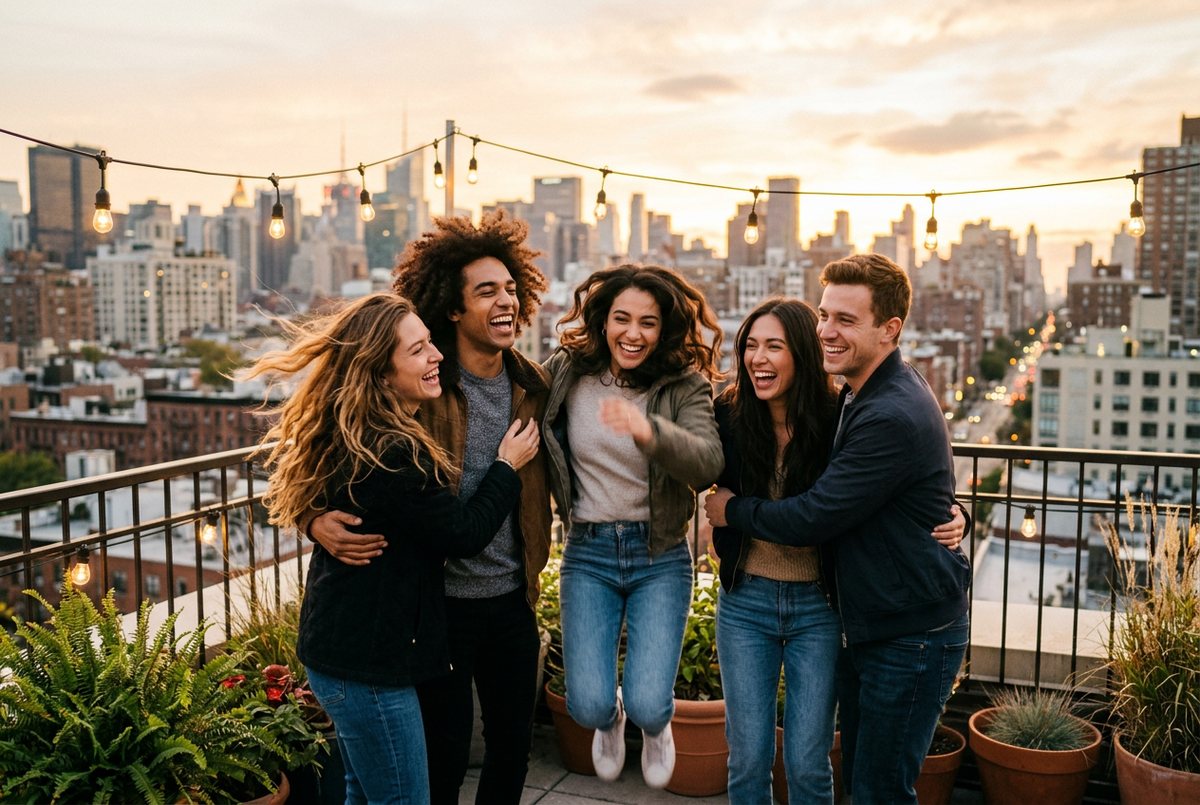
RMBG-3.0 returned the cut-out in 8 seconds at the photo's full 1264 by 848 pixels. All five people are kept as one group, including the arms wrapped around each other's backs and the jumping friend's legs and sneakers. The railing, the string lights, the plants and the skyline are gone, and the long hair blowing on the left keeps its loose ends.
Long, wind-blown hair, 11 seconds
The source: a woman with long auburn hair blowing loose against orange autumn trees, which is about the hardest background for hair because the colors are almost the same.
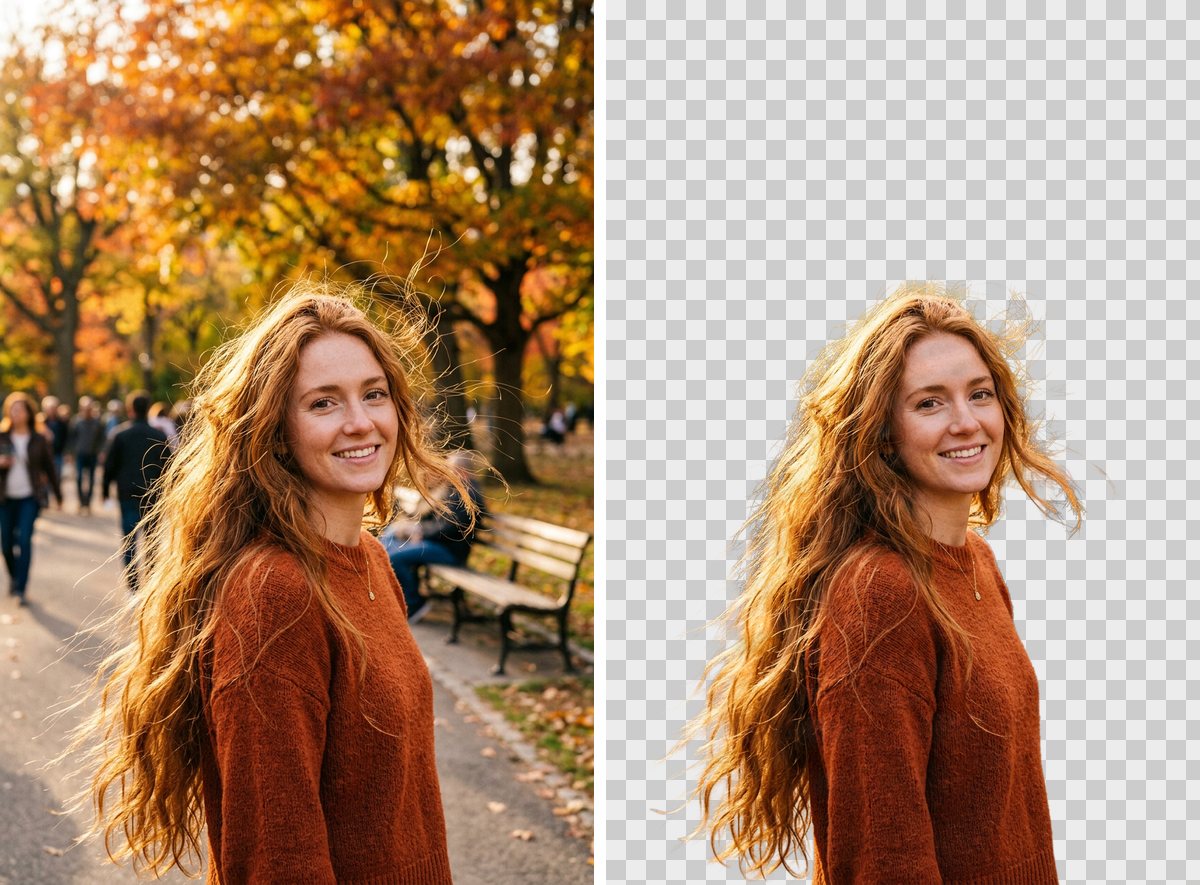
The cut-out took 11 seconds. Up close, the backlit flyaway strands above her head and around her shoulder survive as fine, partly transparent wisps rather than being trimmed into a smooth helmet of hair.
A lattice garden chair, 10 seconds
The source: a white wrought-iron chair with a lattice back and a mesh seat, standing on a lawn in front of a flowering hedge, with pink and purple flowers showing through every gap.
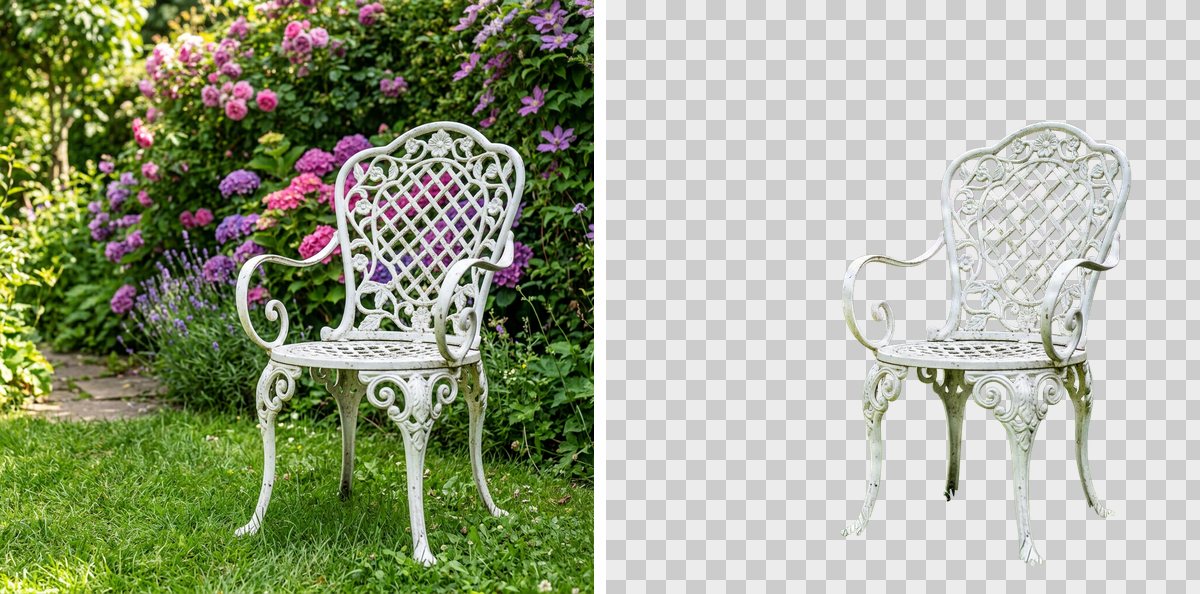
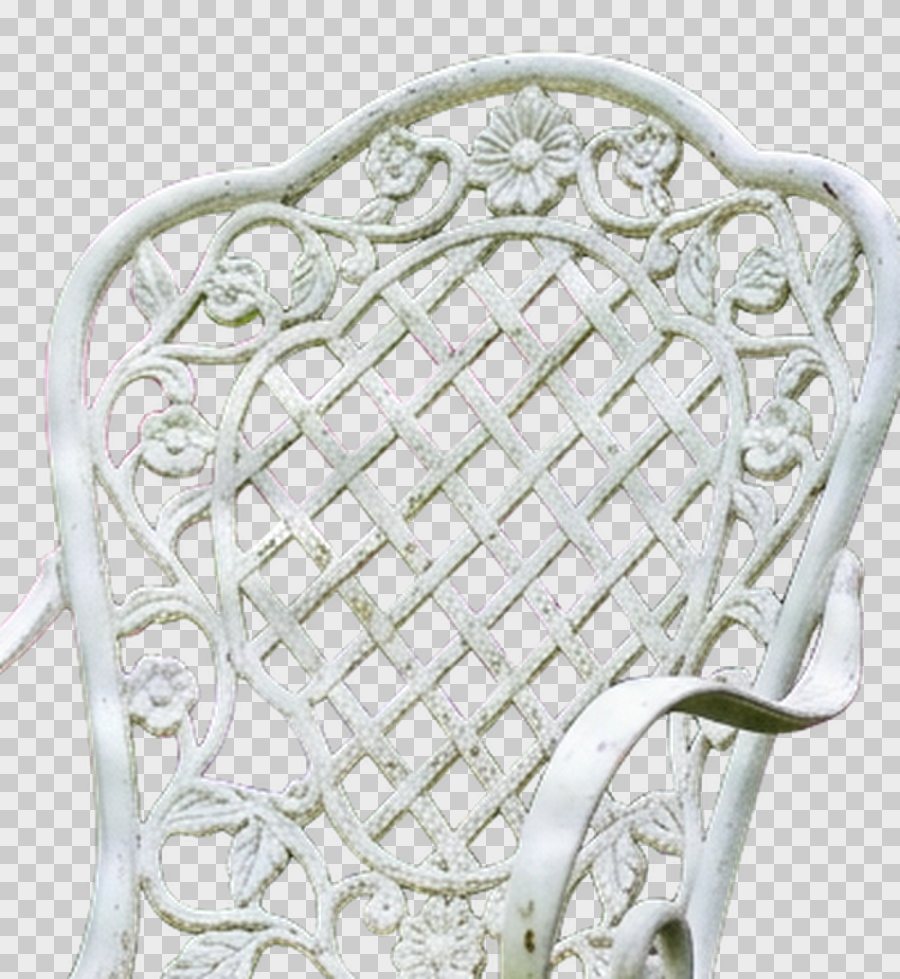
RMBG-3.0 took 10 seconds and cleared the flowers out of the lattice: in the close-up, the checkerboard shows through every diamond of the back and the scrolls around it, while the thin iron bars stay whole.
A coffee bag with a printed label, 9 seconds
The source: a kraft-paper coffee bag on a wooden counter, with a label in several sizes of type.
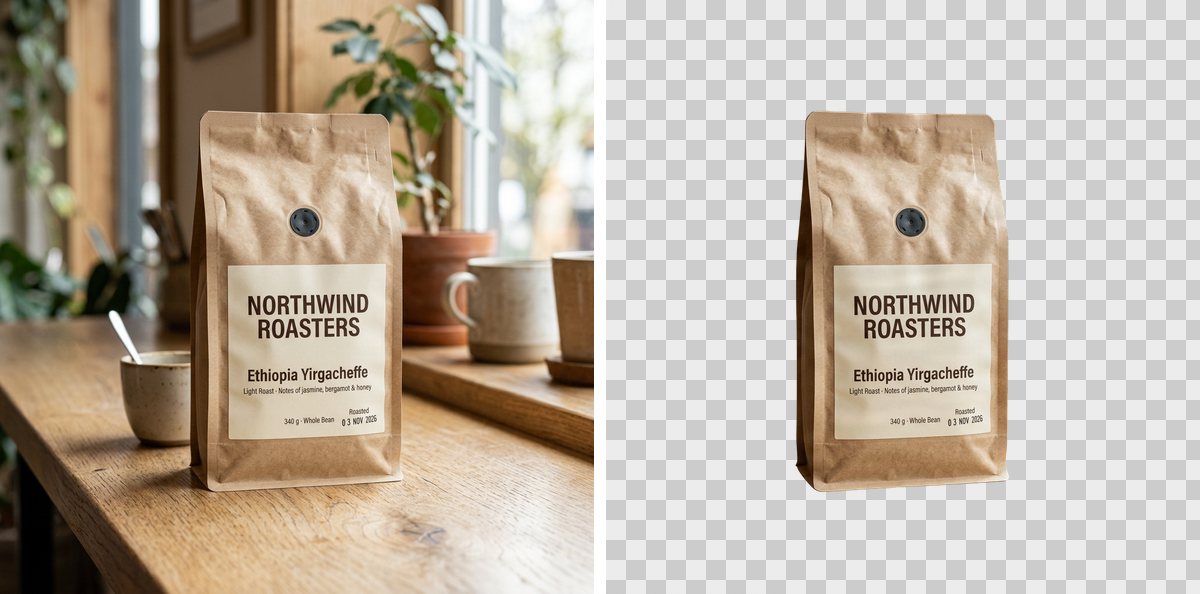
The cut-out took 9 seconds. Every line of the label reads exactly as before, down to the roast date, the paper keeps its creases, and the counter and the bag's shadow are left out.
A glass perfume bottle, 13 seconds
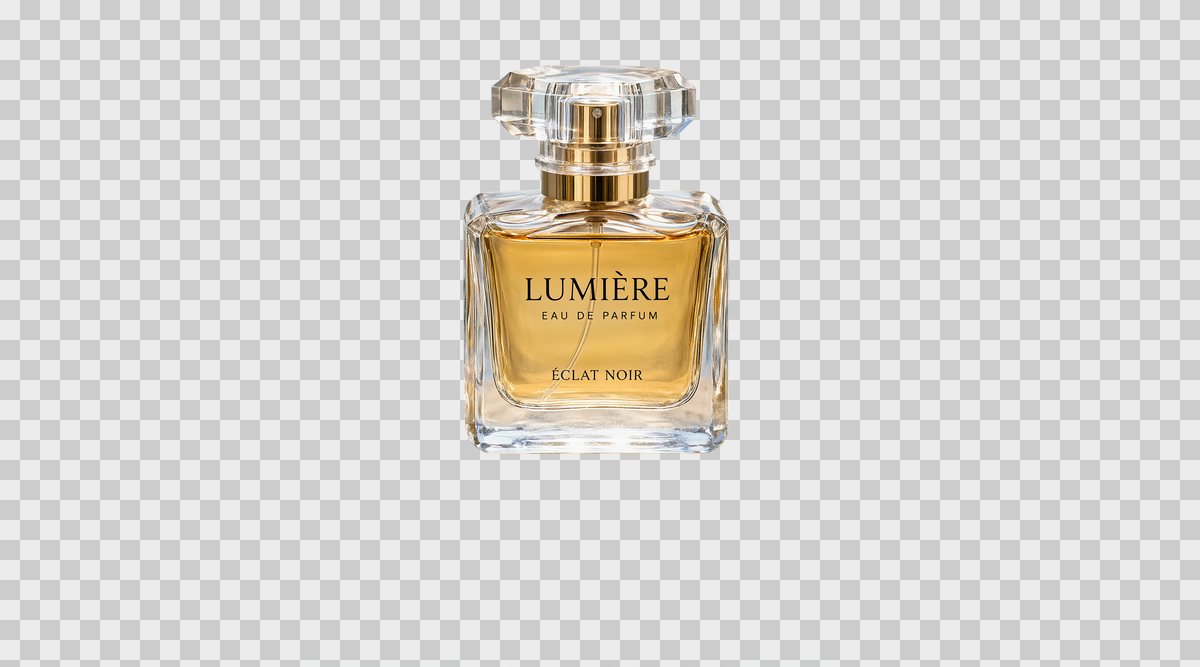
The source: a large 2736 by 1520 pixel product shot of a glass perfume bottle on a stone pedestal, surrounded by rippling water.
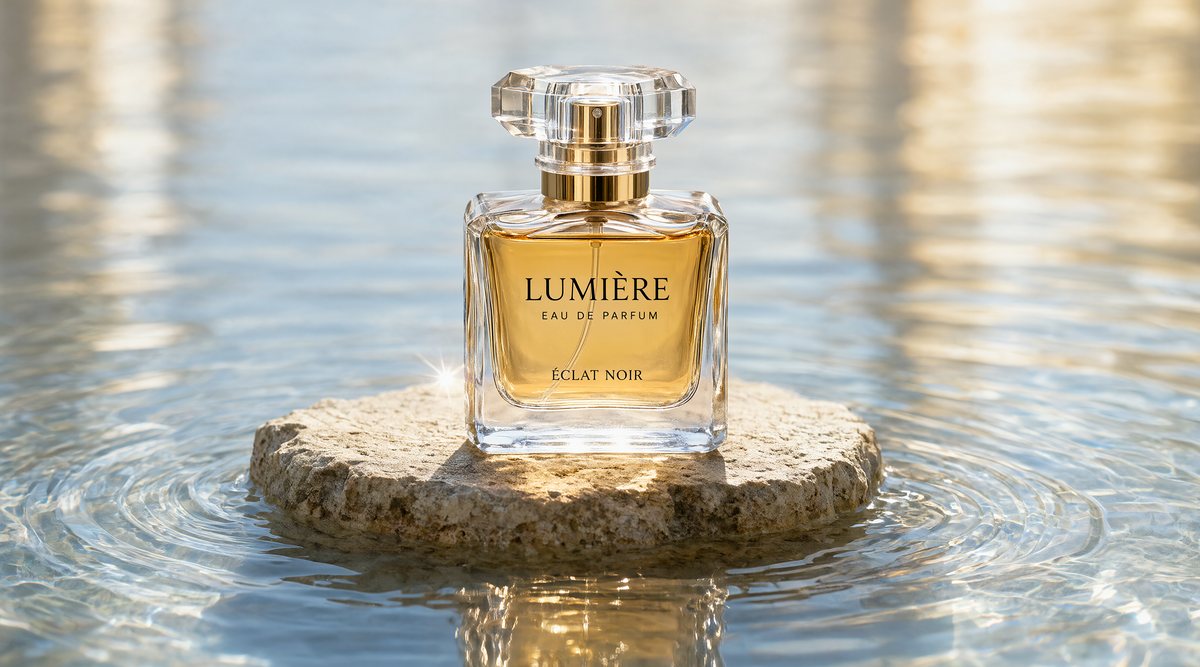
RMBG-3.0 took 13 seconds and returned the PNG at the full 2736 by 1520 pixels. The pedestal and water are gone, the lettering is crisp, and the gold collar is cut cleanly. Clear glass is the one place to check: the perfume and label come out solid, while the clear base and the faceted cap are only partly see-through and still carry some of the original background's tone.
What does RMBG-3.0 still get wrong?
Bria is open about the weak spot. Its model card notes that RMBG-3.0 ranks highest on average, but that on transparent objects another remover wins more than half of the head-to-head comparisons because it renders glass as see-through. That matches our perfume bottle: the clear glass kept some of the original background's tone instead of becoming fully transparent.
If you need the glass to show the new background through it, place the cut-out and add the transparency yourself in a design tool; for everything else in this post, the PNG is ready to use as it is.
What changed in Flixly's Remove Background tool?
Remove Background now runs Bria RMBG-3.0, a dedicated background removal model. The tool used to run a general image-editing model with a "remove background" instruction, which redraws the picture and does not give you a real transparent channel. Now you get a true alpha channel, the full original size, and the same price for any image.
For more than one cut-out per picture, such as separating a person, a sign and the background into their own layers, use Layer Decomposition instead; see our Seedream 5.5 Layer Decomposition post.
Frequently Asked Questions
What is Bria RMBG-3.0?▾
Bria RMBG-3.0 is Bria's newest background removal model. It is built on Bria's Fibo 2.0 image model, distilled to run in four steps, and trained only on licensed data. On Flixly it powers the Remove Background tool: one image in, one transparent PNG out at the same size as the original.
How do I remove a background with Bria RMBG-3.0 on Flixly?▾
Open Remove Background under Image Tools on Flixly, upload a PNG, JPG or WebP image and click Remove background. Bria RMBG-3.0 has no settings to choose. Flixly shows the price first, the result appears over a checkerboard so you can see what is transparent, and Download saves the PNG.
Does Bria RMBG-3.0 keep the original image size?▾
Yes. Bria RMBG-3.0 on Flixly returns the transparent PNG at exactly the size you uploaded. In Flixly's tests a 1264 by 848 group photo came back at 1264 by 848, and a 2736 by 1520 product shot at 2736 by 1520. Images up to 8192 by 8192 pixels work, and the price is the same at any size.
Can Bria RMBG-3.0 cut out hair and group photos?▾
Yes, those are among Bria RMBG-3.0's strengths. Bria says it keeps every person in a group shot, including motion-blurred limbs. On Flixly it kept all five friends in a rooftop photo, including one mid-jump, and kept backlit flyaway strands of auburn hair against orange autumn trees as soft, partly transparent wisps.
Does Bria RMBG-3.0 work on glass and transparent objects?▾
Partly. In Flixly's perfume bottle test, Bria RMBG-3.0 removed the pedestal and water and kept the label sharp, but the clear glass base and cap stayed only partly see-through. Bria's own model card says transparent objects are the one category where another remover sometimes does better, because it renders glass as see-through.
How long does Bria RMBG-3.0 take on Flixly?▾
Usually about 10 seconds. In Flixly's five examples Bria RMBG-3.0 took between 8 and 13 seconds per image, with the largest picture, a 2736 by 1520 product shot, taking the longest. Very large photos take a little longer, and every result comes back as a full-size transparent PNG.